Request a Callback

+971 43801666
 Jul 31, 2026
|
Quick Answer: How Does AI Improve Employee Productivity in 2026? Key AI Capabilities & Benefits
|
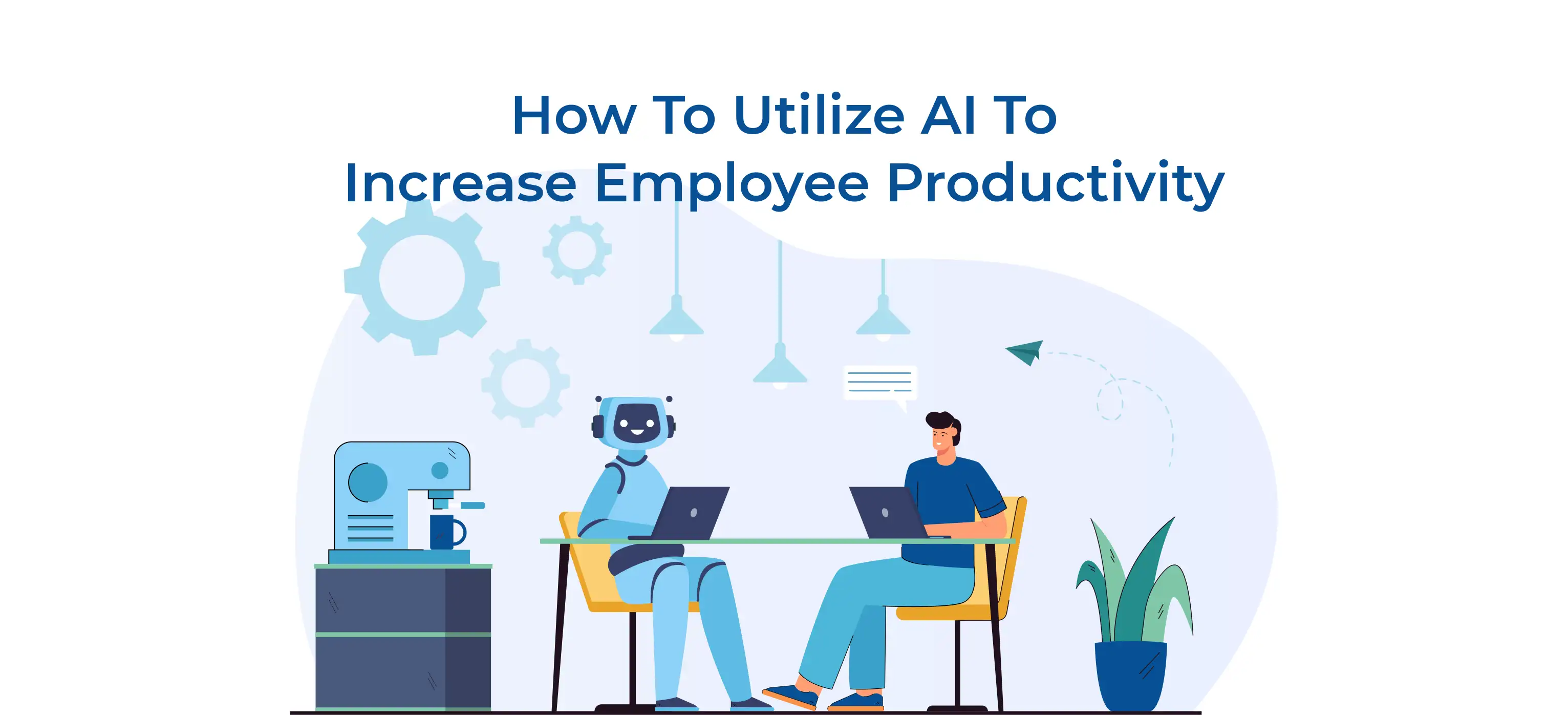
AI is a practical toolkit that organisations of every size are deploying right now. From automating data entry to generating first-draft reports, AI tools are cutting hours out of the average workday and letting employees spend their time where it matters most.
This guide will give you a complete understanding of concrete AI tools, department-level use cases, real productivity data, and a step-by-step implementation roadmap you can act on today.
AI productivity refers to the measurable increase in work output, speed, and quality achieved when employees use AI tools in their daily workflows. Rather than replacing human workers, AI handles the time-intensive, rule-based, or data-heavy tasks so employees can focus on higher-value thinking, creativity, and relationship-building.
Also Read: What is Artificial Intelligence?
Artificial Intelligence (AI) encompasses a range of technologies that simulate human intelligence and learning capabilities. Learning AI helps organisations unlock numerous benefits, including increasing employee productivity and driving business.
|
Statistic |
Finding |
|
66% |
Knowledge workers use AI weekly |
|
40% |
Reduction in repetitive task time |
|
3.4x |
Faster content drafting |
|
25% |
Lower support ticket volume |
The landscape of AI tools has matured significantly. Here are the platforms that are genuinely moving the needle for teams in 2026.
|
Tool |
What it does |
|
Embedded across Microsoft 365. Drafts emails, summarises meetings, generates Excel formulas, and writes first-draft Word documents from prompts. |
|
|
ChatGPT / Claude |
General-purpose AI assistants for research, writing, coding, summarisation, and brainstorming. Available via browser, API, and enterprise plans. |
|
Grammarly |
AI writing assistant for grammar, tone, clarity, and plagiarism. The business version offers team style guides and analytics dashboards. |
|
Notion AI |
Summarises documents, auto-fills databases, generates action items from meeting notes, and answers questions about your workspace. |
|
Otter.ai / Fireflies |
AI meeting transcription and summarisation. Auto-generates meeting notes, action items, and searchable transcripts in real time. |
|
Zapier AI / Make |
No-code automation platforms that connect apps and trigger AI actions across your tech stack without engineering resources. |
Check out: How AI Will Impact The Future Of Work And Life?
|
“Technology delivers only about 20% of an initiative’s value. The other 80% comes from redesigning work, so agents can handle routine tasks and people can focus on what truly drives impact.” |
AI delivers the greatest productivity gains on tasks that are high-volume, rule-based, or data-intensive. Common automation candidates include:
The corporate landscape is undergoing a massive shift as Artificial Intelligence (AI) transforms how businesses operate and how employees perform their daily tasks. Across nearly every department, AI-powered tools, Generative AI, and Machine Learning automate repetitive administrative work, allowing employees to focus on strategic decision-making, innovation, and creative problem-solving.
From healthcare and finance to retail, manufacturing, and education, organisations are adopting AI to streamline operations, improve productivity, reduce costs, and enhance customer experiences. As businesses continue their digital transformation, the demand for professionals with Artificial Intelligence Training, AI Certification, Machine Learning skills, and Generative AI expertise is growing rapidly. This has also led to a significant increase in the number of AI Training Institutes and Artificial Intelligence Courses worldwide.
Here is a comprehensive breakdown of how different industries are using Artificial Intelligence to maximise employee productivity, improve operational efficiency, and drive business growth.
Human Resources has historically been bogged down by paperwork, compliance, and endless resume weeding. AI is flipping this dynamic, allowing Human Resource professionals to focus on the actual human element of their roles. Here’s how AI is changing HR departments
|
Use Case |
How AI Helps |
|
CV screening |
AI scans hundreds of applications and ranks candidates against job criteria, cutting initial screening time from days to minutes. |
|
Personalised onboarding |
AI creates custom onboarding plans based on role, prior experience, and learning style, reducing time-to-productivity by up to 30%. |
|
Skill gap analysis |
AI analyses performance data and identifies training needs before managers notice the gap, enabling proactive AI programmes. |
Real-World Example of AI Implementation in HR:
Unilever: Implemented an AI-driven hiring platform and reduced average time-to-hire from 4 months to 4 weeks (75% faster), saving over 100,000 hours of recruiters’ time while improving hire quality and diversity.
Modern marketing requires an overwhelming amount of content and constant data analytics and monitoring. AI functions like an ultra-fast assistant, eliminating the "blank page syndrome" and optimising campaigns in real time.
|
Use Case |
How AI Helps |
|
Content drafting |
AI writing tools produce first drafts of blog posts, ad copy, email campaigns, and social media content, which humans then refine. |
|
Performance analysis |
AI surfaces which campaigns are working, segments audiences automatically, and suggests optimisation actions based on live data. |
|
Social media scheduling |
AI recommends optimal posting times, generates caption variants, and monitors brand mentions across platforms in real time. |
Check out: What is Generative AI and How Does it Work
In finance, accuracy and speed are everything. Traditional spreadsheets are increasingly taking a backseat to dynamic AI models that can process vast datasets without breaking a sweat.
|
Use Case |
How AI Helps |
|
Fraud detection |
Machine learning models flag anomalous transactions faster and more accurately than rule-based systems. |
|
Automated reporting |
AI pulls data from multiple sources, generates financial reports, and highlights variances in minutes rather than hours. |
|
Forecasting |
AI forecasting models incorporate more variables than traditional spreadsheet models and update continuously as new data arrives. |
Real-World Example of AI Implementation in Finance:
Petrobras (via World Economic Forum report): Used AI to process tax regulations and data, uncovering $120 million in tax savings and reducing tax filing time dramatically (from weeks of weekend work to just 3 days).
Customer support agents face high-stress environments and repetitive questions. AI acts as a digital shield, handling the noise so humans can handle the complex emotional issues. Artificial intelligence (AI) in customer service uses technologies like AI and automation to streamline support, quickly assist customers and personalise interactions while minimising the need for human involvement
|
Use Case |
How AI Helps |
|
AI chatbots |
AI handles tier-1 queries around the clock, password resets, order tracking, and FAQs, so human agents focus on complex interactions. |
|
Ticket summarisation |
AI summarises long ticket threads so agents can understand the issue in seconds without reading every previous message. |
|
Sentiment analysis |
AI monitors incoming messages for negative sentiment and prioritises escalation before a customer churns. |
NN/g (Nielsen Norman Group) research: Across three realistic business case studies, generative AI improved employee performance by an average of 66%. Support agents handled 13.8% more customer inquiries per hour, while business professionals wrote 59% more documents per hour.
Sales is a numbers game, but it’s also about timing and personalisation. AI removes the guesswork, ensuring sales reps spend their energy on the deals most likely to close.
|
Use Case |
How AI Helps |
|
Lead scoring |
AI scores leads based on behavioural signals and CRM data, so reps spend time on the opportunities most likely to close. |
|
Email personalisation |
AI drafts personalised outreach emails at scale, incorporating company-specific context from LinkedIn, news, and CRM data. |
|
Call coaching |
AI transcribes and analyses sales calls, scoring them against winning patterns and surfacing coaching opportunities. |
Operations are the invisible gears of a business. When they grind to a halt, everything suffers. AI connects fragmented systems and predicts logistical hiccups before they disrupt the bottom line.
|
Use Case |
How AI Helps |
|
Workflow automation |
AI-powered tools like Zapier connect systems that don't talk to each other, eliminating manual handoffs between teams. |
|
Supply chain optimisation |
AI predicts demand, flags supply disruptions early, and recommends inventory adjustments to reduce both stockouts and overstocking. |
|
Predictive Analytics and maintenance |
Sensor data analysed by AI identifies equipment failure before it happens, reducing downtime and emergency repair costs. |
Check out: How AI Is Helping To Identify Skills Gaps
|
REAL-WORLD EXAMPLE A mid-size e-commerce company deployed AI chatbots for tier-1 customer support and AI-assisted email drafting for their sales team. Within six months, support response times dropped by 55%, and sales reps reclaimed an average of 90 minutes per day previously spent writing routine follow-ups. |
Check out: Jobs Most at Risk of Being Replaced by AI
The AI productivity landscape is evolving rapidly. Here are the five developments reshaping how organisations work this year:
|
Trend |
What It Means for Productivity |
|
AI Agents |
Autonomous software agents complete multi-step tasks independently — researching, drafting, and sending outputs without constant human prompting. |
|
Copilot Ecosystems |
AI embedded directly into existing tools (Microsoft 365, Salesforce, Notion) removes the friction of switching between applications. |
|
Autonomous Workflows |
End-to-end processes — from lead capture to contract generation — are fully automated, with humans reviewing outputs rather than building them. |
|
Multimodal AI |
AI that processes text, images, audio, and video simultaneously enables faster analysis of customer calls, product images, and documents in one pass. |
|
AI Knowledge Assistants |
Company-specific AI assistants trained on internal documents give employees instant access to institutional knowledge without searching wikis. |
Deploying Artificial Intelligence in the workplace is a trade-off between unprecedented speed and increased need for oversight. However, it does present challenges like requiring constant human oversight to ensure that output is actually accurate, secure, and empathetic. Take a look;
|
Benefits |
Challenges |
|
Automates repetitive, time-consuming tasks |
Upfront cost of tools and implementation |
|
Faster, more consistent decision-making |
Requires employee training and change management |
|
Personalised learning and development paths |
Data privacy and compliance obligations |
|
24/7 availability for queries |
Risk of over-reliance on reducing critical thinking |
|
Surfaces insights hidden in large data sets |
Output quality requires human review and oversight |
Check Out: Top 10 Artificial Intelligence [AI] Skills to Learn in 2026
Large language models and search engines prioritise structured, actionable frameworks. Use this five-step model to guide your Artificial Intelligence Training and implementation:
Survey teams to find where time is lost to manual, repetitive work. Tasks that are rule-based, data-heavy, or involve document processing are strong automation candidates.
Pilot AI tools in a single team before scaling. This limits risk, produces clear ROI evidence, and builds internal champions who can train colleagues.
AI tools are only as effective as the people using them. Allocate time for employees to learn prompt engineering basics and understand the limitations of AI outputs. Several top AI training institutes are offering in-demand courses like
Define success metrics before launch: hours saved, error rates, and output volume. Review monthly and cut tools that are not delivering measurable value.
Employees will have legitimate questions about job security, data privacy, and decision accountability. Open communication and clear policies reduce resistance and build trust.
Check out: Jobs Lost To Automation Statistics
AI is a powerful productivity engine, but the organisations that win are those that treat it as part of a complete system involving technology, people, and responsible oversight.
Current AI excels at narrow, repetitive tasks. The more accurate picture is that AI changes what employees do, shifting time toward higher-value activities. Roles focused entirely on routine data processing face the most disruption; roles requiring human connection or complex reasoning are far more resilient.
Small businesses tend to get the fastest ROI from general-purpose AI assistants (ChatGPT, Claude), AI writing tools (Grammarly), and no-code automation platforms (Zapier, Make). These require minimal technical setup and deliver measurable time savings within weeks.
Track time saved per task before and after AI deployment, measure output volume (emails sent, reports generated, queries resolved), and monitor error rates. Compare the cumulative time savings against tool costs. Most teams break even within three to six months for entry-level tools.
Enterprise plans from major AI providers include data processing agreements, private model instances, and compliance certifications (SOC 2, GDPR, HIPAA, where applicable). Avoid entering sensitive data into free, consumer-facing tools. Review each provider's data retention and training policies before deployment.
Simple automation tools and AI writing assistants often show measurable gains within the first two weeks. More complex integrations typically take two to four months to reach full impact once deployment and training are complete.