Request a Callback

+965 65642350
 Jul 08, 2026
|
Quick Answer The top Revit MEP skills for your resume in 2026 are MEP system modelling, clash detection and coordination, Revit family creation, HVAC system design, electrical system modelling, plumbing layout, BIM collaboration, construction documentation, Dynamo automation, and understanding BIM standards and LOD. |
The demand for BIM specialists is increasing at a very high rate across the globe, and proficiency in the Revit MEP software has become a requirement for engineers who wish to have accelerated careers in the construction sector.
Created by Autodesk, Revit MEP is now at the heart of today's MEP design process.
By 2026, employers will not only be seeking software knowledge but will also be searching for industry-ready professionals capable of collaborating, simulating, and executing building systems through BIM.
| Table of Contents |
| 1. Top Revit MEP Skills Employers Look for in 2026 2. How to Write Revit MEP Skills on Your Resume? 3. Why Revit MEP Skills Matter in 2026? 4. Key Takeaways 5. FAQs |
The right Revit MEP skills can make the difference between getting shortlisted and getting ignored in today’s BIM job market. The key skills needed to master Revit MEP are:
MEP System modelling
HVAC System Design
Electrical System Modelling
Plumbing System Design
Clash detection and coordination
Revit Family Creation and Customisation
Quantity Takeoff and Cost Estimation
Documentation and Sheet Creation
Energy Analysis and Sustainable Design
Collaboration and Worksharing
Let’s take a deeper look at these 10 essential Autodesk Revit MEP skills and understand how they apply in real-world projects.
MEP system modelling is the foundational skill in Revit MEP, the ability to create parametric 3D models of mechanical, electrical, and plumbing building systems within a fully coordinated BIM environment. Unlike 2D CAD, Revit MEP models carry embedded data about system type, flow rate, pressure, and connectivity.
Employers expect proficiency in:
Common mistake: Placing MEP components without assigning them to a system type breaks automatic calculations and coordination workflows downstream.
Workflow tip: Always start MEP modelling from a linked architectural model with room bounding enabled. This allows Revit to auto-generate spaces for load calculations.
|
Resume Tip: If you have hands-on experience with any of these 2026 features, name them explicitly in your skills or experience sections. Hiring managers familiar with the software will immediately recognise your currency. |
HVAC system Design is one of the key parts of Revit MEP.
HVAC-skilled Revit MEP engineers command a 15-25% salary premium over generalist MEP modellers, particularly in data centre, healthcare, and smart building projects where climate control precision is critical.
Employers search for professionals who can:
Real-world use case: On a commercial office project, HVAC Revit engineers define supply air zones per floor using System Zones, size AHUs based on calculated loads, route ductwork through ceiling plenums, and produce fabrication-ready duct schedules, all within one shared Revit model.
Curious about MEP design and BIM workflows? Read What Is Revit MEP and Why Is It Important? to understand its role in modern construction projects.
Electrical system modelling in Revit MEP is one of the fastest-growing skill demands in the BIM job market as the global rise of smart buildings, data centres, and EV charging infrastructure is increasing.
Electrical design expertise includes:
Common mistake: Failing to assign electrical elements to a distribution system means panel schedules generate empty or incorrect load data.
Plumbing system design in Revit MEP covers the full spectrum of water-based building services: domestic water supply, sanitary drainage, storm drainage, natural gas, and fire protection piping.
Strong plumbing design skills involves the following:
Clash detection and coordination skills play a critical role in large commercial and infrastructure projects, where unresolved service clashes can lead to losses ranging from ₹10 lakhs to several crores; MEP BIM engineers who proactively identify and resolve these conflicts help safeguard project budgets and prevent costly rework.
Clash detection skills enable you to:
Common mistake: Running clash detection without configuring search sets by discipline and system type results in thousands of irrelevant clashes that obscure genuine coordination issues.
|
Workflow tip Prioritise routing sequence: HVAC first (largest space), then Plumbing and fire protection, then Electrical cable trays, then Conduit. Routing HVAC first reduces downstream coordination effort significantly |
Revit family creation and customisation are crucial when it comes to the creation of components, which make modelling more accurate, standardised, and efficient for any project.
Employers need to hire an individual who knows how to create and modify parametric families, since the customisation of the content improves the whole design process.
Revit family creation skills include:
|
Expert Opinion “Revit MEP is no longer just a drafting tool; it has become a coordination and decision-making platform. The professionals who stand out are those who can combine technical modelling skills with clash detection, interdisciplinary collaboration, and constructability knowledge to deliver projects faster and with fewer errors.” - Based on insights from BIM and MEP coordination industry experts. |
Revit MEP’s parametric modelling approach makes it inherently suited to accurate quantity extraction, bridging the gap between design and project management and making MEP engineers significantly more versatile.
Quantity takeoff and cost estimation skill covers:
Documentation and sheet creation are important to create proper drawings, schedules, and construction documents that are needed to execute the project.
There is a high demand by employers for Revit MEP specialists who can create well-organised sheets and documents since they help to reduce mistakes and improve collaboration within the team.
Documentation skills in Revit MEP include:
Documentation accuracy and clarity affect the implementation of projects.
Common mistake: Using generic view templates rather than discipline-specific ones results in MEP elements displaying incorrectly in plan views shared with architectural and structural teams.
UAE Green Building Regulations, India’s Energy Conservation Building Code (ECBC), and ASHRAE 90.1 all require MEP engineers to demonstrate energy performance from the design stage.
Revit MEP’s energy analysis capabilities allow engineers to:
With increasing focus on ESG goals, this skill can significantly boost your career prospects.
Collaboration and worksharing are crucial Revit MEP job skills in 2026. Employers value professionals who can efficiently manage Revit worksharing and collaborative workflows, as these skills improve project coordination, reduce rework, and ensure the timely delivery of complex projects.
Revit’s worksharing and collaboration tools enable:
Professionals who are able to work well in collaborative environments are highly valued.
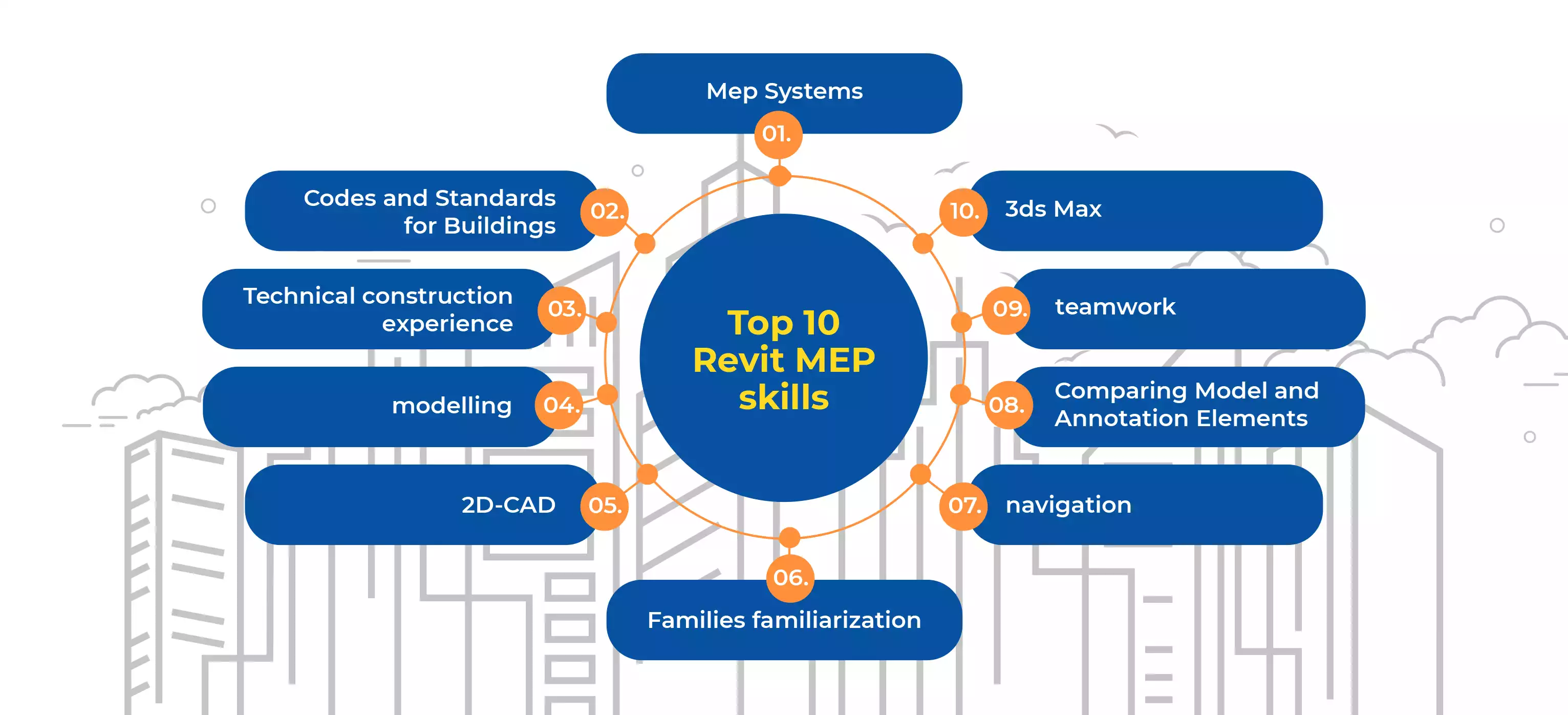
The comprehensive representation of the BIM MEP skills list is given in the following infographic:

Simply listing ‘Revit MEP’ in a skills section is no longer sufficient. ATS systems filter resumes based on specific keyword matches to job descriptions, and human reviewers look for quantified evidence of impact.
Boost your resume with accredited Revit MEP course certifications
Based on analysis of live Revit MEP job descriptions across Glassdoor, LinkedIn, and Naukri (2026):
ATS Keywords
| Keyword Category | Key Terms to Include |
| Software Skills | Autodesk Revit MEP, Navisworks Manage, Autodesk Construction Cloud, BIM 360, Dynamo, AutoCAD MEP, Revizto, Bluebeam |
| Technical Skills | MEP system modelling, clash detection, HVAC load calculation, electrical panel schedule, Revit family creation, LOD 300/350/400, quantity takeoff, BIM coordination, worksharing |
| Standards | ISO 19650, ASHRAE 90.1, IEC, LEED, COBie, BIM Execution Plan (BEP), Common Data Environment (CDE) |
| Job Roles | BIM Coordinator, MEP Modeller, BIM Engineer, HVAC Designer, Electrical Designer, Plumbing Designer, BIM Technician |
If you are a fresher with training project experience, frame your resume bullets around the scope, tools, and skills demonstrated in your training projects:
|
Do You Know the Top Career Opportunities for Revit MEP Professionals in 2026 ❓ Professionals with strong Revit MEP expertise can explore roles such as:
Global firms in construction, infrastructure, and real estate are actively hiring Revit MEP professionals due to increasing BIM adoption. This is why you should learn Revit. |
At mid-level, your resume bullets must demonstrate project scale, leadership, and measurable outcomes:
Frame your training projects as project experience. Use the formula: action verb + what you modelled + project scale + tools used + output produced.
Instead of: “Learned Revit MEP and practised on training projects.”
Write: “Modelled HVAC and plumbing systems for a 3,000 sq. ft. residential project in Revit MEP, producing coordinated plan views, section views, and quantity schedules as part of Autodesk-certified training at Edoxi.”
Start your Revit MEP career with industry-focused training. Enrol in a Revit MEP training today.
|
How long does it take to learn Revit MEP?
|
Globally, Revit MEP salary range from USD 30,000 to USD 120,000+ annually, with salaries varying based on country, experience, certifications, and demand for BIM and MEP expertise.
Revit MEP professionals enjoy strong global earning potential, with salaries ranging from entry-level packages to six-figure incomes in high-demand markets such as the UAE, USA, Canada, Australia, and the UK.
Countries like the UAE, UK, Canada, and Australia are seeing rapid BIM adoption. In India, metro cities like Kochi, Bangalore, and Hyderabad are emerging as BIM hubs. You can explore the best Revit institutes in India to get Revit MEP training.
Government mandates and smart city initiatives are further accelerating the demand for skilled Revit MEP professionals in 2026.
Build real Revit MEP skills; get noticed, get hired.
There is a revolution happening at present in the construction industry due to technology such as Building Information Modelling, sustainability, and intelligent construction of infrastructure.
Revit MEP aids the engineer in effectively designing and coordinating mechanical and electrical components.
According to industry insights from organisations like McKinsey & Company, digital tools like BIM can improve project productivity by up to 15-20%. This makes Revit MEP expertise a high-value, future-proof skill.
In India, metro cities including Kochi, Bangalore, Hyderabad, and Pune are emerging as BIM talent hubs, with over 14,500 active BIM job listings reported in early 2026 and salary growth of nearly 30% since 2024.
In the UAE and GCC, government-mandated BIM adoption on public projects continues to drive aggressive hiring of MEP BIM professionals.
Globally, the AEC construction industry is valued at $14 trillion to 16 trillion in 2026, with MEP systems representing 30-40% of total building costs.
Here are the key takeaways:
Beginners should focus on BIM fundamentals, basic HVAC and electrical modelling and understanding Revit interface tools. These core skills help build a strong foundation for advanced MEP design and coordination tasks.
Yes, Revit MEP is a highly promising career due to increasing BIM adoption worldwide. Industries like construction, infrastructure, and smart buildings rely heavily on Revit MEP professionals for efficient project delivery.
Jobs such as MEP Engineer, BIM Modeller, BIM Coordinator, and Project Engineer require Revit MEP skills. These roles are in demand across construction, engineering, and infrastructure sectors.
Yes, certifications add credibility and demonstrate your expertise in Revit MEP. Many employers prefer certified candidates as they are considered job-ready and skilled in industry standards.
In India (2026), freshers with Revit certification earn ₹2.5–4.5 LPA, mid-level engineers with 3–5 years of experience earn ₹7–12 LPA, and senior BIM engineers earn ₹12–20 LPA or more. MEP BIM specialisation commands a 20–40% premium over architectural BIM at comparable experience levels.
Revit MEP is better than AutoCAD MEP in contemporary projects since Revit MEP incorporates BIM technology in its 3D modelling and clash detection process. However, AutoCAD MEP is more appropriate for 2D drafting.
The Autodesk Certified Professional (ACP) in Revit for Mechanical Design and the ACP in Revit for Electrical Design are the industry-recognised benchmarks. Certified professionals earn 30–50% more than non-certified peers.
Hospital MEP focuses on medical gas systems, infection-control HVAC, and sterilisation plumbing, while data centre MEP emphasises redundant power, precision cooling, and structured cabling. Both require LOD 350–400 modelling and are among the highest-paying MEP sectors.
No, and the evidence points in the opposite direction. AI tools are eliminating routine 2D drafting tasks, which is actually increasing the relative value of Revit MEP skills. The parametric coordination, clash resolution, engineering judgment, and multi-discipline communication required in MEP BIM work require contextual understanding that current AI tools cannot replicate.