
Leave your message to get our quick response
edoxi automated message icon

Introduction to Microsoft 365 Certification Course in Dubai

Professional using Microsoft 365 on a tablet.
Edoxi’s 8-hour Introduction to Microsoft 365 Certification Course in Dubai helps you build real-world cloud productivity skills using Microsoft 365 tools. Gain hands-on experience with Teams, SharePoint, OneDrive, admin centre management, security, identity, and licensing concepts while preparing for the MS-900 exam. Learn through practical labs, expert guidance, and industry-aligned training to boost workplace productivity and launch your IT support or cloud career. Enrol now.
Course Duration
8 Hours
Corporate Days
1 Day
Learners Enrolled
50+
Course Module
15
star-rating-icon1
star-rating-icon2
star-rating-icon3
Course Rating
4.9
star-rating-4.9
Mode of Delivery
Online
Classroom
Certification by
edoxi-accreditation-logo

What Do You Learn from Edoxi's Introduction to Microsoft 365 Certification Training

Microsoft 365 Core Concepts
Learn fundamental cloud concepts and service models in Microsoft 365 and understand the differences between Office 365 and hybrid work environment capabilities.
Productivity Applications and Solutions
Master Microsoft 365 Apps for Enterprise and work management tools, and explore how Microsoft 365 Copilot improves daily productivity tasks and workflows.
Collaboration and Communication Tools
Discover Microsoft Teams, SharePoint Online, and OneDrive for Business and learn how Microsoft Viva enhances teamwork, collaboration, and content management.
Security and Identity Management
Understand Microsoft Entra ID for identity management and multi-factor authentication, and learn conditional access policies and Microsoft Defender cloud security features.
Administrative and Endpoint Management
Explore the Microsoft 365 admin center to manage and configure services and learn endpoint management basics and Windows-as-a-Service deployment models.
Pricing, Licensing and Support

Understand Microsoft 365 subscription models, billing options, and license management and learn about available Microsoft support resources and service assistance.


About Our Introduction to Microsoft 365 Certification Course in Dubai

Edoxi offers an 8-hour Introduction to Microsoft 365 Certification course in Dubai designed for IT professionals and business users. The course introduces Microsoft’s cloud-based productivity ecosystem, covering key cloud concepts along with core Microsoft 365 apps and services. It provides participants with access to a dedicated Microsoft 365 subscription, allowing them to gain hands-on experience with Microsoft Teams, SharePoint, OneDrive, and other critical components of the Microsoft 365 platform. Introduction to Microsoft 365 Certification corporate training is also available for organisations looking to improve employee productivity and collaboration using Microsoft 365 tools.

The training covers security features and collaborative tools that help protect data and manage user access effectively while building a practical understanding of cloud technology. It also explains important licensing models that support effective business productivity and prepares participants for the MS-900 Microsoft 365 Certified: Fundamentals exam.

MS-900 Exam Details:

The table below shows the MS-900 exam details.

Exam Criteria Details
Exam Code MS-900
Exam Name Microsoft 365 Fundamentals
Duration 60 minutes
Number of Questions
40–60, Multiple Choice and Performance-based
Passing Score 700/1000
Fees USD 50
Certification Validity One year
Recertification Free of cost
Exam Administration Authority Pearson and Microsoft

By the end of the Introduction to Microsoft 365 Certification course, participants develop useful digital productivity skills that enhance employability in IT support roles while gaining a strong understanding of cloud technology. Whether working in IT or using Microsoft 365 for business operations, learners gain the knowledge required to use the platform effectively in the workplace.

To learn more about the Introduction to Microsoft 365 Certification course fee, training benefits, and corporate learning opportunities, you can contact us.

Key Features of Edoxi's Introduction to Microsoft 365 Certification Training

Microsoft 365 Overview

Gain a clear understanding of Microsoft 365 as a cloud-based productivity solution and its differences from Office 365.

Microsoft Official Learning Materials

Access high-quality study materials developed by Microsoft to build a strong foundation in Microsoft 365 apps, security, and cloud concepts.

Corporate Training Effectiveness

This course equips teams with essential Microsoft 365 skills to improve workplace productivity, enhance collaboration, and strengthen organisational cloud readiness.

Productivity and Collaboration Apps Overview

Explore Microsoft 365 Apps for Enterprise, including Outlook, Word, Excel, PowerPoint, and understand their benefits for productivity.

Microsoft Teams and SharePoint Introduction

Understand the basic features of Microsoft Teams for collaboration and explore SharePoint Online and OneDrive for Business for content management.

Admin Centre and Endpoint Management Concepts

Get an overview of the Microsoft 365 admin centre, user and license management, and endpoint management concepts such as Microsoft Intune and Endpoint Manager.

Who Can Join Our Introduction to Microsoft 365 Certification Course in Dubai?

IT Support Technicians and Helpdesk Professionals

IT support staff who assist users with Microsoft 365 tools and cloud-based services.

Business Analysts and Office Administrators

Professionals who manage office productivity and want to use Microsoft 365 for better workflows and processes.

Sales Executives and Project Coordinators

Team members who need Microsoft 365 for collaboration, communication, and managing projects will benefit from this course.

Entry-Level Cloud Enthusiasts

Individuals interested in starting a career in cloud computing can use this course to build a strong foundation.

Professionals New to Microsoft 365

Those who are new to Microsoft 365 will learn its key apps, features, and benefits for workplace productivity.

IT Decision Makers

Managers and decision-makers can gain a clear overview of Microsoft 365 features to evaluate its benefits for their organisation.

Introduction to Microsoft 365 Certification Course Modules

Module 1: Describe Cloud Computing
  • Chapter 1.1: Introduction to Microsoft Azure Fundamentals

    • Lesson 1.1.1: Introduction to Microsoft Azure Fundamentals
    • Lesson 1.1.2: Introduction to Cloud Computing
    • Lesson 1.1.3: What is Cloud Computing
    • Lesson 1.1.4: Describe the Shared Responsibility Model
    • Lesson 1.1.5: Define Cloud Models
    • Lesson 1.1.6: Describe the Consumption-Based Model
    • Lesson 1.1.7: Module Assessment
    • Lesson 1.1.8: Summary
Module 2: Describe the Benefits of Using Cloud Services
  • Chapter 2.1: Benefits of Cloud Services

    • Lesson 2.1.1: Introduction
    • Lesson 2.1.2: Benefits of High Availability & Scalability
    • Lesson 2.1.3: Benefits of Reliability & Predictability
    • Lesson 2.1.4: Benefits of Security & Governance
    • Lesson 2.1.5: Benefits of Manageability
    • Lesson 2.1.6: Module Assessment
    • Lesson 2.1.7: Summary
Module 3: Describe Cloud Service Types
  • Chapter 3.1: Cloud Service Models

    • Lesson 3.1.1: Introduction
    • Lesson 3.1.2: Infrastructure as a Service (IaaS)
    • Lesson 3.1.3: Platform as a Service (PaaS)
    • Lesson 3.1.4: Software as a Service (SaaS)
    • Lesson 3.1.5: Module Assessment
    • Lesson 3.1.6: Summary
Module 4: What is Microsoft 365?
  • Chapter 4.1: Introduction to Microsoft 365

    • Lesson 4.1.1: Introduction
    • Lesson 4.1.2: What is Microsoft 365?
    • Lesson 4.1.3: Office 365 vs Microsoft 365
    • Lesson 4.1.4: How Microsoft 365 Empowers Hybrid Work
    • Lesson 4.1.5: How Microsoft 365 Copilot Transforms Work
    • Lesson 4.1.6: Module Assessment
    • Lesson 4.1.7: Summary & Resources
Module 5: Describe Productivity Solutions of Microsoft 365
  • Chapter 5.1: Microsoft 365 Productivity Capabilities

    • Lesson 5.1.1: Introduction
    • Lesson 5.1.2: Productivity Capabilities & Benefits
    • Lesson 5.1.3: How Microsoft 365 Copilot Boosts Productivity
    • Lesson 5.1.4: Work Management Tools
    • Lesson 5.1.5: Additional Productivity Apps
    • Lesson 5.1.6: Module Assessment
    • Lesson 5.1.7: Summary & Resources
Module 6: Describe Collaboration Solutions of Microsoft 365
  • Chapter 6.1: Microsoft 365 Collaboration Capabilities

    • Lesson 6.1.1: Introduction
    • Lesson 6.1.2: Collaboration Capabilities & Benefits
    • Lesson 6.1.3: Microsoft Teams for Collaboration
    • Lesson 6.1.4: Microsoft Viva Apps
    • Lesson 6.1.5: OneDrive & SharePoint for Collaboration
    • Lesson 6.1.6: Module Assessment
    • Lesson 6.1.7: Summary & Resources
Module 7: Device & Cloud Endpoint Management in Microsoft 365
  • Chapter 7.1: Endpoint Management in Microsoft 365

    • Lesson 7.1.1: Introduction
    • Lesson 7.1.2: Endpoint Management Capabilities
    • Lesson 7.1.3: Windows 365 vs Azure Virtual Desktop
    • Lesson 7.1.4: Windows-as-a-Service (WaaS) Deployment Models
    • Lesson 7.1.5: Deployment Methods & Update Channels
    • Lesson 7.1.6: Module Assessment
    • Lesson 7.1.7: Summary & Resources
Module 8: Analytics & Administrative Capabilities in Microsoft 365
  • Chapter 8.1: Microsoft 365 Admin & Insights

    • Lesson 8.1.1: Introduction
    • Lesson 8.1.2: Viva Insights
    • Lesson 8.1.3: Microsoft Copilot Dashboard
    • Lesson 8.1.4: Microsoft 365 Admin Center & User Portal
    • Lesson 8.1.5: Reports in Admin Centers
    • Lesson 8.1.6: Module Assessment
    • Lesson 8.1.7: Summary & Resources
Module 9: Microsoft Entra ID: Functions & Identity Types
  • Chapter 9.1: Microsoft Entra ID Overview

    • Lesson 9.1.1: Introduction
    • Lesson 9.1.2: What is Microsoft Entra ID
    • Lesson 9.1.3: Identity Types
    • Lesson 9.1.4: Hybrid Identity
    • Lesson 9.1.5: External Identities
    • Lesson 9.1.6: Module Assessment
    • Lesson 9.1.7: Summary & Resources
Module 10: Access Management in Microsoft Entra
  • Chapter 10.1: Access Management

    • Lesson 10.1.1: Introduction
    • Lesson 10.1.2: Conditional Access
    • Lesson 10.1.3: Global Secure Access
    • Lesson 10.1.4: Roles & RBAC
    • Lesson 10.1.5: Module Assessment
    • Lesson 10.1.6: Summary & Resources
Module 11: Threat Protection with Microsoft Defender XDR
  • Chapter 11.1: Microsoft Defender XDR Services

    • Lesson 11.1.1: Introduction
    • Lesson 11.1.2: Defender XDR Services
    • Lesson 11.1.3: Defender for Office 365
    • Lesson 11.1.4: Defender for Endpoint
    • Lesson 11.1.5: Defender for Cloud Apps
    • Lesson 11.1.6: Defender for Identity
    • Lesson 11.1.7: Vulnerability Management
    • Lesson 11.1.8: Threat Intelligence
    • Lesson 11.1.9: Defender Portal
    • Lesson 11.1.10: Copilot Integration
    • Lesson 11.1.11: Module Assessment
    • Lesson 11.1.12: Summary & Resources
Module 12: Data Compliance Solutions of Microsoft Purview
  • Chapter 12.1: Microsoft Purview Compliance

    • Lesson 12.1.1: Introduction
    • Lesson 12.1.2: Audit in Purview
    • Lesson 12.1.3: eDiscovery
    • Lesson 12.1.4: Compliance Manager
    • Lesson 12.1.5: Communication Compliance
    • Lesson 12.1.6: Data Lifecycle Management
    • Lesson 12.1.7: Records Management
    • Lesson 12.1.8: Module Assessment
    • Lesson 12.1.9: Summary
Module 13: Microsoft Service Trust & Privacy
  • Chapter 13.1: Service Trust & Privacy

    • Lesson 13.1.1: Introduction
    • Lesson 13.1.2: Service Trust Portal
    • Lesson 13.1.3: Microsoft Privacy Principles
    • Lesson 13.1.4: Microsoft Priva
    • Lesson 13.1.5: Module Assessment
    • Lesson 13.1.6: Summary & Resources
Module 14: Microsoft 365 Pricing, Licensing & Billing
  • Chapter 14.1: Pricing & Licensing

    • Lesson 14.1.1: Introduction
    • Lesson 14.1.2: Pricing Models
    • Lesson 14.1.3: Billing & Bill Management
    • Lesson 14.1.4: Licensing Options
    • Lesson 14.1.5: Module Assessment
    • Lesson 14.1.6: Summary & Resources
Module 15: Support Offerings for Microsoft 365
  • Chapter 15.1: Microsoft 365 Support Options

    • Lesson 15.1.1: Introduction
    • Lesson 15.1.2: Support Options
    • Lesson 15.1.3: SLA Concepts
    • Lesson 15.1.4: Tracking Service Health
    • Lesson 15.1.5: Sharing Feedback
    • Lesson 15.1.6: Module Assessment
    • Lesson 15.1.7: Summary & Resources

Download Introduction to Microsoft 365 Certification Course Brochure

Lab Activities and Practical Sessions in Our Introduction to Microsoft 365 Certification Training in Dubai

Our Introduction to Microsoft 365 Certification training in Dubai includes hands-on lab activities that help learners practice real-world administration and collaboration skills. Below are the key practical exercises covered in the course:

Microsoft 365 Tenant Exploration

Navigate through a configured Microsoft 365 tenant to understand the administrative interface, service availability, and organisational settings through guided exploration activities.

Teams Collaboration Implementation

Set up a Microsoft Teams environment for a simulated department, creating channels, configuring permissions, and implementing collaboration workflows for effective teamwork.

Microsoft Viva Experience Analysis

Explore the Microsoft Viva suite of applications, analysing how each component contributes to employee experience, knowledge management, and workplace insights.

Admin Centre Configuration Exercise

Configure user accounts, assign licenses, and manage service settings through the Microsoft 365 admin centre to understand administrative responsibilities.

User and Billing Management Simulation

Practice user provisioning, license assignment, and explore billing management features to understand the operational aspects of Microsoft 365 administration.

Support Request Workflow

Create, track, and manage support requests through the Microsoft 365 portal to understand the support infrastructure and resolution workflows.

Introduction to Microsoft 365 Certification Course Outcomes and Career Opportunities in Dubai

Edoxi’s Introduction to Microsoft 365 Certification course equips learners with essential cloud productivity and collaboration skills. By the end of the course, you can;

Course Outcome Image
Understand core Microsoft 365 concepts and cloud fundamentals used in modern workplaces.
Identify and use key Microsoft 365 applications that support digital collaboration.
Improve workplace productivity through effective communication and teamwork tools.
Understand basic licensing, security, and administrative concepts in Microsoft 365 environments.
Work confidently with cloud-based services used in corporate organisations.
Build a strong foundation for IT support roles and future cloud certification pathways.

Job Roles After Completing the Introduction to Microsoft 365 Certification Course in Dubai

  • IT Help Desk Specialist
  • Microsoft 365 Support Technician
  • Office Administrator
  • Digital Workplace Manager
  • Cloud Productivity Consultant
  • Cloud Support Associate
  • Microsoft 365 Functional Consultant (Entry-Level)
  • Collaboration Tools Coordinator
  • Workplace Technology Specialist
  • Microsoft Teams Support Administrator

Companies Hiring Introduction to Microsoft 365 Certification Professionals in Dubai

  • Atlantis Resorts
  • IBM
  • Dubai RTA
  • Cognizant
  • Al Khayyat Investments (AKI)
  • Smart Data Information Technology LLC
  • Aurora Jet Fuel DMCC
  • Dicetek LLC
  • Elite Group Holding
  • Global Commodities LLC

Introduction to Microsoft 365 Certification Training Options

Classroom Training:

  • 8 Hours of Introduction to Microsoft 365 Certification Classroom Training

  • Dedicated Microsoft 365 Subscription

  • Interactive Instructor-Led Sessions

  • Hands-On Microsoft 365 Exercises

  • Personalised Learning Experience

Live Online Training:

  • 8 Hours of Live Online Introduction to Microsoft 365 Certification Training

  • Flexible Scheduling for Professionals

  • Virtual Lab Environment Access

  • Digital Study Materials

  • Real-Time Instructor Interaction

Corporate Training:

  • 1 Day of Introduction to Microsoft 365 Certification Corporate Training

  • Customised Training for Team Requirements

  • Flexible Delivery Options (On-Site / Edoxi Office / Hotel)

  • Fly-Me-a-Trainer Option

  • Food and refreshments provided for corporate teams

Do You Want a Customised Training for Introduction to Microsoft 365 Certification ?

Get expert assistance in getting you Introduction to Microsoft 365 Certification Course Customised!

How To Get an Introduction to Microsoft 365 Certification in Dubai?

Here’s a four-step guide to becoming a certified Introduction to Microsoft 365 Certification professional.
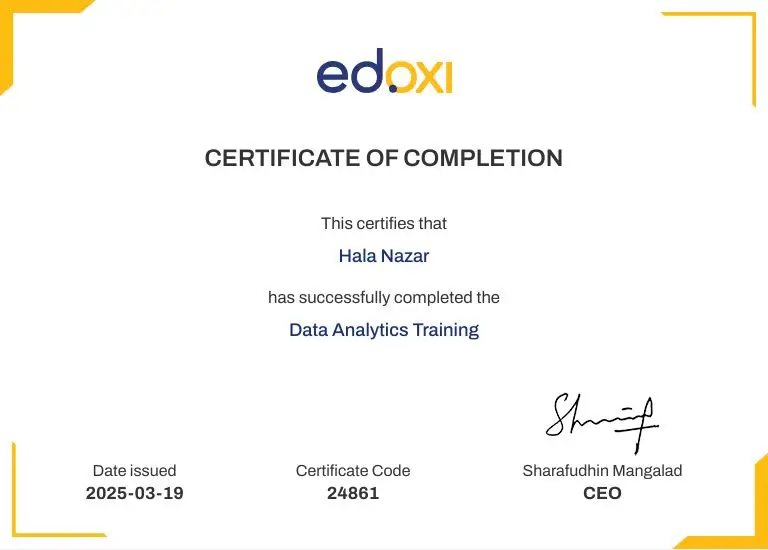
Do You Want to be a Certified Professional in Introduction to Microsoft 365 Certification?

Join Edoxi’s Introduction to Microsoft 365 Certification Course

Why Choose Edoxi Training Institute for Introduction to Microsoft 365 Certification Course in Dubai?

Edoxi, a leading Microsoft 365 Certification training institute in Dubai, delivers industry-focused cloud productivity programs designed to meet global enterprise standards and modern workplace demands. Here are the key reasons to choose Edoxi:

Microsoft 365 Practical Learning with Real-World Scenarios

Gain hands-on experience using official Microsoft learning materials, covering tenant administration, collaboration tools, and security features through practical enterprise use cases.

Industry Expert Trainers with Enterprise Experience

Learn from our certified Microsoft trainers who bring real implementation knowledge from Microsoft 365 deployments across UAE organisations.

Trusted Provider of Corporate Microsoft Training

Edoxi delivers customised Microsoft 365 training solutions for government entities, banks, and large enterprises across the UAE and the Middle East.

Complete Microsoft Learning Pathway

Access a structured training journey including Microsoft 365 Administrator, Security, and Endpoint Administrator certifications to support long-term career growth.

Global Training Presence Across Regions

Edoxi provides Microsoft training across GCC countries, including the UAE, Saudi Arabia, Qatar, and Oman, with expanding delivery across European markets.

Enterprise-Focused Curriculum and Best Practices

Learn industry-aligned governance, compliance, and productivity strategies that reflect real organisational environments and modern workplace requirements.

students-image

Edoxi is Recommended by 95% of our Students

Meet Our Mentor

Our mentors are leaders and experts in their fields. They can challenge and guide you on your road to success!

mentor-image

Asim Nath Dubey

Asim Nath is an Accounting and Microsoft Office trainer at Edoxi Training Institute. He has over 13 years of training experience and has successfully trained more than 3000 professionals in Accounting and Microsoft Office applications. Asim’s specialisations include Financial Accounting, Tally, Zoho and Quickbooks. His background in financial accounting adds valuable insights to business presentation training.

Asim is an expert in MS Office, including PowerPoint, Excel, and Power BI, positioning him as a well-rounded specialist in the Microsoft Suite. Asim employs a practical, business-focused teaching methodology. His one-to-one training approach ensures each student receives personalized attention. He emphasizes real-world applications, helping professionals create impactful business presentations.

FAQ

Do I need any technical background to join the Introduction to Microsoft 365 Certification course?
No, you don’t need prior experience to enrol in Edoxi’s Introduction to Microsoft 365 Certification course in Dubai. The Introduction to Microsoft 365 Certification training is designed for beginners and professionals from any industry. However, having basic computer skills, general networking fundamentals, or a basic understanding of SaaS cloud models can make the learning journey even smoother.
Does the Microsoft 365 Certification course prepare you for the MS-900 exam?
Yes. Edoxi has structured the Introduction to Microsoft 365 Certification training according to the official MS-900 exam objectives. Throughout the Introduction to Microsoft 365 Certification journey, you learn cloud concepts, Microsoft 365 productivity solutions, security, compliance, privacy, and trust, ensuring full exam readiness.
Will you get hands-on experience with Microsoft 365 during the course?
Absolutely. Edoxi provides guided labs within a real Microsoft 365 environment. During the Introduction to Microsoft 365 Certification course, you work hands-on with admin features, collaboration tools, and essential security configurations.
How will the Microsoft 365 Certification course help your IT career?
Completing Edoxi’s Introduction to Microsoft 365 Certification training equips you with foundational cloud skills needed for roles such as IT Support Technician, Help Desk Specialist, and Microsoft 365 Administrator. These skills are in high demand as organisations across Dubai continue adopting cloud-based solutions.
Does the Introduction to Microsoft 365 Certification course cover Microsoft Teams?
Yes. Edoxi’s Microsoft 365 Certification course in Dubai includes in-depth training on Microsoft Teams, covering chat, meetings, channels, calling, and app integrations. You gain the confidence to manage modern communication and collaboration environments.
Can Edoxi arrange corporate training for organisations?
Yes. Edoxi offers fully customised Introduction to Microsoft 365 Certification training in Dubai for corporate teams. The content is tailored to your company’s structure, tools, and deployment needs.
Will you learn about Microsoft 365 security features?
Yes. Edoxi ensures that the Introduction to Microsoft 365 Certification course covers essential security components, including Microsoft Entra ID, conditional access, Microsoft Defender, and Microsoft Purview compliance solutions.
How long is the Microsoft 365 Fundamentals certification valid?
After completing the MS-900 exam, your Microsoft 365 Fundamentals certification remains valid for one year. Microsoft allows free annual renewals through an online assessment.
What salary can you expect after completing the Introduction to Microsoft 365 Certification course in Dubai?
The salary of entry-level IT roles typically ranges between AED 4,500 and AED 8,000 per month. With additional experience and certifications, roles such as Microsoft 365 Administrator or IT Support Specialist provide significantly higher earning potential.
Is the Introduction to Microsoft 365 Certification course suitable for non-IT professionals?
Yes. The course is designed not only for aspiring IT professionals but also for business users, administrative staff, and managers who want to understand Microsoft 365 cloud services and workplace collaboration tools without requiring a technical background.
What topics are covered under Microsoft 365 cloud concepts?
The training introduces core cloud principles such as SaaS models, Microsoft 365 licensing, cloud deployment benefits, productivity services, and how organisations use cloud platforms to improve collaboration and efficiency.
Will the course help you understand Microsoft 365 licensing and subscriptions?
Yes. Edoxi’s training explains Microsoft 365 licensing models, subscription plans, billing concepts, and service offerings, helping learners confidently recommend suitable solutions for business environments.
Can beginners transition to advanced Microsoft certifications after this course?
Absolutely. The Introduction to Microsoft 365 Certification course builds a strong foundation that prepares learners to progress toward advanced Microsoft certifications and specialised administrator roles.
What related Microsoft certification courses can you take after MS-900?
 After completing this course, you can advance your skills with related certifications such as Microsoft Azure Fundamentals (AZ-900), Microsoft 365 Modern Desktop Administrator Associate (MD-100 & MD-101), Microsoft Teams Administrator Associate (MS-700), and Microsoft 365 Security Administrator Associate (MS-500), depending on your career path.
Does the course include exam preparation support and practice guidance?
Yes. Edoxi provides exam-focused guidance, practice discussions, and instructor support to help you understand question patterns, improve confidence, and successfully pass the MS-900 certification exam.