
Leave your message to get our quick response
edoxi automated message icon

Automating Administration with PowerShell Course in Dubai

A professional Automating Administration with Azure PowerShell training illustration featuring an AI-powered robot managing cloud infrastructure through a digital control interface, representing Azure automation, PowerShell scripting, cloud administration, and IT operations.
Edoxi’s 40-hour Automating Administration with PowerShell course in Dubai build expertise in using PowerShell to automate and streamline routine administrative tasks. The course is available in both classroom and online formats. The training covers Windows PowerShell, cloud administration, and enterprise system management for enhanced efficiency. Participants gain practical scripting skills that boost career prospects in DevOps and cloud administration roles. Enrol now and get started!
Course Duration
40 Hours
Corporate Days
5 Days
Learners Enrolled
50+
Modules
11
star-rating-icon1
star-rating-icon2
star-rating-icon3
Course Rating
4.9
star-rating-4.9
Mode of Delivery
Online
Classroom
Certification by
edoxi-accreditation-logo

What Do You Learn from Edoxi's Automating Administration with PowerShell Training

PowerShell Remoting Capabilities
Learn to implement secure connections to manage distant servers and workstations. Also, configure PSSessions for persistent administrative access across network boundaries.
Local System Administration
Gain skills to automate routine Windows server maintenance tasks using specialised cmdlets and create scripts for managing services, processes, and system configurations efficiently.
Windows AD Administration using PS
Learn to manage Active Directory objects and permissions through targeted PowerShell commands. Streamline user provisioning and group management across your entire enterprise environment.
Azure and Microsoft 365 Management
Master skills to deploy specialised modules for cloud resource automation and service configuration. Learn to implement tenant management for both Azure infrastructure and Microsoft 365 services.
PowerShell Desired State Configuration
Learn to maintain consistent system configurations across multiple servers automatically, define and enforce configuration standards to prevent configuration drift.
Background Jobs using PowerShell
Get skills to schedule and manage automated administrative tasks for optimal system maintenance. Implement parallel processing for resource-intensive operations across multiple endpoints.

About Our Automating Administration with PowerShell Course in Dubai

Edoxi’s 40-hour Automating Administration with PowerShell Course in Dubai is designed for IT professionals who want to enhance their automation and system administration skills. The program is available in both classroom and online formats, giving learners the flexibility to choose their preferred mode of study. Participants master essential cmdlets and pipeline concepts for automating administrative tasks. 

Our Automating Administration with PowerShell Course curriculum covers essential automation techniques across Windows environments, Active Directory, Azure, and Microsoft 365. Participants work with advanced PowerShell features such as pipelines, remoting, and CIM/WMI queries. They also develop strong scripting capabilities to simplify and automate complex administrative tasks. Additionally, you’ll develop proficiency in PowerShell syntax for efficient command execution.

For organisations, a dedicated corporate training track is delivered over an intensive 5-day schedule. This format is designed to help teams quickly build the automation expertise needed to improve operational efficiency and address specific business requirements. Our corporate training includes customised content tailored to organisational needs, flexible delivery options (On-Site, Edoxi Office, or Hotel), a Fly-Me-a-Trainer option, and enterprise-specific use cases.

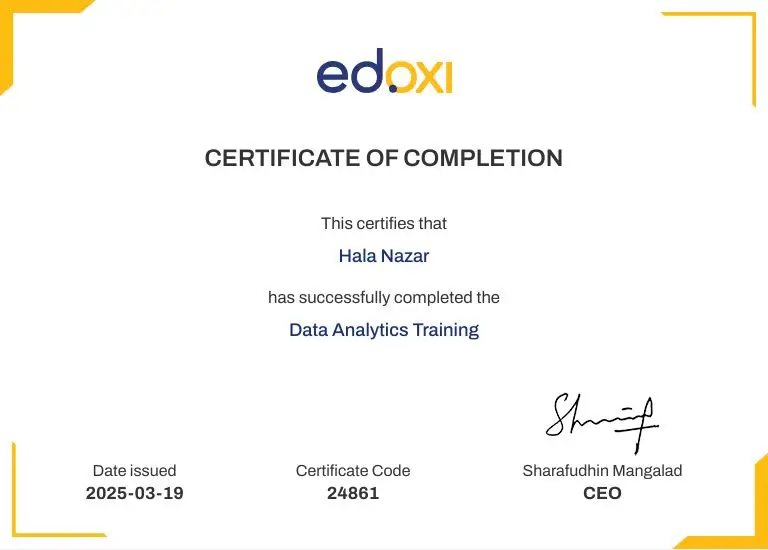
Upon course completion, participants will receive a KHDA-approved course completion certificate. The certification validates your skills to build robust scripts that automate repetitive tasks, generate reports, and improve operational efficiency across IT environments.

Key Features of Edoxi's Automating Administration with PowerShell Training

Interactive Lab Environments

Practice in real-world simulated environments that replicate enterprise IT infrastructure challenges.

Comprehensive PowerShell Documentation

Access detailed reference guides covering cmdlets, scripting techniques, and best practices for automation.

Live Demonstrations and Walkthroughs

Observe expert implementation of PowerShell solutions for complex administrative tasks in Windows and cloud environments.

Progressive Skill Development

Build knowledge systematically from basic cmdlets to advanced scripting and remote administration techniques.

Azure and Microsoft 365 Integration

Explore specialised modules for managing cloud resources and services through PowerShell interfaces.

Hands-on Script Building

Develop practical scripts for user management, system configuration, and automated maintenance tasks.

Who Can Join Our Automating Administration with PowerShell Course in Dubai?

System Administrators

IT professionals responsible for Windows servers, Active Directory, and network infrastructure management seeking automation capabilities.

Cloud Administrators

Azure and Microsoft 365 administrators looking to enhance cloud resource management through PowerShell.

DevOps Engineers

Professionals working at the intersection of development and operations who need scripting skills for infrastructure automation.

IT Support Staff

Technical support personnel aiming to improve efficiency through automated troubleshooting and configuration.

Network and Security Administrators

Specialists who manage network configurations and security policies across multiple systems.

Automation Enthusiasts

IT professionals from any background with basic Windows knowledge wanting to develop PowerShell automation skills.

Automating Administration with PowerShell Course Modules

Module 1: Getting Started with Windows PowerShell
  • Chapter 1.1: Introduction to Windows PowerShell

    • Lesson 1.1.1: Windows PowerShell overview
    • Lesson 1.1.2: Understanding Windows PowerShell command syntax
    • Lesson 1.1.3: Using the Windows PowerShell Help system
Module 2: Windows PowerShell for Local Systems Administration
  • Chapter 2.1: Core Cmdlets for System Administration

    • Lesson 2.1.1: Active Directory Domain Services administration cmdlets
    • Lesson 2.1.2: Network configuration cmdlets
    • Lesson 2.1.3: Server administration cmdlets
    • Lesson 2.1.4: Windows PowerShell in Windows 10
Module 3: Working with the Windows PowerShell Pipeline
  • Chapter 3.1: Mastering the PowerShell Pipeline

    • Lesson 3.1.1: Understand the pipeline
    • Lesson 3.1.2: Select, sort, and measure objects
    • Lesson 3.1.3: Filter objects out of the pipeline
    • Lesson 3.1.4: Enumerate objects in the pipeline
    • Lesson 3.1.5: Send and pass pipeline data as output
Module 4: Using PS Providers and PS Drives
  • Chapter 4.1: Accessing Storage with PowerShell

    • Lesson 4.1.1: Using PS Providers
    • Lesson 4.1.2: Using PS Drives
Module 5: Querying Management Information Using CIM and WMI
  • Chapter 5.1: Retrieving System Data with PowerShell

    • Lesson 5.1.1: Understand CIM and WMI
    • Lesson 5.1.2: Query data by using CIM and WMI
    • Lesson 5.1.3: Make changes by using CIM and WMI
Module 6: Working with Variables, Arrays, and Hash Tables
  • Chapter 6.1: PowerShell Data Structures

    • Lesson 6.1.1: Use variables
    • Lesson 6.1.2: Manipulate variables
    • Lesson 6.1.3: Work with arrays and hash tables
Module 7: Windows PowerShell Scripting
  • Chapter 7.1: Building PowerShell Scripts

    • Lesson 7.1.1: Introduction to scripting with Windows PowerShell
    • Lesson 7.1.2: Script constructs
    • Lesson 7.1.3: Import data from files
    • Lesson 7.1.4: Accept user input
    • Lesson 7.1.5: Troubleshooting and error handling
    • Lesson 7.1.6: Functions and modules
Module 8: Administering Remote Computers with Windows PowerShell
  • Chapter 8.1: Remote Management with PowerShell

    • Lesson 8.1.1: Use basic Windows PowerShell remoting
    • Lesson 8.1.2: Use advanced Windows PowerShell remoting techniques
    • Lesson 8.1.3: Use PS Sessions
Module 9: Managing Azure Resources with PowerShell
  • Chapter 9.1: PowerShell for Azure Administration

    • Lesson 9.1.1: Azure PowerShell
    • Lesson 9.1.2: Introduce Azure Cloud Shell
    • Lesson 9.1.3: Manage Azure VMs with PowerShell
    • Lesson 9.1.4: Manage storage and subscriptions
Module 10: Managing Microsoft 365 Services with PowerShell
  • Chapter 10.1: PowerShell for Microsoft 365

    • Lesson 10.1.1: Manage Microsoft 365 user accounts, licenses, and groups with PowerShell
    • Lesson 10.1.2: Manage Exchange Online with PowerShell
    • Lesson 10.1.3: Manage SharePoint Online with PowerShell
    • Lesson 10.1.4: Manage Microsoft Teams with PowerShell
Module 11: Using Background Jobs and Scheduled Jobs
  • Chapter 11.1: Automating with Jobs in PowerShell

    • Lesson 11.1.1: Use background jobs
    • Lesson 11.1.2: Use scheduled jobs

Download Automating Administration With PowerShell Course Brochure

Lab Activities and Practical Sessions in Automating Administration with PowerShell Course in Dubai

Edoxi’s Automating Administration with PowerShell course in Dubai features extensive hands-on labs where students practice real-world automation scenarios. Learners work directly with Windows PowerShell, PowerShell 7, and specialised modules for cloud services through structured lab exercises. Real-world lab activities include;

Configuring Windows PowerShell

Set up PowerShell environments and practice using command discovery tools to locate and execute administrative cmdlets.

Administering Local Systems

Automate server configuration tasks, including website creation, network settings deployment, and service management across Windows systems.

Working with PowerShell Pipeline

Build complex command chains to filter, sort, and transform administrative data for reporting and analysis tasks.

Using PS Providers and PS Drives

Navigate and manipulate various data stores, including registry, certificate store, and Active Directory, through consistent interfaces.

Implementing CIM and WMI

Query and modify system configuration data using management interfaces for comprehensive hardware and software administration.

Utilising Data Structures

Implement variables, arrays, and hash tables to efficiently store and process configuration data in automation scripts.

PowerShell Scripting Development

Create robust administrative scripts with proper error handling, parameter validation, and modular design for enterprise use.

Remote Administration Implementation

Configure and utilise PowerShell remoting to securely manage distributed systems across organisational boundaries with authentication.

Azure Resource Management

Deploy and configure cloud infrastructure components using dedicated PowerShell modules for Azure service automation.

Microsoft 365 Administration

Manage users, mailboxes, SharePoint sites, and Teams settings through specialised PowerShell modules for cloud services.

Job Scheduling and Management

Implement background and scheduled jobs to automate recurring administrative tasks with proper monitoring and result handling.

Automating Administration with PowerShell Course Outcome and Career Opportunities in Dubai

Completing Edoxi’s Automating Administration with PowerShell course helps to achieve career advancement in IT automation and system administration. The practical skills gained translate directly to increased productivity and enhanced technical capabilities in Microsoft-centric environments. Some key outcomes include; 

Course Outcome Image
Automating repetitive tasks significantly cuts down the time and effort spent on routine system management.
Script-driven deployment ensures consistency and reduces configuration errors across all servers and workstations.
Advanced PowerShell skills enable smoother and faster transitions to hybrid and cloud-based infrastructures.
Automated workflows minimise downtime, support proactive monitoring, and improve overall infrastructure stability.
Scripts help enforce security and policy standards consistently across the enterprise.
Administrators can rapidly apply fixes or remediation steps across multiple endpoints simultaneously, improving system resilience.

Job Roles After Automating Administration with PowerShell course in Dubai

  • Windows System Administrator
  • Cloud Administrator (Azure/M365)
  • IT Support Engineer / IT Administrator
  • Automation Engineer / Scripting Specialist
  • Microsoft 365 Administrator
  • Technical Support Specialist

Companies Hiring PowerShell Professionals in Dubai

  • Equiti Group
  • Al-Futtaim Automotive
  • NOON
  • Hilti Emirates
  • Bahri
  • Eaton
  • Cinergie Digital
  • DP World
  • Skyports Limited
  • BlackStone eIT

Automating Administration with PowerShell Training Options

Classroom Training

  • 40-hour Automating Administration with PowerShell Course

  • Dedicated Lab Environment Access

  • Instructor-Led Demonstrations and Exercises

  • Real-Time Problem Solving

  • Peer Learning Opportunities

Live Online Training

  • 40-hour Online Automating Administration with PowerShell Course

  • Virtual PowerShell Lab Environment

  • Interactive Remote Desktop Access

  • Session Recordings for Review

  • Flexible Scheduling Options

Corporate Training

  • 5-day Comprehensive Corporate Training

  • Customized Content for Organization Needs

  • Flexible Delivery Options (On-Site / Edoxi Office / Hotel)

  • Fly-Me-a-Trainer Option

  • Enterprise-Specific Use Cases

Do You Want a Customised Training for Automating Administration With PowerShell?

Get expert assistance in getting your Automating Administration With PowerShell Course customised!

How To Get Automating Administration With PowerShell Certification in Dubai?

Here’s a four-step guide to becoming a certified Automating Administration With PowerShell professional.
Do You Want to be a Certified Professional in Automating Administration With PowerShell?

Join Edoxi’s Automating Administration With PowerShell Course

Why Choose Edoxi for Automating Administration with PowerShell Training in Dubai?

The following are a few reasons why you should choose Edoxi for your training needs; 

Training by Certified Experts

Our Microsoft-certified instructors implement enterprise automation solutions across the UAE's leading organisations, bringing practical experience to every session.

Trusted Partner for Microsoft Training

We've trained 1,000+ IT professionals from government agencies and corporations in essential Microsoft technologies, cloud platforms, and system administration solutions.

Strong Regional and International Presence

Edoxi has a growing footprint across the GCC, including the UAE and Saudi Arabia, and European markets, ensuring consistent training delivery with diverse implementation perspectives.

Personalised Learning Experience

Small batch sizes enable individualised attention and customised guidance tailored to your specific workplace automation requirements.

Industry-Aligned Automation Approach

Our curriculum directly addresses real administrative challenges through practical techniques applicable in enterprise Windows and cloud environments.

Complete Microsoft Administration Pathway

We offer structured progression through PowerShell, Azure, and Microsoft 365 courses to build comprehensive IT administration capabilities.

students-image

Edoxi is Recommended by 95% of our Students

Meet Our Mentor

Our mentors are leaders and experts in their fields. They can challenge and guide you on your road to success!

mentor-image

Manish Rajpal

Manish is a passionate Corporate Trainer, AI Consultant, and Cloud Solutions Architect. He empowers clients across the globe to build and maintain highly available, resilient, scalable, and secure solutions, now with a growing emphasis on AI-powered architectures. With over 15,000 professionals trained, Manish specialises in technologies including Amazon Web Services, Microsoft Azure, Microsoft Copilot and GitHub Copilot and increasingly, AI and Machine Learning.

Manish has led research and workshops focused on integrating AI into cloud environments, exploring use cases like intelligent automation, natural language processing, and responsible AI practices.

FAQ

Do I need programming experience to take the Automating Administration with PowerShell course in Dubai?
To join Edoxi’s Automating Administration with PowerShell course, no programming experience is required.
What are the prerequisites needed to join Edoxi’s Automating Administration with PowerShell Course in Dubai?

No prior experience with PowerShell is required as this course is suitable for both beginners and experienced IT professionals. However, the following knowledge can be helpful:

  • Windows Operating System: Basic familiarity with Windows environments and administrative concepts.
  • Command-Line Fundamentals: Understanding of basic command-line operations and syntax principles.
  • IT Infrastructure Awareness: General knowledge of network components, servers, and enterprise systems.
How is this Automating Administration with PowerShell course different from basic PowerShell tutorials available online?

This comprehensive course covers the entire PowerShell administration ecosystem, including cloud integration with Azure and Microsoft 365. You'll benefit from structured labs, expert guidance, and practical scenarios not typically available in free resources.

Will I learn how to automate Azure resources in this course?

Yes, an entire module is dedicated to managing Azure resources with PowerShell. You'll learn to install the Azure modules, use Azure Cloud Shell, and automate VM and storage management tasks.

Can I use what I learn immediately in my current IT role?
Absolutely. The course is designed for immediate practical application, with each module teaching automation techniques for common administrative tasks that you can implement right away in your workplace.
Is this Automating Administration with PowerShell course suitable for someone working primarily with Microsoft 365?
Yes, the Automating Administration with PowerShell course includes a dedicated module on managing Microsoft 365 services with PowerShell, covering Exchange Online, SharePoint Online, and Microsoft Teams administration.
How hands-on is this Automating Administration with PowerShell training?
The Automating Administration with PowerShell course includes 11 practical projects that simulate real-world scenarios, with approximately 70% of the course time dedicated to lab work and exercises.
What's the difference between PowerShell and PowerShell Core covered in this course?
The course covers both traditional Windows PowerShell and cross-platform PowerShell 7 (Core), explaining the differences, capabilities, and when to use each version for different administration scenarios.
Will I learn to create reusable PowerShell modules for my organisation?
Yes, you'll learn advanced scripting techniques, including function and module creation, allowing you to develop standardised, reusable automation components for your organisation.
How does PowerShell automation benefit my organisation's IT operations?
PowerShell automation significantly reduces manual administrative workload, minimises human error, ensures consistency in configuration tasks, and enables efficient management of large-scale environments—all leading to improved operational efficiency.
Can you customise this Automating Administration with PowerShell training for our corporate IT team?
Yes, we offer customised corporate training packages tailored to your organisation's specific infrastructure and automation needs, with flexible scheduling and on-site delivery options.
What is the typical salary range for a professional with strong PowerShell skills in Dubai?
The salary for a professional using PowerShell heavily in Dubai is around AED 8,000 to AED 16,666 annually for System Administrator or Automation/DevOps Engineer roles.