
Leave your message to get our quick response
edoxi automated message icon

Safe Software Course

Cybersecurity protection displayed on a laptop with a digital lock icon, representing secure data and network security.
Edoxi’s 30-hour Online Safe Software Training equips you with practical, industry-focused structural engineering skills. The course covers foundation modelling, slab and footing design, structural analysis, and real-world project applications. Participants gain hands-on experience, technical competence, and a Safe Software certification. Enrol now to advance your career in modern construction and infrastructure projects.
Course Duration
30 Hours
Corporate Days
4 Days
Learners Enrolled
50+
Modules
10
star-rating-icon1
star-rating-icon2
star-rating-icon3
Course Rating
4.9
star-rating-4.9
Mode of Delivery
Online
Certification by
edoxi-accreditation-logo

What Do You Learn from Edoxi's SAFe Software Training

Structure Modelling
Learn to create accurate foundation models using grid systems while defining structural properties, supports, and boundary conditions to ensure stability, proper load transfer, and structural integrity.
Modifying Models
Learn to create and modify footings, slabs, drop panels, and other structural components using advanced drawing and editing tools for accurate structural modelling.
Load Applications
Learn to apply dead, live, wind, and seismic loads while creating code-compliant load combinations for accurate structural analysis and design.
Model Analysis and Design
Learn to analyse structural behaviour, evaluate deflections and stresses, and design reinforced concrete elements using SAFE's advanced analysis and design tools.
Foundation Systems Design
Learn to design isolated, combined, strip, and raft foundations while performing safety and stability checks to meet structural design standards.
Integration & Interoperability
Learn to integrate SAFE with ETABS, Revit, and AutoCAD to streamline workflows, exchange project data efficiently, and improve multidisciplinary coordination.

About Our Online SAFE Software Training

Edoxi’s 30-hour Online SAFE Software Training equips civil engineers, structural engineers, and CAD professionals with the practical knowledge needed to use SAFE confidently for structural engineering projects. The course combines instructor-led learning with hands-on exercises to help you build industry-relevant expertise.

Designed for both beginners and working professionals, the training follows a structured learning path that enables you to understand SAFE’s interface, tools, and workflows before progressing to project-based applications. Each session includes practical exercises that reinforce concepts and improve software proficiency.

Participants gain experience by working on real-world engineering scenarios that mirror industry practices, helping you understand how SAFE is used throughout foundation design projects. The course also prepares you to follow professional workflows that improve efficiency, accuracy, and collaboration within engineering teams.

By the end of the training, you will have the confidence to use SAFE effectively for foundation engineering projects, making you better prepared for career opportunities in structural design, consulting, and construction.

To know more about our SAFE Software Course fee or schedule an online/offline/corporate training, contact our team!

Key Features of Edoxi's SAFe Software Training

Instructor-Led Live Training

Learn directly from experienced structural engineering professionals through interactive online sessions with doubt clarification.

Hands-On Practical Learning

Build confidence by practising every concept in SAFE through guided exercises instead of only watching demonstrations.

Industry-Relevant Curriculum

Follow a structured syllabus designed to align with current structural engineering practices and project requirements.

Project-Based Training

Develop practical experience by working on engineering projects that reflect real construction and foundation design scenarios.

Flexible Online Learning

Attend live classes from anywhere and learn at a convenient schedule without compromising on training quality.

Course Completion Certificate

Receive an industry-recognised certificate upon successful completion of the training to showcase your SAFE software skills.

Who Can Join Our SAFE Software Training?

Civil and Structural Engineers

Ideal for professionals who want to enhance their expertise in foundation modelling, structural analysis, and reinforced concrete design using SAFE.

Geotechnical Engineers

Suitable for engineers looking to integrate foundation design and structural analysis into geotechnical engineering projects.

Project Engineers and Site Engineers

Professionals who want to better understand foundation design concepts and improve coordination during construction projects.

BIM Modellers and CAD Professionals

Perfect for those seeking to expand their technical skills by incorporating SAFE into structural design and BIM workflows.

Engineering Consultants

Beneficial for consultants who want to deliver accurate, code-compliant foundation designs and improve engineering project outcomes.

Engineering Students and Fresh Graduates

Suitable for aspiring engineers who want to gain practical SAFE software skills and improve their career readiness.

Safe Software Course Modules

Module 1: Introduction
  • Chapter 1.1: Introduction to Footing and Materials

    • Lesson 1.1.1 Introduction
    • Lesson 1.1.2 Understanding Footing Layout
    • Lesson 1.1.3 Understanding Material Properties
    • Lesson 1.1.4 Sub-Soil Investigation and Subgrade Modulus
    • Lesson 1.1.5 Safe Overview
    • Lesson 1.1.6 Define Material
Module 2: Structure Modelling
  • Chapter 2.1: Setting Up the Model

    • Lesson 2.1.1 Working with Grid and Levels
    • Lesson 2.1.2 Define Footing Properties
    • Lesson 2.1.3 Define Soil Subgrade Modulus
    • Lesson 2.1.4 Define Boundary Conditions
Module 3: Modifying the Model
  • Chapter 3.1: Footing and Slab Modelling

    • Lesson 3.1.1 Define Footing Section
    • Lesson 3.1.2 Define Mass Source
    • Lesson 3.1.3 Modelling of Footing
    • Lesson 3.1.4 Modelling of Isolated Footing
    • Lesson 3.1.5 Define Slab Section
    • Lesson 3.1.6 Concrete Slab with Drop Panel
    • Lesson 3.1.7 Assign the Loads
    • Lesson 3.1.8 Draw and Modify Tools
Module 4: Load Applications
  • Chapter 4.1: Applying Structural Loads

    • Lesson 4.1.1 Dead Loads
    • Lesson 4.1.2 Live Loads
    • Lesson 4.1.3 Lateral Soil Pressure
    • Lesson 4.1.4 Environmental Loads – Wind
    • Lesson 4.1.5 Seismic Forces
    • Lesson 4.1.6 Self-Weight
    • Lesson 4.1.7 Load Combinations
Module 5: Model Analysis and Design – Slabs
  • Chapter 5.1: Slab Design and Analysis

    • Lesson 5.1.1 Analysis and Design of Flat Slab
    • Lesson 5.1.2 Cantilever Slab Design
    • Lesson 5.1.3 Concrete Slab Short-Term and Long-Term Deflection
Module 6: Model Analysis and Design – Foundations
  • Chapter 6.1: Foundation Design and Checks

    • Lesson 6.1.1 Analysis and Design of Isolated Footing
    • Lesson 6.1.2 Analysis and Design of Combined Footing
    • Lesson 6.1.3 Mat or Raft Foundation
    • Lesson 6.1.4 Raft Foundation Detailed Analysis
    • Lesson 6.1.5 Deformation Check
    • Lesson 6.1.6 Punching Shear Check
    • Lesson 6.1.7 Raft Foundation Uplift Check
Module 7: Model Analysis and Design – Integration
  • Chapter 7.1: Specialised Foundation Designs

    • Lesson 7.1.1 Strap Foundation Detailed Analysis and Design
    • Lesson 7.1.2 Analysis and Design of Pile Cap
    • Lesson 7.1.3 Import CAD (Architectural Grids – DWG File)
    • Lesson 7.1.4 RAM Connection Column Base Plate Design (Axial)
Module 8: Integration and Interoperability
  • Chapter 8.1: Software Integration

    • Lesson 8.1.1 Safe–Revit Structure Link
    • Lesson 8.1.2 CIS/2 Translator
    • Lesson 8.1.3 Safe CAD
Module 9: Results and Reports
  • Chapter 9.1: Project Documentation

    • Lesson 9.1.1 Show Project Report
    • Lesson 9.1.2 Show Summary Report
Module 10: Detailing and Drawing Management
  • Chapter 10.1: Structural Detailing

    • Lesson 10.1.1 Concrete Detailing
    • Lesson 10.1.2 Export DWG/CAD
    • Lesson 10.1.3 Drawing Management

Download SAFe Software Course Brochure

Real-World Exercises in the SAFE Software Training Course

Edoxi’s Online SAFE Software Training includes hands-on exercises based on real engineering applications, enabling you to apply software concepts to practical foundation design and structural analysis projects.

Flat Slab Analysis and Design

Model flat slab systems, evaluate structural behaviour, perform deflection analysis, and generate reinforcement layouts using industry-standard design practices.

Isolated Footing Design

Design isolated footings for different loading conditions, assess soil pressure distribution, and validate reinforcement requirements using SAFE.

Combined Footing Design

Create combined footing models, analyse multiple column load cases, and optimise reinforcement detailing for safe and efficient designs.

Mat (Raft) Foundation Design

Develop raft foundation models, evaluate soil–structure interaction, perform stability checks, and design reinforcement for large foundation systems.

Pile Cap Analysis and Design

Model pile cap foundations, analyse load transfer between piles and columns, and prepare reinforcement details based on structural requirements.

Column Base Plate Design with RAM Connection

Design steel column base plates for axial and biaxial loads, verify connection performance, and generate fabrication-ready design outputs.

Safe Software Course Outcomes and Career Opportunities

Completing Edoxi’s Safe Software Training equips you with advanced structural design and analysis capabilities essential for modern construction projects. Here are the key outcomes and career opportunities

Course Outcome Image
Build a strong foundation in structural modelling, slab analysis, and foundation design using Safe for real-world engineering projects.
Learn to design flat slabs, footings, pile caps, and raft foundations with accurate load calculations and reinforcement detailing.
Gain confidence in applying soil–structure interaction principles to optimise foundation behaviour and improve structural Safety.
Master industry-relevant workflows, enabling precise modelling, deflection checks, punching shear analysis, and steel scheduling.
Enhance project efficiency by producing detailed, code-compliant structural drawings and reinforcement plans ready for construction.
Integrate Safe with BIM workflows, improving coordination with design teams and reducing project errors.

Career Opportunities After Our Online Safe Software Training

  • Structural Engineer
  • Foundation Design Engineer
  • Geotechnical Design Engineer
  • Structural BIM / CAD Specialist
  • Site Engineer / Project Engineer
  • Structural Design Consultant
  • Infrastructure Design Engineer
  • Civil/Structural Analyst
  • Raft & Pile Foundation Specialist
  • Structural QA/QC Engineer

Safe Software Training Options

Live Online Training

  • 30-Hour Flexible Scheduling for Professionals

  • Interactive Remote Learning Platform

  • Virtual Software Demonstrations

  • Small Group Tutorial Sessions

Corporate Training

  • 4-days Team-Based Project Applications

  • Flexible Delivery Options

  • Fly-Me-a-Trainer Option

  • Industry-Specific Use Case Development

Do You Want a Customised Training for SAFe Software?

Get expert assistance in getting you SAFe Software Course Customised!

How To Get the Safe Software Certification?

Here’s a four-step guide to becoming a certified SAFe Software professional.
Do You Want to be a Certified Professional in SAFe Software?

Join Edoxi’s SAFe Software Course

Why Choose Edoxi for Safe Software Course?

Edoxi is a leading training institute, offering professional courses for corporates and individuals. Our Safe Software Training equips engineers with practical skills in structural modelling, foundation design, and real-world project execution. Here’s why you should choose us

Expert Industry Practitioners as Trainers

Our trainers are seasoned structural engineers with extensive experience working on major construction projects, delivering practical, real-world foundation design expertise.

Global Presence with Local Expertise

Edoxi brings international structural engineering best practices while tailoring the training to region-specific building codes, soil conditions, and foundation design standards.

Proven Track Record of Corporate Training

We have successfully trained engineering teams across top consultancies, contractors, and developers in the UAE, Qatar, London and Africa, ensuring industry-ready skill development.

Practical Hands-On Training Methodology

Over 70% of the training is focused on real-world modelling, analysis, and design exercises, enabling you to confidently apply Safe software in professional project environments.

students-image

Edoxi is Recommended by 95% of our Students

Meet Our Mentor

Our mentors are leaders and experts in their fields. They can challenge and guide you on your road to success!

mentor-image

Madhava RA

Madhava RA is a highly experienced civil engineering professional with over 30 years of industry expertise, including 15 years in specialized CAD and infrastructure design training. He holds both a Bachelor’s Degree in Civil Engineering (B.E.) and a Diploma in Civil Engineering (DCE). His diverse certification portfolio includes MicroStation, AutoCAD Civil 3D, REVIT Suite, TEKLA, STAAD Pro, ArcGIS, and several advanced structural analysis applications. This makes him a versatile instructor capable of guiding learners across multiple CAD platforms and engineering design disciplines.

Madhava has successfully trained more than 3,000 students, helping them develop practical skills to excel in real-world engineering projects. His teaching approach blends theoretical knowledge with practical insights, ensuring learners gain both competence and confidence in applying design tools. His ability to simplify complex concepts, deliver industry-relevant training, and mentor aspiring engineers makes him a trusted guide for professionals seeking career growth in engineering and design.

Locations Where Edoxi Offers Safe Software Course

Here are the major international locations where Edoxi offers Safe Software Course

FAQ

Is Edoxi’s Online SAFE Software Training suitable for beginners?
Yes. The course follows a structured, step-by-step learning approach, making it suitable for beginners with basic civil engineering knowledge as well as experienced professionals looking to upskill.
What foundation types will I learn to design during the course?
You will learn to model, analyse, and design isolated footings, combined footings, raft (mat) foundations, pile caps, and flat slab foundations using SAFE.
Does the course include practical projects?

Yes. The training features hands-on exercises and real-world project simulations that help you apply SAFE tools and techniques to practical structural engineering scenarios.

Will I learn how to perform structural analysis in SAFE?

Yes. You will learn to analyse structural behaviour, evaluate deflections, check soil pressure, verify punching shear, and design reinforced concrete foundation elements.

Does the training cover integration with other structural engineering software?

Yes. The course demonstrates how SAFE integrates with ETABS, AutoCAD, Revit, and RAM Connection to support efficient structural design workflows.

Which version of SAFE is used in the training?

The course is delivered using the latest stable version of SAFE, with guidance on version compatibility and best practices for managing project files.

Will I receive a certificate after completing the course?

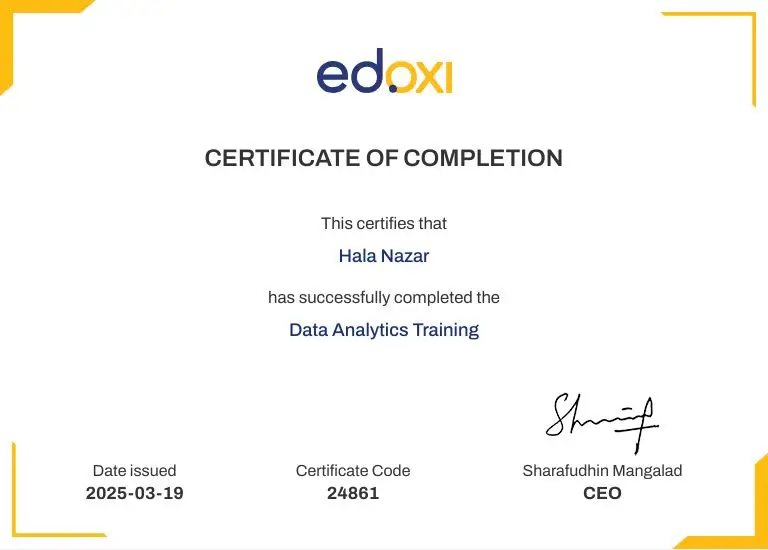
Yes. Upon successfully completing the training, you will receive an Edoxi Course Completion Certificate that validates your SAFE software skills.

What career opportunities are available after completing this training?

The course prepares you for roles such as Structural Engineer, Foundation Design Engineer, Civil Engineer, Structural Design Consultant, BIM Engineer, CAD Specialist, Project Engineer, and Infrastructure Design Engineer.

What are the prerequisites for joining the course?

A basic understanding of civil or structural engineering concepts is recommended, but no prior experience with SAFE software is required.

Can I use the skills learned in this course on real engineering projects?

Yes. The training focuses on industry-standard workflows and practical applications, enabling you to apply your SAFE software skills confidently in professional structural engineering projects.

Is SAFE software in demand in the construction and structural engineering industry?

Yes. SAFE is widely used by structural engineering firms and construction companies for foundation design, slab analysis, and reinforced concrete design, making it a valuable skill for engineers working on residential, commercial, and infrastructure projects. 

What is the global salary range for professionals with SAFE software skills?

Professionals with SAFE software expertise can earn competitive salaries worldwide, with annual compensation typically ranging from USD 50,000 to USD 150,000, depending on factors such as job role, years of experience, industry, employer, and location.