Leave your message to get our quick response
edoxi automated message icon

Rhino 3D Training Course

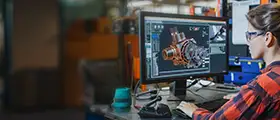
A professional designer using Rhino 3D software to create detailed 3D models and mechanical designs on a computer in a workspace.
Edoxi's 30-hour online Rhino 3D course develops advanced modeling and visualization skills.​ Learn NURBS modeling, parametric design with Grasshopper, and architectural visualization. Gain skills in free-form surface creation, complex geometry, and professional rendering techniques. Work on real-world projects like conceptual architectural pavilions and parametric facade systems. Enrol now to enhance your portfolio and excel in digital design careers.
Course Duration
30 Hours
Corporate Days
4 Days
Learners Enrolled
50+
Modules
7
star-rating-icon1
star-rating-icon2
star-rating-icon3
Course Rating
4.9
star-rating-4.9
Mode of Delivery
Online
Certification by

What Do You Learn from Edoxi's Rhino 3D Training

NURBS Modelling Fundamentals
Understand how to create free-form surfaces and solids. Learn to use Non-Uniform Rational B-Splines (NURBS), the core modelling system in Rhino 3D.
Advanced 3D Geometry Creation
Build complex 3D shapes with lofting, sweeping, and Boolean tools. Apply these techniques in architecture, product design, and digital fabrication.
Parametric Design with Grasshopper
Use Grasshopper’s visual programming interface for parametric design. Create rule-based patterns and adaptive components with ease.
Architectural Visualization Techniques
Master rendering with realistic materials, lighting, and environment settings. Produce photorealistic architectural visuals for professional presentations.
Custom Workflow Development
Learn to optimise your modelling process with advanced viewport settings and topology workflows. Incorporate specialised Rhino plug-ins for efficient project delivery.
Multi-Platform Integration
Gain learning in exchanging design data between Rhino and other software platforms. Create seamless workflows for collaborative and cross-platform projects.

About Our Online Rhinoceros 3D Course

Edoxi’s 30-hour Online Rhinoceros 3D course is designed to build professional 3D modelling, parametric design, and vizua.0lisation skills. ​ The Professional Rhinoceros 3D training enables architects, interior designers, and other professionals to create complex, free-form geometry and enhance their portfolios. 

Rhinoceros (Rhino) is an advanced NURBS-based software known for creating complex, free-form geometry. It plays a vital role in shaping modern architecture, making it essential for professionals in the design and architecture industry. 

Our Rhinoceros 3D course curriculum covers a range of topics, from basic concepts to advanced modelling techniques, making it suitable for both beginners and experienced designers. Each module is structured to build skills gradually, ensuring that all learners can follow along and improve confidently. 

The Rhino 3D course includes hands-on training through a conceptual project. You will take part in conceptual modelling, rendering, and Grasshopper-based parametric design exercises. This project-based approach ensures you can apply your skills immediately in professional design environments. Upon completion of Edoxi’s Rhino 3D training, you will gain a Rhino 3D course completion certificate. The credential you gain validates your skills for the roles such as Junior 3D Modeller, Architectural Visualizer, and Digital Design Specialist.

Enrol to build professional 3D modelling, parametric design, and visualisation skills for high-demand roles.

Key Features of Edoxi's Rhino 3D Training

Hands-On Project Development

Work on architectural vizualisation projects, parametric facade systems, and complex geometry modelling through guided, practical sessions.

Parametric Design Activity

Engage with Grasshopper's node-based interface to create rule-driven designs and explore computational design thinking.

One-to-One or Small-Group Learning Environment

Benefit from personalised attention in our small batch or one-to-one format, ensuring your specific design challenges are addressed.

Cross-Platform Workflow Integration

Learn efficient methods for exchanging 3D data between Rhino and other industry-standard design applications.

Real-World Architectural Applications

Apply modelling techniques, including concept development, facade design, and spatial planning.

Professional Rendering Techniques

Learn visualization workflows using Rhino's built-in rendering tools to create presentation-ready architectural imagery.

Who Can Join Edoxi’s Online Rhinoceros 3D Training?

Architects and Architectural Designers

Professionals looking to enhance their digital toolkit with powerful 3D modeling capabilities.

BIM Modellers and BIM Technicians

Technical specialists seeking to complement their BIM knowledge with advanced free-form modelling tools.

Facade Designers

Specialists working with complex building envelope systems who need parametric design tools to explore and document innovative facade solutions.

Architecture Students and Graduates

Recent graduates and students looking to enhance their employability by mastering industry-relevant 3D modelling software.

Interior Designers

Professionals who want to create detailed 3D visualizations of interior spaces with precise material representation and lighting effects.

Landscape Architects and Urban Designers

Professionals working with terrain modelling, topography editing, and large-scale spatial planning who need powerful 3D tools.

Rhinoceros 3D Course Modules

Module 1: Introduction to Rhinoceros (Rhino)
  • Chapter 1.1: Overview of Rhino Software

    • Lesson 1.1.1: What is Rhino 3D?
    • Lesson 1.1.2: Key Features and Capabilities
  • Chapter 1.2: Applications in Architecture

    • Lesson 1.2.1: Role of Rhino in Architectural Design
    • Lesson 1.2.2: Case Studies and Industry Usage
  • Chapter 1.3: Interface and Navigation

    • Lesson 1.3.1: Understanding the Rhino UI
    • Lesson 1.3.2: Navigating Viewports and Menus
Module 2: Basic Tools and Commands
  • Chapter 2.1: Drawing and Editing Tools

    • Lesson 2.1.1: Line, Polyline, and Curve Tools
    • Lesson 2.1.2: Editing and Manipulating Geometry
  • Chapter 2.2: Transformations and Modifications

    • Lesson 2.2.1: Move, Rotate, Scale Commands
    • Lesson 2.2.2: Offset, Mirror, and Array Tools
  • Chapter 2.3: Layers and Organisation

    • Lesson 2.3.1: Using Layers for Object Management
    • Lesson 2.3.2: Object Properties and Layer Settings
Module 3: Creating Geometry
  • Chapter 3.1: Primitive Shapes

    • Lesson 3.1.1: Creating Boxes, Spheres, and Cylinders
    • Lesson 3.1.2: Customising Basic Geometries
  • Chapter 3.2: Curves and Surfaces

    • Lesson 3.2.1: Creating and Editing Curves
    • Lesson 3.2.2: Surface Tools and Techniques
  • Chapter 3.3: 3D Modelling Techniques

    • Lesson 3.3.1: Solid Modelling
    • Lesson 3.3.2: Surface Modelling Approaches
Module 4: Advanced Modelling Techniques
  • Chapter 4.1: Boolean Operations

    • Lesson 4.1.1: Boolean Union, Difference, and Intersection
    • Lesson 4.1.2: Troubleshooting Boolean Errors
  • Chapter 4.2: Lofting and Sweeping

    • Lesson 4.2.1: Creating Lofted Surfaces
    • Lesson 4.2.2: Using Sweep1 and Sweep2
  • Chapter 4.3: Filleting and Chamfering

    • Lesson 4.3.1: Fillet Edge and Chamfer Tools
    • Lesson 4.3.2: Best Practices for Clean Geometry
Module 5: Parametric Design with Grasshopper
  • Chapter 5.1: Introduction to Grasshopper

    • Lesson 5.1.1: What is Grasshopper?
    • Lesson 5.1.2: Interface and Canvas Overview
  • Chapter 5.2: Nodes, Components, and Data Types

    • Lesson 5.2.1: Understanding Nodes and Components
    • Lesson 5.2.2: Managing Data Trees and Lists
  • Chapter 5.3: Creating Parametric Models

    • Lesson 5.3.1: Basic Parametric Modelling Workflow
    • Lesson 5.3.2: Practical Examples in Architecture
Module 6: Rendering and Visualisation
  • Chapter 6.1: Material Assignments

    • Lesson 6.1.1: Applying Materials in Rhino
    • Lesson 6.1.2: Customising and Managing Materials
  • Chapter 6.2: Lighting and Environment

    • Lesson 6.2.1: Light Types and Settings
    • Lesson 6.2.2: Environment and Background Setup
  • Chapter 6.3: Rendering Settings and Output

    • Lesson 6.3.1: Using Rhino Render and Plugins
    • Lesson 6.3.2: Exporting Rendered Images
Module 7: Workflow Integration
  • Chapter 7.1: Importing and Exporting Files

    • Lesson 7.1.1: Supported File Formats
    • Lesson 7.1.2: Best Practices for File Exchange
  • Chapter 7.2: Collaborative Tools and Plugins

    • Lesson 7.2.1: Integration with Other Design Tools
    • Lesson 7.2.2: Useful Plugins for Architects
  • Chapter 7.3: Optimisation and Performance

    • Lesson 7.3.1: Managing File Size and Complexity
    • Lesson 7.3.2: Tips for Efficient Modelling

Download Rhino 3D Course Brochure

Real-World Projects in Our Online Rhinoceros 3D Course

Our online Rhinoceros 3D course offers hands-on sessions that include conceptual modelling exercises, rendering practices, and Grasshopper-based parametric workflows. The following are the project details:

Projects

  • Conceptual Architectural Pavilion

    Create a pavilion structure using NURBS modelling and lofting techniques. This focuses on developing organic forms and understanding surface continuity for architectural applications.

  • Parametric Facade System

    Develop a customisable building facade using Grasshopper's parametric tools. Learn to create adaptable components that respond to environmental factors and design parameters.

  • Architectural Visualization

    Model a residential or commercial building complete with materials, lighting, and environmental settings. Focus on creating presentation-quality renders for client presentations.

Rhinoceros 3D Course Outcome and Career Opportunities

By completing our Rhino 3D Training, you will master 3D modelling, parametric design, and visualisation skills for real-world architectural projects. The key outcomes include:

Course Outcome Image
Gain expertise in creating accurate, free-form, and complex geometries using Rhino’s NURBS-based modelling environment.
Use Grasshopper to build adaptive, rule-based models and implement computational design workflows in architectural projects.
Master rendering techniques, material applications, and lighting setups to generate photorealistic visuals and presentations.
Learn seamless data exchange and interoperability between Rhino and other CAD/BIM tools for cross-platform design collaboration.
Implement best practices for layer management, performance optimisation, and custom plug-in usage to enhance design productivity.
Apply your skills through real-world projects, developing parametric facades, architectural pavilions, and Visualization-ready models that showcase your design capabilities.

Job Roles After Completing the Rhinoceros 3D Training

  • 3D Modeler
  • Drafting Assistant
  • Rhino Designer
  • BIM Coordinator
  • Architectural Visualizer
  • Digital Design Specialist

Rhinoceros 3D Training Options

Online Training

  • 30-hour Customised Online Rhino 3D Course

  • Personalised sessions

  • Interactive Question-Answer Options

  • Flexible Scheduling Options

Corporate Training

  • 4-day online Rhinoceros 3D Corporate Training

  • Customised Course Content for corporate requirements

  • Training delivered at a selected hotel, client premises, or Edoxi

  • Team-Based Design Exercises

  • Fly-Me-A-Trainer Option

Do You Want a Customised Training for Rhino 3D?

Get expert assistance in getting you Rhino 3D Course customised!

How to Get a Rhinoceros 3D Certification?

Here’s a four-step guide to becoming a certified Rhinoceros 3D professional.

Do You Want to be a Certified Professional in Rhino 3D?

Join Edoxi’s Rhino 3D Course

Why Choose Edoxi for an Online Rhino 3D Course?

Among many options available, Edoxi stands out as the best choice. Here’s why Edoxi’s Rhinoceros 3D training is the perfect fit for your needs:

Expert Instruction from Industry Professionals

Benefit from training delivered by experienced professionals with extensive knowledge in architectural modelling, parametric design, and advanced visualization techniques using Rhino 3D.

Personalised Learning Experience

Our one-to-one or small batch training format ensures each student receives individualised attention, allowing instructors to adapt to your specific learning pace and design challenges.

Real-World Application Focus

All exercises and projects mirror actual architectural design tasks encountered in professional practice.

Global Training Network

With offices in multiple locations, including Dubai, Qatar, Kuwait, and London, Edoxi provides consistent, high-quality training standards.

International Training Experience

Our training expertise spans across 15+ countries, giving us unique insights into global standards and practices that we incorporate into our curriculum.

Flexible Learning Schedule

With training options available throughout weekdays and weekends, we accommodate the busy schedules of working professionals and students.

students-image

Edoxi is Recommended by 95% of our Students

Meet Our Mentor

Our mentors are leaders and experts in their fields. They can challenge and guide you on your road to success!

mentor-image

MANDER G SINGH

Mander Singh is a Senior Design Professional with over 9 years of experience in interior design, architecture, and project management. He specialises in BIM, modelling, drafting, and sustainable design, using tools like AutoCAD, Revit, SketchUp, and Lumion. Mander is known for his practical, hands-on training that equips learners with real-world skills in architecture and interior design.

Mander holds a Bachelor's in Architecture and is certified in Advanced Revit Training. He has led high-end commercial and hospitality projects in India and the UAE. He also has experience in delivering innovative design solutions and managing fit-out projects. Mander is passionate about sustainable design, mentoring future talent, and using the latest technology to boost creativity and efficiency.

Locations Where Edoxi Offers Rhino 3D Course

Here is the list of other major locations where Edoxi offers Rhino 3D Course

FAQ

What prior knowledge do I need to join this Rhino 3D course?

To join our Rhino 3D training, basic knowledge of CAD or 3D design concepts is recommended but not mandatory. Our curriculum starts with fundamentals and progressively builds toward advanced techniques, making it accessible to beginners.

How is this Rhinoceros 3D course relevant to my architectural career?

Rhino 3D is widely used in architectural practices for conceptual design, complex geometry creation, and visualisation. These skills are increasingly in demand as architecture embraces parametric design and complex forms.

How much can professionals earn using Rhino 3D skills in various design and architecture roles?

Rhino 3D skills can boost earning potential in design and architecture roles, complementing experience and industry expertise. Here are the salary ranges for professionals with Rhino 3D skills, by job role:

Job Role Average salary
Architectural Designer $62,030
Naval Architect $78,010
Industrial Designer $62,842
Jewelry Designer $43,101
Graphic Designer (with Rhino) $50,710
3D Printing Technician $41,104
How does Rhino compare to SketchUp for architectural design?
While SketchUp excels at quick conceptual modelling, Rhino offers more precision, advanced surface modelling capabilities, and parametric design through Grasshopper. This makes Rhino 3D ideal for complex geometry and detailed design development.
Will this course help me create realistic renderings and presentations for my clients?

Yes! Our Rhino 3D course covers rendering and visualization, teaching you to apply materials, lighting, and environment settings to create photorealistic images for client presentations and portfolios.