
Leave your message to get our quick response
edoxi automated message icon

Automating Administration with PowerShell Course

PowerShell automation for IT administration in Abu Dhabi
Edoxi's 40-hour Online Automating Administration with PowerShell Course helps you master PowerShell scripting, Windows administration, Azure and Microsoft 365 automation through live instructor-led training and practical labs. We help you automate repetitive IT tasks, manage enterprise environments efficiently, and build job-ready automation skills for DevOps, cloud and system administration roles. Enrol today and advance your IT career.
Course Duration
40 Hours
Corporate Days
5 Days
Learners Enrolled
50+
Modules
11
star-rating-icon1
star-rating-icon2
star-rating-icon3
Course Rating
4.9
star-rating-4.9
Mode of Delivery
Online
Certification by
edoxi-accreditation-logo

What Do You Learn from Edoxi's Automating Administration with PowerShell Training

Windows PowerShell Fundamentals
Master essential cmdlets, PowerShell syntax, and pipeline concepts through practical exercises. Our training helps you automate administrative tasks with greater speed and accuracy.
PowerShell Remoting
Configure secure remote connections and PSSessions to manage servers and workstations efficiently across distributed IT environments.
Windows System Administration
Create PowerShell scripts to automate server maintenance, manage services and processes, and simplify routine Windows administration.
Active Directory Administration with PowerShell
Manage Active Directory users, groups, permissions, and organisational units using PowerShell commands to streamline identity management.
Azure and Microsoft 365 Automation
Automate Azure resources and Microsoft 365 administration using PowerShell modules, helping you manage cloud services more efficiently.
PowerShell Desired State Configuration (DSC)
Maintain consistent system configurations across multiple servers and enforce configuration standards to minimise configuration drift.

About Our Online Automating Administration with PowerShell Course

Edoxi's 40-hour Automating Administration with PowerShell Course is designed for IT professionals who want to master PowerShell scripting, Windows administration, Active Directory, Azure, and Microsoft 365 automation through practical, instructor-led training. As a leading training institute for Automating Administration with PowerShell Training, Edoxi can help you automate repetitive IT tasks, improve system management, and build skills that employers value across cloud, DevOps, and enterprise IT environments.

Our Automating Administration with PowerShell training combines live online sessions, hands-on labs, and real-world projects to help you gain practical experience with PowerShell remoting, scripting, Desired State Configuration (DSC), Azure administration, and Microsoft 365 management. You learn by solving real administration challenges, making it easier to apply your skills immediately in your workplace. We also offer corporate training in Automating Administration with PowerShell tailored to help organisations automate IT operations, improve productivity, and maintain consistent system configurations across enterprise environments.

Whether you are looking to upskill, prepare for PowerShell certification, or strengthen your organisation's automation capabilities, our course provides the practical knowledge and industry-relevant experience needed to achieve your goals. Our flexible online learning options make it easier to fit training around your schedule. For the Automating Administration with PowerShell course fee, upcoming batches, corporate training, and certification information, contact our team for more details.

Key Features of Edoxi's Automating Administration with PowerShell Training

Live Enterprise Lab Environment

Learn in our instructor-led virtual labs that replicate real Windows Server, Active Directory, Azure, and Microsoft 365 environments, helping you gain practical experience from anywhere.

Industry-Relevant Curriculum

Follow our structured curriculum covering PowerShell scripting, Windows administration, cloud automation, and enterprise management skills that align with current industry requirements.

Expert Trainer Guidance

Learn from experienced PowerShell professionals who share practical techniques, best practices, and real-world administration scenarios throughout the course.

Hands-On Automation Projects

Build reusable PowerShell scripts for system administration, user management, cloud services, and automated maintenance, helping you apply your skills in real workplaces.

Azure and Microsoft 365 Administration Practice

Gain practical experience managing Azure resources and Microsoft 365 services using PowerShell, helping you strengthen your cloud administration capabilities.

Corporate-Focused Training Solutions

Equip your IT teams with practical automation skills that help standardise administration, reduce manual effort, and improve productivity across enterprise environments.

Who Can Join Our Online Automating Administration with PowerShell Course?

System Administrators

Ideal for you if you manage Windows Server, Active Directory, or enterprise IT infrastructure and want to automate routine administrative tasks.

Cloud Administrators

Suitable for Azure and Microsoft 365 administrators looking to improve cloud resource management and automate daily operations using PowerShell.

DevOps Engineers

Perfect if you work with infrastructure, deployment, and automation and want to strengthen your scripting and infrastructure automation skills.

IT Support Professionals

A great choice if you support Windows environments and want to reduce manual work through automated troubleshooting and system management.

Network and Security Administrators

Designed for professionals responsible for network administration and security who want to automate configuration, monitoring, and policy management.

IT Professionals and Automation Enthusiasts

Suitable for anyone with basic Windows knowledge looking to build practical PowerShell scripting skills and advance in system administration, cloud computing, or DevOps.

Automating Administration with PowerShell Course Modules

Module 1: Getting Started with Windows PowerShell
  • Chapter 1.1: Introduction to Windows PowerShell

    • Lesson 1.1.1: Windows PowerShell overview
    • Lesson 1.1.2: Understanding Windows PowerShell command syntax
    • Lesson 1.1.3: Using the Windows PowerShell Help system
Module 2: Windows PowerShell for Local Systems Administration
  • Chapter 2.1: Core Cmdlets for System Administration

    • Lesson 2.1.1: Active Directory Domain Services administration cmdlets
    • Lesson 2.1.2: Network configuration cmdlets
    • Lesson 2.1.3: Server administration cmdlets
    • Lesson 2.1.4: Windows PowerShell in Windows 10
Module 3: Working with the Windows PowerShell Pipeline
  • Chapter 3.1: Mastering the PowerShell Pipeline

    • Lesson 3.1.1: Understand the pipeline
    • Lesson 3.1.2: Select, sort, and measure objects
    • Lesson 3.1.3: Filter objects out of the pipeline
    • Lesson 3.1.4: Enumerate objects in the pipeline
    • Lesson 3.1.5: Send and pass pipeline data as output
Module 4: Using PS Providers and PS Drives
  • Chapter 4.1: Accessing Storage with PowerShell

    • Lesson 4.1.1: Using PS Providers
    • Lesson 4.1.2: Using PS Drives
Module 5: Querying Management Information Using CIM and WMI
  • Chapter 5.1: Retrieving System Data with PowerShell

    • Lesson 5.1.1: Understand CIM and WMI
    • Lesson 5.1.2: Query data by using CIM and WMI
    • Lesson 5.1.3: Make changes by using CIM and WMI
Module 6: Working with Variables, Arrays, and Hash Tables
  • Chapter 6.1: PowerShell Data Structures

    • Lesson 6.1.1: Use variables
    • Lesson 6.1.2: Manipulate variables
    • Lesson 6.1.3: Work with arrays and hash tables
Module 7: Windows PowerShell Scripting
  • Chapter 7.1: Building PowerShell Scripts

    • Lesson 7.1.1: Introduction to scripting with Windows PowerShell
    • Lesson 7.1.2: Script constructs
    • Lesson 7.1.3: Import data from files
    • Lesson 7.1.4: Accept user input
    • Lesson 7.1.5: Troubleshooting and error handling
    • Lesson 7.1.6: Functions and modules
Module 8: Administering Remote Computers with Windows PowerShell
  • Chapter 8.1: Remote Management with PowerShell

    • Lesson 8.1.1: Use basic Windows PowerShell remoting
    • Lesson 8.1.2: Use advanced Windows PowerShell remoting techniques
    • Lesson 8.1.3: Use PS Sessions
Module 9: Managing Azure Resources with PowerShell
  • Chapter 9.1: PowerShell for Azure Administration

    • Lesson 9.1.1: Azure PowerShell
    • Lesson 9.1.2: Introduce Azure Cloud Shell
    • Lesson 9.1.3: Manage Azure VMs with PowerShell
    • Lesson 9.1.4: Manage storage and subscriptions
Module 10: Managing Microsoft 365 Services with PowerShell
  • Chapter 10.1: PowerShell for Microsoft 365

    • Lesson 10.1.1: Manage Microsoft 365 user accounts, licenses, and groups with PowerShell
    • Lesson 10.1.2: Manage Exchange Online with PowerShell
    • Lesson 10.1.3: Manage SharePoint Online with PowerShell
    • Lesson 10.1.4: Manage Microsoft Teams with PowerShell
Module 11: Using Background Jobs and Scheduled Jobs
  • Chapter 11.1: Automating with Jobs in PowerShell

    • Lesson 11.1.1: Use background jobs
    • Lesson 11.1.2: Use scheduled jobs

Download Automating Administration With PowerShell Course Brochure

Lab Activities and Practical Sessions in Our Online Automating Administration with PowerShell Course

Edoxi's 40-hour Online Automating Administration with PowerShell Course includes practical, instructor-led labs that helps to apply PowerShell skills in real-world Windows, Azure, and Microsoft 365 environments. Each of the activities below strengthens your scripting, automation, and enterprise administration capabilities.

Configuring Windows PowerShell

Set up PowerShell environments and use command discovery tools to execute administrative cmdlets efficiently.

Administering Local Systems

Automate Windows server configuration, service management, and network settings using PowerShell.

Working with PowerShell Pipeline

Build command pipelines to filter, process, and report administrative data effectively.

Using PS Providers and PS Drives

Manage the registry, certificate store, file system, and Active Directory through PowerShell providers.

Implementing CIM and WMI

Query and manage hardware, software, and system configurations using CIM and WMI.

Working with Data Structures

Use variables, arrays, and hash tables to organise and process automation data.

PowerShell Scripting Development

Create reusable scripts with error handling, parameter validation, and modular scripting techniques.

Remote Administration

Configure PowerShell Remoting to securely manage remote servers and enterprise systems.

Azure Resource Management

Automate Azure resource deployment and administration using PowerShell modules.

Microsoft 365 Administration

Manage Microsoft 365 users, mailboxes, SharePoint, and Teams through PowerShell automation.

Job Scheduling and Automation

Schedule, monitor, and manage background jobs to automate recurring administrative tasks.

Automating Administration with PowerShell Course Outcome and Career Opportunities

Completing Edoxi's 40-hour online Automating Administration with PowerShell Certification equips you with practical automation skills that improve IT administration, streamline operations, and support career growth across modern IT environments. Here are the major course outcomes and career opportunities:

Course Outcome Image
Automate repetitive administrative tasks using PowerShell cmdlets, scripts, functions, and modules to improve efficiency.
Manage Windows systems, Active Directory, networking, file services, and server configurations through PowerShell automation.
Use PowerShell 7, remoting, CIM/WMI, and Microsoft cloud modules to administer hybrid and cloud-based infrastructures.
Create secure, reusable automation scripts that reduce manual effort, improve operational consistency, and strengthen system administration capabilities.
Troubleshoot, debug, and optimise PowerShell scripts using structured error handling, logging, and best scripting practices for reliable automation.
Schedule, test, and maintain PowerShell automation workflows to support enterprise IT operations, system monitoring, and routine maintenance tasks.

Career Opportunities After the Automating Administration with PowerShell Certification

  • Windows System Administrator
  • PowerShell Automation Engineer
  • Cloud Administrator (Microsoft Azure & Microsoft 365)
  • Microsoft 365 Administrator
  • IT Systems Administrator
  • Infrastructure Engineer
  • Server Administrator
  • Network Administrator
  • DevOps Support Engineer
  • Technical Support Engineer
  • IT Operations Engineer
  • Systems Automation Specialist

Training Options for Our Automating Administration with PowerShell Course

Live Online Training:

  • 40 Hours of Live Online Training

  • Virtual PowerShell Lab Environment

  • Interactive Remote Desktop Access

  • Session Recordings for Review

  • Flexible Scheduling Options

Corporate Training:

  • 5 Days of Corporate Training

  • Customised Content for Organisation Needs

  • Flexible Delivery Options (On-Site / Edoxi Office / Hotel)

  • Fly-Me-a-Trainer Option

  • Enterprise-Specific Use Cases

Do You Want a Customised Training for Automating Administration With PowerShell?

Get expert assistance in getting your Automating Administration With PowerShell Course customised!

How To Get Certified in The Automating Administration with PowerShell Course?

Here’s a four-step guide to becoming a certified Automating Administration With PowerShell professional.
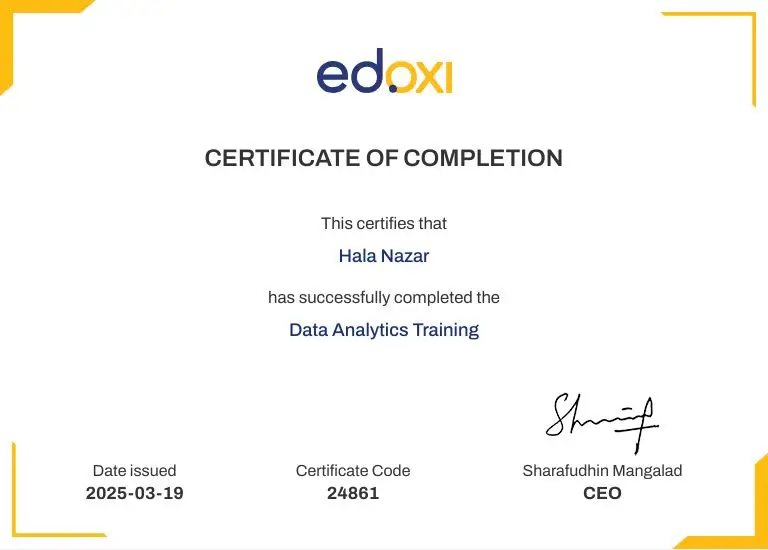
Do You Want to be a Certified Professional in Automating Administration With PowerShell?

Join Edoxi’s Automating Administration With PowerShell Course

Why Choose Edoxi for Online Automating Administration with PowerShell Training?

Edoxi's Online Automating Administration with PowerShell Course helps professionals and organisations build practical automation skills through expert-led, hands-on learning. Here are the key reasons why learners worldwide choose our Automating Administration with PowerShell Training.

Microsoft-Certified Trainers

Learn from experienced Microsoft-certified instructors who share practical techniques and real-world system administration expertise throughout your training.

Live Online Interactive Sessions

Join instructor-led virtual classes where you can ask questions, participate in discussions, and practise PowerShell automation in real time.

Hands-On Practical Labs

Build your skills by working on real Windows administration, Active Directory, PowerShell scripting, and automation exercises that reflect workplace tasks.

Industry-Relevant Curriculum

Master PowerShell 7, Windows Server administration, remote management, cloud modules, and automation practices that match current enterprise requirements.

Personalised Learning Support

Benefit from our small batch sizes, individual guidance, practical feedback, and dedicated support that helps you progress with confidence.

Training for Professionals and Organisations

Whether you are building your career or upskilling your IT team, our Automating Administration with PowerShell Course supports both individual learners and corporate training needs.

Globally Accessible Online Learning

Attend our live online classes from anywhere and gain practical skills without interrupting your work or business commitments.

Career-Focused Learning Path

Strengthen your IT automation expertise and expand your skills with connected Microsoft training in PowerShell, Azure, Windows Server, and Microsoft 365.

students-image

Edoxi is Recommended by 95% of our Students

Meet Our Mentor

Our mentors are leaders and experts in their fields. They can challenge and guide you on your road to success!

mentor-image

Manish Rajpal

Manish is a passionate Corporate Trainer, AI Consultant, and Cloud Solutions Architect. He empowers clients across the globe to build and maintain highly available, resilient, scalable, and secure solutions, now with a growing emphasis on AI-powered architectures. With over 15,000 professionals trained, Manish specialises in technologies including Amazon Web Services, Microsoft Azure, Microsoft Copilot and GitHub Copilot and increasingly, AI and Machine Learning.

Manish has led research and workshops focused on integrating AI into cloud environments, exploring use cases like intelligent automation, natural language processing, and responsible AI practices.

Locations Where Edoxi Offers Automating Administration with PowerShell Course

Here are the major international locations where Edoxi offers Automating Administration with PowerShell Course

FAQ

What is Edoxi's Online Automating Administration with PowerShell Course?
Edoxi's Online Automating Administration with PowerShell Course helps you automate Windows administration, Active Directory, Microsoft 365, Azure, and hybrid environments using PowerShell. Through live instructor-led Automating Administration with PowerShell training, you gain practical scripting and automation skills that improve IT administration and prepare you for Automating Administration with PowerShell Certification.
Who can join Edoxi's Automating Administration with PowerShell Training?
Our Automating Administration with PowerShell training is suitable for System Administrators, Windows Administrators, Microsoft 365 Administrators, Azure Administrators, IT Support Engineers, Network Administrators, DevOps professionals, Cloud Engineers, and anyone who wants to automate IT administration with PowerShell.
What are the prerequisites to join Edoxi's Automating Administration with PowerShell Course?
Basic knowledge of Windows operating systems, server administration, or command-line tools helps you learn faster. Programming experience is not required. We guide you from PowerShell fundamentals to advanced automation techniques through our structured online training.
Is Edoxi's Automating Administration with PowerShell Course conducted online?
Yes. Our Automating Administration with PowerShell Course is delivered through live, instructor-led online sessions, interactive demonstrations, practical labs, and guided projects, allowing you to learn from anywhere.
How is Edoxi's Automating Administration with PowerShell Training different from free online tutorials?
Our Automating Administration with PowerShell training follows a structured curriculum with expert instructors, live mentoring, hands-on labs, real-world projects, and personalised support. This approach helps you build practical skills instead of learning isolated commands.
How practical is Edoxi's Automating Administration with PowerShell Course?
The course focuses heavily on practical learning. You complete hands-on scripting exercises, automation projects, Windows administration tasks, Azure automation, and Microsoft 365 administration activities that closely match real workplace responsibilities.
Does Edoxi's Automating Administration with PowerShell Course cover Azure automation?
Yes. Our Automating Administration with PowerShell Course includes Azure PowerShell modules, Azure Cloud Shell, virtual machine management, storage automation, and cloud administration tasks that support modern hybrid environments.
Does the course include Microsoft 365 administration using PowerShell?
Yes. During our Automating Administration with PowerShell training, you learn to automate Microsoft 365 administration, including Exchange Online, SharePoint Online, Microsoft Teams, and user management with PowerShell.
What is the difference between Windows PowerShell and PowerShell 7 covered in this course?
Edoxi teaches both Windows PowerShell and PowerShell 7. You learn their features, differences, cross-platform capabilities, compatibility, and the best use cases for each version in enterprise environments.
Can I create reusable PowerShell scripts and modules after completing the course?
Yes. Our Automating Administration with PowerShell Certification training helps you create reusable scripts, advanced functions, modules, and automation workflows that simplify repetitive administrative tasks.
Can I apply the skills from Edoxi's Automating Administration with PowerShell Course in my current job?
Yes. Every module focuses on practical IT administration tasks that you can use immediately to automate routine operations, improve productivity, reduce manual work, and strengthen system management.
How does PowerShell automation benefit organisations?
PowerShell automation helps organisations standardise administrative tasks, reduce manual errors, improve operational efficiency, automate repetitive processes, and manage large Windows and cloud environments more effectively.
Does Edoxi offer customised Automating Administration with PowerShell Training for organisations?
Yes. We provide customised Automating Administration with PowerShell training for corporate teams based on your infrastructure, business objectives, team experience, and automation requirements through flexible online delivery.
What career opportunities are available after completing Edoxi's Automating Administration with PowerShell Certification?
After completing our Automating Administration with PowerShell Certification, you can pursue roles such as Windows System Administrator, Microsoft 365 Administrator, Azure Administrator, Infrastructure Engineer, Automation Engineer, IT Operations Engineer, Server Administrator, DevOps Support Engineer, Systems Administrator, and PowerShell Automation Specialist.
What is the average salary for Automating Administration with PowerShell certified professionals?
Salaries vary by country, experience, industry, and job role. In many global markets, professionals with PowerShell automation skills commonly earn:

  • Entry-level: USD 30,000–45,000 per year
  • Mid-level: USD 50,000–85,000 per year
  • Senior and specialised roles: USD 90,000–140,000+ per year
Strong experience in Azure, Microsoft 365, Windows Server, and enterprise automation often leads to higher earning potential.