Leave your message to get our quick response
edoxi automated message icon

Certified Secure Computer User (CSCU) Course

Professional cybersecurity specialist holding a tablet with a digital padlock hologram
Edoxi's 16-hour Online Certified Secure Computer User (CSCU) Course builds your skills in phishing detection, data protection and secure computing. As an EC-Council Accredited Training Center for CSCU, we help you develop practical cybersecurity awareness, prepare for certification and protect sensitive information at work and home. Strengthen your digital security skills with our online CSCU training. Enrol today!
Course Duration
16 Hours
Corporate Days
2 Days
Learners Enrolled
100+
Modules
12
star-rating-icon1
star-rating-icon2
Course Rating
4.9
star-rating-4.9
Mode of Delivery
Online
Accredited by
EC-Council accredited training center

What Do You Learn from Edoxi's Certified Secure Computer User Training

Data Protection Strategies
Understand how to protect sensitive information through appropriate data handling, backup practices, encryption and access controls.
Social Engineering Countermeasures
Recognise phishing, pretexting, impersonation and other manipulation tactics. Learn how to assess suspicious requests and respond safely.
Secure Internet Practices
Identify potentially unsafe websites, understand secure browsing practices and make informed decisions when sharing information online.
Email Security
Spot suspicious senders, deceptive links, unexpected attachments and common email-based threats. Learn how to handle and report suspicious messages.
Mobile and Remote Security
Apply safer practices when using mobile devices, home networks, public Wi-Fi and remote working tools.
System and Malware Protection
Understand common malware threats and learn how operating system updates, antivirus tools, access controls and security settings help protect devices.

About Our Online Certified Secure Computer User (CSCU) Course

​Edoxi’s 16-hour online Certified Secure Computer User (CSCU) Course helps you build practical cybersecurity awareness to protect personal and organisational information in everyday digital environments. 
As an EC-Council Accredited Training Centre, Edoxi delivers CSCU training for technical and non-technical learners who want to recognise common cyber threats, strengthen safe computing habits and understand their role in preventing security incidents. As a leading training institute for cybersecurity courses, we support individuals and organisations seeking accessible, structured online learning.

Our Certified Secure Computer User Training covers data security, operating system protection, malware, internet and social media safety, email security, mobile devices, cloud services, network connections, backups, connected devices and remote work. Through structured lessons and practical activities, you explore how cyber threats arise, recognise suspicious behaviour and apply appropriate protective measures. These learning areas help you make safer decisions when handling emails, using online services, accessing workplace systems and sharing sensitive information.

This online CSCU course suits individuals looking to improve their cybersecurity knowledge and organisations aiming to strengthen everyday security practices across their teams. Edoxi’s corporate CSCU training can support employee awareness initiatives by helping staff understand safe digital behaviour, identify potential threats and follow relevant security procedures. Contact our team to discuss training arrangements and options for individual learners or corporate groups.

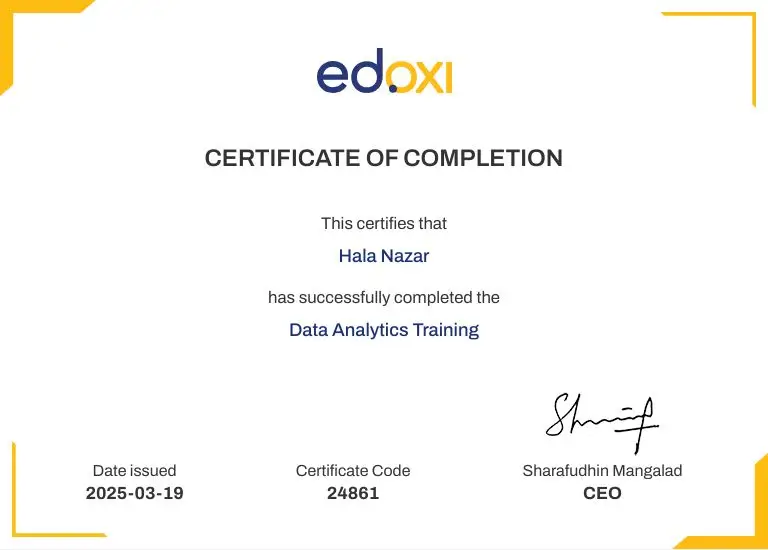
On successful completion of Edoxi’s course requirements, you receive an Edoxi course completion certificate. This is distinct from the EC-Council Certified Secure Computer User (CSCU) certification, which is subject to the applicable EC-Council examination and certification requirements. Contact Edoxi to confirm the current exam arrangements and whether an exam voucher is included in your chosen training option.

Enquire about Edoxi’s online CSCU training to review the syllabus, confirm course and certification details, and explore learning options for individuals or corporate teams.

Certified Secure Computer User Exam Details

The Certified Secure Computer User (CSCU) exam is associated with EC-Council’s foundational cybersecurity awareness programme. It assesses knowledge of secure computing practices and common digital threats. Check it out. 

Exam Criteria Details
Exam Name
Certified Secure Computer User (CSCU)
Exam Code
112-12 — verify current exam availability
Exam Duration
2 hours — verify current requirements
Number of Questions
50 multiple-choice questions — verify current format
Passing Score
70% — verify current passing requirement
Exam Authority EC-Council
Exam Voucher
Confirm whether it is included in the course fee
Exam Registration
Confirm the applicable registration and booking process
Important: Completing the Edoxi training course and earning an external certification are distinct outcomes. Confirm the applicable examination requirements and inclusions before booking.
 

Key Features of Edoxi's Certified Secure Computer User Training

Structured Cybersecurity Learning

Explore essential security topics in a planned sequence, from protecting data and devices to recognising online threats and following safer computing practices.

Practical Security Exercises

Apply your learning to relevant scenarios, such as identifying suspicious emails, reviewing password practices and analysing common social engineering tactics, where included in the course delivery.

Exam Preparation Support

Review the CSCU syllabus and relevant exam topics to understand the knowledge assessed by the certification examination. Confirm the availability of practice assessments and exam-preparation resources before enrolment.

Digital Learning Materials

Learn with the course materials confirmed for your training package. Ask the Edoxi team whether official EC-Council workbooks or other resources are included.

Threat Awareness Demonstrations

Explore examples of common cyber threats and learn how to recognise warning signs in a controlled learning environment, subject to the course's confirmed practical activities.

Everyday Security Guidance

Build a practical understanding of password protection, safe browsing, suspicious messages, device security and responsible handling of sensitive information.

Who Can Join Our Online Certified Secure Computer User Course ?

Administrative and Office Professionals

Strengthen your understanding of safe document handling, email security and the protection of workplace information.

Non-Technical Professionals

Build cybersecurity awareness without needing an advanced IT background or specialist technical skills.

Employees Handling Sensitive Information

Learn why access controls, secure data handling and incident reporting matter when working with confidential records.

Students and Educators

Develop safer digital habits for online learning, research, communication and everyday device use.

IT Support and Technical Support Staff

Refresh foundational security knowledge that supports user guidance and everyday troubleshooting.

Corporate Teams and Departments

Help employees understand common security risks and the role that everyday behaviour plays in protecting organisational information.

Certified Secure Computer User Course Modules

Module 1: Introduction to Data Security
  • Chapter 1.1: Fundamentals of Data Security

    • Lesson 1.1.1: Understanding data types and classifications
    • Lesson 1.1.2: Importance of data confidentiality, integrity and availability
  • Chapter 1.2: Threats to Data

    • Lesson 1.2.1: Common data security threats
    • Lesson 1.2.2: Real-world data breach case studies
Module 2: Securing Operating Systems
  • Chapter 2.1: Operating System Vulnerabilities

    • Lesson 2.1.1: Operating system-specific security risks
    • Lesson 2.1.2: Patch management and updates
  • Chapter 2.2: Hardening the Operating System

    • Lesson 2.2.1: User access controls and permissions
    • Lesson 2.2.2: Security configuration best practices
Module 3: Malware and Antivirus
  • Chapter 3.1: Understanding Malware

    • Lesson 3.1.1: Types of malware: viruses, worms, Trojans and ransomware
    • Lesson 3.1.2: Signs of malware infection
  • Chapter 3.2: Antivirus and Anti-malware Tools

    • Lesson 3.2.1: Functionality and limitations of antivirus software
    • Lesson 3.2.2: Real-time protection and scanning techniques
Module 4: Internet Security
  • Chapter 4.1: Safe Browsing Practices

    • Lesson 4.1.1: Recognising phishing attempts and malicious websites
    • Lesson 4.1.2: Understanding secure web protocols, including HTTPS and SSL/TLS
  • Chapter 4.2: Online Privacy

    • Lesson 4.2.1: Tracking technologies and privacy settings
    • Lesson 4.2.2: Understanding VPNs and privacy-focused browsing tools
Module 5: Security on Social Networking Sites
  • Chapter 5.1: Risks of Social Media Platforms

    • Lesson 5.1.1: Social engineering and identity theft
    • Lesson 5.1.2: Oversharing and its consequences
  • Chapter 5.2: Safe Usage Practices

    • Lesson 5.2.1: Privacy settings and account protection
    • Lesson 5.2.2: Recognising and reporting suspicious activity
Module 6: Securing Email Communications
  • Chapter 6.1: Email-Based Threats

    • Lesson 6.1.1: Phishing, spoofing and spam
    • Lesson 6.1.2: Email attachments and malicious links
  • Chapter 6.2: Email Security Best Practices

    • Lesson 6.2.1: Understanding email encryption and secure email gateways
    • Lesson 6.2.2: Safe email management techniques
Module 7: Securing Mobile Devices
  • Chapter 7.1: Mobile Security Risks

    • Lesson 7.1.1: Malware, unauthorised access and data leakage
    • Lesson 7.1.2: Mobile operating system vulnerabilities
  • Chapter 7.2: Protection Measures

    • Lesson 7.2.1: Security applications and biometric locks
    • Lesson 7.2.2: Secure mobile browsing and app installation practices
Module 8: Securing the Cloud
  • Chapter 8.1: Cloud Computing Basics

    • Lesson 8.1.1: Types of cloud services: IaaS, PaaS and SaaS
    • Lesson 8.1.2: Cloud service providers and the shared responsibility model
  • Chapter 8.2: Cloud Security Measures

    • Lesson 8.2.1: Data encryption and access control
    • Lesson 8.2.2: Secure cloud configurations and audits
Module 9: Securing Network Connections
  • Chapter 9.1: Network Threats

    • Lesson 9.1.1: Man-in-the-middle attacks, sniffing and spoofing
    • Lesson 9.1.2: Risks associated with unsecured wireless networks
  • Chapter 9.2: Network Security Practices

    • Lesson 9.2.1: Firewalls, intrusion detection and prevention systems, and VPNs
    • Lesson 9.2.2: Network segmentation and secure protocols
Module 10: Data Backup and Disaster Recovery
  • Chapter 10.1: Importance of Data Backup

    • Lesson 10.1.1: Backup types and strategies
    • Lesson 10.1.2: Data retention and recovery planning
  • Chapter 10.2: Disaster Recovery Planning

    • Lesson 10.2.1: Business continuity and recovery objectives
    • Lesson 10.2.2: Testing and updating recovery plans
Module 11: Securing IoT Devices and Gaming Consoles
  • Chapter 11.1: IoT and Gaming Threat Landscape

    • Lesson 11.1.1: Vulnerabilities in smart devices
    • Lesson 11.1.2: Risks associated with online gaming
  • Chapter 11.2: Protection Strategies

    • Lesson 11.2.1: Securing home networks and connected devices
    • Lesson 11.2.2: Software updates and device configurations
Module 12: Secure Remote Work
  • Chapter 12.1: Remote Work Risks

    • Lesson 12.1.1: Endpoint security challenges
    • Lesson 12.1.2: Unsecured home and public networks
  • Chapter 12.2: Best Practices for Remote Security

    • Lesson 12.2.1: VPN usage and secure collaboration tools
    • Lesson 12.2.2: Policy enforcement and employee training

Download Certified Secure Computer User (CSCU) Course Brochure

Real-World Projects in Our Certified Secure Computer User Course

The CSCU course syllabus covers everyday security risks that individuals and employees may encounter when using digital devices, online services and workplace systems. The following practical activities are included to give you hands-on experience:

Projects

  • Phishing Email Identification

    Examine example emails for suspicious sender details, deceptive links, unexpected attachments and manipulative language. Practise explaining why a message appears suspicious and identifying an appropriate reporting action.

  • Password Security Review

    Explore the characteristics of stronger passwords, password reuse risks and multi-factor authentication. Develop a checklist for improving account protection.

  • Social Engineering Scenario Analysis

    Review scenarios involving impersonation, urgency and requests for confidential information. Identify warning signs and choose appropriate responses.

  • Data Breach Case Study

    Examine a documented security incident to understand how unsafe user behaviour, weak security practices or missed warning signs can contribute to information exposure. Discuss preventive measures and lessons for everyday computing.

Certified Secure Computer User (CSCU) Course Outcome and Career Opportunities

Completing Edoxi’s Certified Secure Computer User training can help you develop a stronger foundation in cybersecurity awareness and safer computing practices. Depending on your role and the training activities completed, the skills developed may help you:

Course Outcome Image
Recognise common phishing attempts, suspicious links and social engineering tactics.
Understand appropriate methods for protecting sensitive information and backing up data.
Apply safer browsing, email and mobile-device practices.
Recognise the importance of operating system updates, malware protection and access controls.
Understand security considerations when using cloud services and remote working tools.
Recognise when suspicious activity should be reported through workplace procedures.

Career Opportunities After the Certified Secure Computer User Training

  • Administrative and office professionals
  • IT support and technical support staff
  • Customer service professionals who handle sensitive information
  • Employees responsible for routine data handling
  • Security awareness programme support staff
  • Professionals pursuing further IT or cybersecurity training

Certified Secure Computer User (CSCU) Course Training Options

Online Training

  • 16-hour Online Certified Secure Computer User Training

  • Flexible Scheduling for Working Professionals

  • Access to EC-Council Learning Materials, subject to course inclusions

  • Online Security Demonstrations and Practical Learning Activities

Corporate Training

  • 2-day Certified Secure Computer User Corporate Training

  • Customised Cybersecurity Awareness Training for Teams

  • Training at Client Premises, a Selected Hotel or Edoxi Facilities

  • Fly-Me-a-Trainer Option for Onsite Corporate Training

  • Workplace-Specific Cybersecurity Scenarios

  • Training Aligned with Organisational Security Policies, subject to agreed scope

Do You Want a Customised Training for Certified Secure Computer User (CSCU)?

Get expert assistance in getting you CSCU Course customised!

How to Get Certified in Certified Secure Computer User ?

Here’s a four-step guide to becoming a Certified Secure Computer User professional.
Do You Want to be a Certified Professional in Certified Secure Computer User (CSCU)?

Join Edoxi’s CSCU Course

Why Choose Edoxi for Certified Secure Computer User (CSCU) Course ?

Edoxi’s 16-hour online CSCU training helps you build essential cybersecurity awareness through structured lessons and practical examples. Here’s how the course supports your learning goals and helps you develop safer digital habits.

Structured 16-Hour Learning

Cover essential cybersecurity topics, from data protection and malware to email security and remote working.

Practical, Scenario-Based Learning

Explore everyday cyber threats through relevant examples and activities that help you make safer digital decisions.

Expert-Led Training

Learn key security concepts with trainer guidance to strengthen your understanding of common online risks.

Beginner-Friendly Approach

Build foundational cybersecurity knowledge without needing advanced technical skills, subject to the course prerequisites.

Flexible Online Learning

Develop your cybersecurity knowledge remotely while checking with Edoxi for available schedules and learning support.

Clear Certification Guidance

Understand the difference between Edoxi’s course completion certificate and the EC-Council CSCU certification requirements.

Corporate Training Options

Equip your employees with practical security awareness tailored to your organisation’s learning needs and common user risks.

Pathway to Further Learning

Build a foundation for exploring advanced cybersecurity certifications, such as CompTIA Security+ or CEH, based on your career goals.

students-image

Edoxi is Recommended by 95% of our Students

Meet Our Mentor

Our mentors are leaders and experts in their fields. They can challenge and guide you on your road to success!

mentor-image

Inzamam Nizam

Inzamam Nizam is a Cyber Security & Security Engineer with over six years of experience in offensive cybersecurity, vulnerability research, and application security. His expertise includes mobile (iOS/Android), web, and network penetration testing, secure code review, red teaming, exploit development, and secure architecture assessments. Recognised in the SynAck Hall of Fame for discovering critical security vulnerabilities, he is passionate about helping organisations strengthen their security posture through practical, research-driven approaches.

Throughout his career, Inzamam has led security assessments, adversary emulation exercises, and secure development initiatives across diverse industries, including banking and enterprise environments. He has contributed to innovative cybersecurity projects such as SPELL-BOUND, an open-source adversary emulation framework, GHOSTWARE AI, an AI-powered security assessment platform, and KAEDAE, a behaviour-based keylogger detection solution. Through his writing, he shares practical insights, emerging attack techniques, and defensive strategies to help security professionals stay ahead of the evolving threat landscape.

Locations Where Edoxi Offers Certified Secure Computer User (CSCU) Course

Here is the list of other major locations where Edoxi offers CSCU Course

FAQ

What is the Certified Secure Computer User (CSCU) Course?
The Certified Secure Computer User (CSCU) Course is a foundational cybersecurity awareness programme that teaches you to recognise online threats and protect your digital information. Edoxi’s online CSCU training covers phishing, malware, email security, data protection, mobile devices and safer internet use.
What are the prerequisites for joining Edoxi’s CSCU Training?
You generally do not need advanced IT knowledge or prior cybersecurity experience to begin foundational CSCU Training. If you use computers for work, study or personal tasks, you can develop safer digital habits through the course. Contact Edoxi to confirm the current entry requirements.
How long does Edoxi’s Certified Secure Computer User Course take?
Edoxi’s online Certified Secure Computer User Course is listed as 16 hours. You can contact our team to confirm available batch timings, session arrangements and access to learning materials before enrolling.
What topics are covered in the CSCU Course syllabus?
The CSCU Course covers essential security practices, including data protection, operating system security, malware prevention, internet safety, social media, email security, mobile devices, cloud services, network connections, backups, connected devices and secure remote working. You learn how to apply these principles to everyday digital activities.
How do I get the EC-Council CSCU Certification?
To pursue the EC-Council CSCU Certification, you should review the current certification requirements, complete relevant preparation and follow the applicable assessment process. Edoxi helps you build foundational knowledge through online CSCU Training; contact our team to confirm the course inclusions and current examination arrangements.
What is the CSCU exam code, format and passing score?
The examination details provided for Edoxi’s CSCU course list exam code 112-12, 50 multiple-choice questions, a two-hour duration and a passing score of 70%. You should verify these details with EC-Council before registering, as examination requirements can change.
Is Edoxi’s CSCU course completion certificate the same as the EC-Council CSCU Certification?
No. Edoxi’s course completion certificate confirms that you have completed the training according to our course requirements. The EC-Council CSCU Certification is a separate credential subject to the applicable certification requirements. Confirm what is included in your selected training package before enrolling.
Can I take the Certified Secure Computer User Course online?
Yes, Edoxi lists an online Certified Secure Computer User Course lasting 16 hours. You can study remotely and contact our team to confirm the available schedule, trainer interaction, learning resources and course access arrangements.
Who should enrol in Edoxi’s CSCU Training?
Edoxi’s CSCU Training is suitable for students, office professionals, administrative staff, educators, remote workers and other computer users who want to improve their cybersecurity awareness. If you regularly use email, cloud services, mobile devices or online platforms, the course helps you understand how to recognise and avoid common digital risks.
Is CSCU Certification worth it for beginners?
The CSCU Certification can be a useful starting point if you want to understand cybersecurity fundamentals and develop safer computing habits. Through Edoxi’s CSCU Course, you can build awareness of common threats before exploring more technical certifications or cybersecurity learning pathways.
What is the average salary of a Certified Secure Computer User?
There is no reliable universal average salary specifically for CSCU-certified professionals because employers do not consistently report salaries by this credential alone. Your earning potential depends on your country, job role, experience and technical skills. If you are pursuing a cybersecurity career, compare salaries for relevant entry-level roles, such as IT support technician, security operations analyst and junior cybersecurity analyst, in your target job market.
Does CSCU Certification guarantee a cybersecurity job?
No. The CSCU Certification does not guarantee employment or a particular salary. Edoxi’s CSCU Training helps you develop foundational security awareness, but employers may also expect relevant IT experience, technical skills, practical ability and additional qualifications for cybersecurity roles.
How does CSCU compare with CompTIA Security+ and CEH?
The CSCU Certification focuses on basic cybersecurity awareness and safer computing practices. CompTIA Security+ covers a broader technical foundation for security roles, while Certified Ethical Hacker (CEH) focuses on ethical hacking concepts and techniques. Your best option depends on your current knowledge and career objectives.
Is the CSCU Course suitable for non-IT professionals?
Yes, the CSCU Course is designed to develop foundational security awareness rather than advanced security engineering skills. Through Edoxi’s online training, you can learn to identify suspicious emails, protect sensitive information, use online services more safely and recognise common cyber threats in everyday situations.
Is Edoxi an EC-Council Accredited Training Center for CSCU?
Before enrolling, verify Edoxi’s current EC-Council accreditation status and the specific CSCU course inclusions with our team or the official EC-Council directory. This helps you understand the training provider’s status, the available course support and whether examination arrangements are included.