




| Start Date | Duration | Batch Type | Time | Mode | Price | Register |
|---|---|---|---|---|---|---|
| 25-October-2026 | 5 DAYS | Corporate Batch | 09:00 AM - 05:00 PM |
Classroom Kuwait,Kuwait City |
$4,000 USD | |
| 01-November-2026 | 5 DAYS | Corporate Batch | 09:00 AM - 05:00 PM |
Classroom Qatar, Doha |
$4,000 USD | |
| 08-November-2026 | 5 DAYS | Corporate Batch | 09:00 AM - 05:00 PM |
Classroom Kuwait,Kuwait City |
$4,000 USD | |
| 15-November-2026 | 5 DAYS | Corporate Batch | 09:00 AM - 05:00 PM |
Classroom Qatar, Doha |
$4,000 USD | |
| 22-November-2026 | 5 DAYS | Corporate Batch | 09:00 AM - 05:00 PM |
Classroom Kuwait,Kuwait City |
$4,000 USD | |
| 22-November-2026 | 5 DAYS | Corporate Batch | 09:00 AM - 05:00 PM |
Classroom Bahrain,Manama |
$4,000 USD | |
| 22-November-2026 | 5 DAYS | Corporate Batch | 09:00 AM - 05:00 PM |
Classroom Oman, Muscat |
$4,000 USD | |
| 22-November-2026 | 5 DAYS | Corporate Batch | 09:00 AM - 05:00 PM |
Classroom Bahrain,Manama |
$4,000 USD | |
| 06-December-2026 | 5 DAYS | Corporate Batch | 09:00 AM - 05:00 PM |
Classroom Qatar, Doha |
$4,000 USD | |
| 13-December-2026 | 5 DAYS | Corporate Batch | 09:00 AM - 05:00 PM |
Classroom Kuwait, Kuwait City |
$4,000 USD | |
| 13-December-2026 | 5 DAYS | Corporate Batch | 09:00 AM - 05:00 PM |
Classroom Oman, Muscat |
$4,000 USD | |
| 20-December-2026 | 5 DAYS | Corporate Batch | 09:00 AM - 05:00 PM |
Classroom Qatar,Doha |
$4,000 USD | |
| 20-December-2026 | 5 DAYS | Corporate Batch | 09:00 AM - 05:00 PM |
Classroom Oman,Salalah |
$4,000 USD | |
| 27-December-2026 | 5 DAYS | Corporate Batch | 09:00 AM - 05:00 PM |
Classroom Kuwait,Kuwait City |
$4,000 USD |
Select your preferred location and schedule — customised training tailored to your goals.
Edoxi's Microsoft Office Specialist (MOS) course is a 40-hour intensive programme designed to help professionals achieve the globally recognised MOS certification across Word, Excel, PowerPoint, and Outlook. The training combines structured learning, hands-on exercises, and exam-aligned practice to ensure participants gain both workplace productivity skills and certification readiness.
Through realistic business scenarios, participants learn how to create professional documents, advanced spreadsheets, polished presentations, and structured email workflows. Trainers also cover collaboration with OneDrive, Teams, and SharePoint, integrating the Office suite into modern hybrid working environments. Mock exams, performance-based practice tests, and detailed feedback ensure participants are fully prepared to sit and pass the official MOS exams administered by Certiport and Microsoft globally with confidence.
Enrol now to earn your Microsoft Office Specialist certification and stand out as a productivity-savvy professional in any industry.
Comprehensive 40-hour curriculum covering MOS Word, Excel, PowerPoint, and Outlook exam objectives in depth.
Sessions led by Microsoft-certified trainers with extensive corporate productivity and end-user training experience.
Real business scenarios across documents, spreadsheets, presentations, and email for confident workplace application.
Realistic task-based mock exams mirroring the official MOS interface and exam objective domains.
Integrated coverage of OneDrive, SharePoint, and Microsoft Teams collaboration for modern hybrid workplaces.
Choose classroom, online, or corporate delivery formats designed to fit working professionals and student schedules.
Administrators, secretaries, and executive assistants seeking certified Office skills to manage documents, communications, and reporting workflows effectively.
Accountants, finance executives, and analysts wanting to master advanced Excel and reporting features used daily across corporate finance teams.
College students and fresh graduates building globally recognised credentials to strengthen CVs and secure entry-level corporate office roles confidently.
HR, operations, and customer service executives using Office tools extensively for documentation, scheduling, dashboards, and communications across teams.
Sales and marketing teams building proposals, reports, decks, and dashboards using Word, Excel, and PowerPoint across competitive client engagements.
Career changers and job seekers seeking a recognised, employer-trusted Microsoft credential that opens doors across industries, geographies, and corporate sectors.
By completing Edoxi's Microsoft Office Specialist, you will build the skills to advance your career.

Here's a four-step guide to becoming a certified professional.
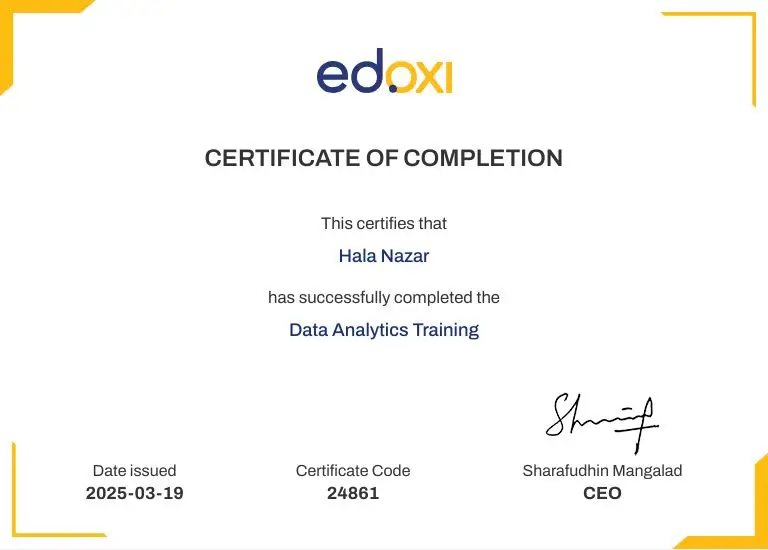

Join Edoxi's Microsoft Office Specialist Course
Edoxi is the top choice for Microsoft Office Specialist. Here's why:
Our instructors are Microsoft-certified professionals with extensive experience training corporate teams, students, and government employees across the UAE, GCC, and international markets with consistently strong outcomes.
The 40-hour curriculum is fully mapped to the latest MOS exam objectives for Word, Excel, PowerPoint, and Outlook, ensuring focused, current, and effective certification exam preparation.
Practise extensively using real workplace scenarios across documents, spreadsheets, presentations, and email, building genuine confidence and demonstrable productivity skills for the modern hybrid corporate workplace.
Performance-based mock exams that mirror the official MOS testing interface help you build accuracy, speed, and exam-day confidence required to pass certifications on the first attempt.
Beyond core Office apps, learn OneDrive, SharePoint, and Microsoft Teams collaboration, equipping you for modern hybrid workplaces and ensuring lasting value beyond the certification exam itself.
Choose between online live, classroom, or fully customised corporate training formats designed to fit the schedules of working professionals, students, and busy corporate teams globally.

MOS is a globally recognised credential from Microsoft, administered by Certiport, validating your skills in Microsoft Office applications such as Word, Excel, PowerPoint, and Outlook at associate and expert levels.
The course covers Microsoft Word, Excel, PowerPoint, and Outlook in depth, along with collaboration tools such as OneDrive, SharePoint, and Microsoft Teams used widely in modern workplaces.
Basic computer literacy is helpful, but no prior advanced Office experience is required. The course is structured to take learners from core foundational skills through to expert-level certification readiness.
The MOS exam is delivered by Certiport-authorised testing centres globally, including locations across the UAE and GCC. Edoxi will guide you through the exam registration process and recommended schedule.
Yes. Edoxi delivers tailored 5-day corporate Microsoft Office Specialist programmes for teams of administrators, finance, HR, and operations staff, at your premises or our Edoxi training centre.
| Job Role | Average Annual Salary (USD) |
|---|---|
| Office Administrator | $48,000 |
| Executive Assistant | $62,000 |
| Data Entry Specialist | $42,000 |
| Junior Financial Analyst | $65,000 |
| HR and Operations Coordinator | $55,000 |
| Customer Service Specialist | $45,000 |


