Leave your message to get our quick response
edoxi automated message icon

Video Editing Course in Qatar

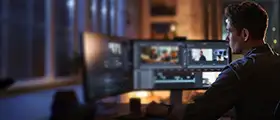
Professional video editor working at a dual-monitor setup, editing footage on a video editing software interface in a modern studio environment.
Edoxi’s 48-hour Video Editing Course in Qatar empowers you to master Adobe Premiere Pro and After Effects through hands-on projects and expert-led training. You gain job-ready video editing, motion graphics, and VFX skills that help you thrive in Qatar’s fast-growing creative industry. Boost your creativity, enhance your career, and start editing like a pro — Enrol Now.
Course Duration
48 Hours
Corporate Days
6 Days
Learners Enrolled
50+
Modules
14
star-rating-icon1
star-rating-icon2
star-rating-icon3
Course Rating
4.9
star-rating-4.9
Mode of Delivery
Online
Classroom
Certification by

What Do You Learn from Edoxi's Video Editing Training

Professional Video Editing Workflow
You learn to manage the complete editing process, from importing footage to exporting final videos, using Adobe Premiere Pro’s advanced timeline tools and organised workflows.
Advanced Motion Graphics Design
You learn to create compelling motion graphics using keyframe animation, dynamic effects, and creative layouts for film, advertising, and digital media.
Visual Effects and Compositing
You learn to enhance your projects with VFX techniques such as green screen removal, masking, rotoscoping, and motion tracking for polished, professional results.
Colour Grading and Correction
You learn to apply industry-standard colour grading and correction methods to improve visual impact and maintain consistency across your edits.
Audio Integration and Enhancement
You learn to mix audio, add sound effects, and build immersive soundscapes using multi-track editing and professional audio tools.
3D Space and Camera Manipulation
You learn to work with 3D layers, control virtual cameras, and use tools like Element 3D to create depth, realism, and dynamic movement in your compositions.

About Our Video Editing Course in Qatar

Edoxi’s 48-hour Video Editing Course in Qatar offers you a complete, industry-focused learning experience designed to help you master modern editing tools and workflows. Through our expert-led video editing training, you gain hands-on experience in Adobe Premiere Pro and After Effects, two of the most powerful applications used by professional editors. Whether you prefer classroom learning or online video editing classes, our flexible formats help you learn in the way that suits your schedule and goals.

Qatar’s creative industry is expanding rapidly, creating strong demand for skilled editors, motion graphics designers, and content creators. Our video editing course bridges your creativity with technical mastery, giving you the confidence to edit, design motion graphics, apply visual effects, and craft compelling stories that engage viewers. You explore industry-standard editing techniques and digital content creation practices that employers across Qatar look for in job-ready candidates.

Throughout the 48-hour video editing training in Qatar, you work on real-world projects including promotional videos, corporate films, social media edits, and VFX compositions. We guide you through practical labs, portfolio-driven assignments, and professional workflows that enhance your speed, creativity, and technical precision. You also benefit from structured learning that helps you overcome the trial-and-error challenges of self-teaching, giving you faster progress and stronger creative control.

By the end of Edoxi’s video editing certification programme, you earn a course completion certificate that strengthens your profile in Qatar’s competitive media market. You also build meaningful industry connections, sharpen your storytelling skills, and gain the confidence to pursue freelance work or full-time roles in advertising, film production, marketing, and content creation.

Key Features of Edoxi's Video Editing Training

Start the Course from Basics

You begin your journey with the fundamentals of video editing and storytelling, gaining the skills to craft compelling narratives that engage your audience.

Portfolio Creation

You can build a strong portfolio through professional projects, including commercial ads, motion graphics, and visual effects compositions that showcase your talent.

Structured Dual-Software Learning

You can learn to edit confidently in Adobe Premiere Pro and create advanced effects in After Effects through a clear, structured, step-by-step learning approach.

Real-World Project Development

You can apply your skills to real industry scenarios by working on short films, motion graphics pieces, VFX shots, and advertising projects.

Customised Learning Experience

You benefit from small batch sizes, personalised guidance, and flexible training schedules that support your learning pace and goals.

Multi-Format Content Creation

You can create and enhance content for multiple formats, including social media videos, corporate presentations, and cinematic productions.

Who Can Join Our Video Editing Course in Qatar?

Digital Marketing Professionals

If you are working in marketing, you gain the skills to create high-quality video content for campaigns, social media, and brand promotions, helping your strategies stand out.

Motion Graphic Designers

If you are a designer, you enhance your animation abilities and master keyframe techniques that strengthen your dynamic visual storytelling.

Filmmakers and Videographers

If you are an independent filmmaker or videographer, you improve your production quality through professional editing, motion graphics, and visual effects.

YouTubers and Social Media Influencers

If you are a content creator, you elevate your videos with polished transitions, animations, and effects that enhance engagement across platforms.

Video Editing Course Modules


Adobe Premiere Pro

Module 1: Introduction to Adobe Premiere Pro
  • Chapter 1.1: Touring Adobe Premiere Pro

    • Lesson 1.1.1: Nonlinear editing in Adobe Premiere Pro
    • Lesson 1.1.2: Expanding the workflow
    • Lesson 1.1.3: Touring the Adobe Premiere interface
Module 2: Setting Up Projects and Sequences
  • Chapter 2.1: Setting Up the Project

    • Lesson 2.1.1: Setting up a project
    • Lesson 2.1.2: Setting up a sequence
Module 3: Importing and Organizing Media
  • Chapter 3.1: Importing the Media

    • Lesson 3.1.1: Importing assets
    • Lesson 3.1.2: Working with the media browser
    • Lesson 3.1.3: Importing images
    • Lesson 3.1.4: Understanding the media cache
    • Lesson 3.1.5: Capturing the videotape
  • Chapter 3.2: Organizing Media

    • Lesson 3.2.1: The Project Panel
    • Lesson 3.2.2: Working with bins
    • Lesson 3.2.3: Organizing media with content analysis
    • Lesson 3.2.4: Monitoring footage
    • Lesson 3.2.5: Modifying clips
Module 4: Essentials of Video Editing
  • Chapter 4.1: Basics of Video Editing

    • Lesson 4.1.1: Using the source monitor
    • Lesson 4.1.2: Navigating the Timeline
    • Lesson 4.1.3: Essential editing commands
  • Chapter 4.2: Working with Clips and Markers

    • Lesson 4.2.1: Program Monitor Controls
    • Lesson 4.2.2: Controlling resolution
    • Lesson 4.2.3: Using markers
    • Lesson 4.2.4: Using sync lock and track lock
    • Lesson 4.2.5: Finding gaps in the timeline
    • Lesson 4.2.6: Moving clips
    • Lesson 4.2.7: Extracting and deleting segments
Module 5: Adding and Refining Transitions
  • Chapter 5.1: Adding Transitions

    • Lesson 5.1.1: What are transitions?
    • Lesson 5.1.2: Endpoints and handles
    • Lesson 5.1.3: Adding video transitions
    • Lesson 5.1.4: Using A/B mode to fine-tune a transition
    • Lesson 5.1.5: Adding audio transitions
Module 6: Advanced Editing Techniques
  • Chapter 6.1: Mastering Advanced Techniques

    • Lesson 6.1.1: Four-point editing
    • Lesson 6.1.2: Retiming clips
    • Lesson 6.1.3: Replacing clips and footages
    • Lesson 6.1.4: Nesting sequences
    • Lesson 6.1.5: Regular trimming
    • Lesson 6.1.6: Advanced trimming
    • Lesson 6.1.7: Trimming in the Program Monitor panel
Module 7: Working with Motion and Effects
  • Chapter 7.1: Putting Clips in Motion

    • Lesson 7.1.1: Adjusting the Motion Effect
    • Lesson 7.1.2: Changing clip position, size, and rotation
    • Lesson 7.1.3: Working with keyframes and interpolation
    • Lesson 7.1.4: Using other motion-related effects
  • Chapter 7.2: Adding Video Effects

    • Lesson 7.2.1: Working with effects
    • Lesson 7.2.2: Keyframing effects
    • Lesson 7.2.3: Effects presets
    • Lesson 7.2.4: Frequently used effects
Module 8: Editing and Enhancing Audio
  • Chapter 8.1: Editing and Mixing Audio

    • Lesson 8.1.1: Setting up the interface to work with audio
    • Lesson 8.1.2: Examining the audio characteristics
    • Lesson 8.1.3: Adjusting the audio volume and gain
    • Lesson 8.1.4: Normalizing the audio
    • Lesson 8.1.5: Creating a split edit
    • Lesson 8.1.6: Adjusting audio levels in a sequence
    • Lesson 8.1.7: Working with the audio mixer
  • Chapter 8.2: Sweetening Sound

    • Lesson 8.2.1: Sweetening sound with audio effects
    • Lesson 8.2.2: Adjusting the EQ
    • Lesson 8.2.3: Applying effects in the audio mixer
    • Lesson 8.2.4: Cleaning up the noise
Module 9: Exploring Compositing and Titles
  • Chapter 9.1: Exploring the Compositing Techniques

    • Lesson 9.1.1: Understanding the Alpha Channel
    • Lesson 9.1.2: Using compositing in your projects
    • Lesson 9.1.3: Working with opacity effects
    • Lesson 9.1.4: Working with Alpha channel transparency
    • Lesson 9.1.5: Color keying a green screen shot
    • Lesson 9.1.6: Using matte techniques
  • Chapter 9.2: Creating Titles

    • Lesson 9.2.1: Overview of title windows
    • Lesson 9.2.2: Creating titles
    • Lesson 9.2.3: Stylizing text
    • Lesson 9.2.4: Working with shapes and logos
    • Lesson 9.2.5: Making text crawl and roll
Module 10: Managing and Exporting Projects
  • Chapter 10.1: Managing Your Project

    • Lesson 10.1.1: The File Menu
    • Lesson 10.1.2: Project Manager
    • Lesson 10.1.3: Final project management steps
    • Lesson 10.1.4: Importing projects or sequences
    • Lesson 10.1.5: Managing collaboration
    • Lesson 10.1.6: Managing your hard drive
  • Chapter 10.2: Exporting Frames, Clips & Sequence

    • Lesson 10.2.1: Overview of export sequence
    • Lesson 10.2.2: Exporting a single frame
    • Lesson 10.2.3: Exporting a master copy
    • Lesson 10.2.4: Working with Media Encoder

Adobe After Effects

Module 1: Getting to Know the Workflow
  • Chapter 1.1: Introduction to Project Creation

    • Lesson 1.1.1: Creating a project and importing footage
    • Lesson 1.1.2: Creating a composition and arranging layers
    • Lesson 1.1.3: Adding effects and modifying layer properties
    • Lesson 1.1.4: Animating the composition
    • Lesson 1.1.5: Previewing your work
  • Chapter 1.2: Optimizing and Exporting Projects

    • Lesson 1.2.1: Optimizing performance in After Effects
    • Lesson 1.2.2: Rendering and exporting your composition
    • Lesson 1.2.3: Customizing workspaces
    • Lesson 1.2.4: Controlling the brightness of the user interface
    • Lesson 1.2.5: Finding resources for using After Effects
Module 2: Creating a Basic Animation Using Effects and Presets
  • Chapter 2.1: Setting Up Basic Animation

    • Lesson 2.1.1: Importing footage using Adobe Bridge
    • Lesson 2.1.2: Creating a new composition
    • Lesson 2.1.3: Working with imported Illustrator layers
  • Chapter 2.2: Applying Effects and Presets

    • Lesson 2.2.1: Applying effects to a layer
    • Lesson 2.2.2: Applying an animation preset
    • Lesson 2.2.3: Previewing the effects
    • Lesson 2.2.4: Adding transparency
    • Lesson 2.2.5: Rendering the composition
Module 3: Animating Text
  • Chapter 3.1: Basics of Text Animation

    • Lesson 3.1.1: About text layers
    • Lesson 3.1.2: Creating and formatting point text
    • Lesson 3.1.3: Using a text animation preset
    • Lesson 3.1.4: Animating with scale keyframes
    • Lesson 3.1.5: Animating using parenting
  • Chapter 3.2: Advanced Text Animation

    • Lesson 3.2.1: Animating imported Photoshop text
    • Lesson 3.2.2: Animating text using a path animation preset
    • Lesson 3.2.3: Animating text opacity
    • Lesson 3.2.4: Using a text animator group
    • Lesson 3.2.5: Cleaning up the path animation
    • Lesson 3.2.6: Animating a nontext layer along a motion path
    • Lesson 3.2.7: Adding motion blur
Module 4: Working with Shape Layers
  • Chapter 4.1: Creating and Customizing Shapes

    • Lesson 4.1.1: Adding a shape layer
    • Lesson 4.1.2: Creating custom shapes
    • Lesson 4.1.3: Creating stars
    • Lesson 4.1.4: Positioning layers with snapping
  • Chapter 4.2: Integrating Video and Audio

    • Lesson 4.2.1: Incorporating video and audio layers
    • Lesson 4.2.2: Applying a Cartoon effect
    • Lesson 4.2.3: Adding a title bar
    • Lesson 4.2.4: Using Brainstorm experiment
Module 5: Animating a Multimedia Presentation
  • Chapter 5.1: Key Animation Techniques

    • Lesson 5.1.1: Animating the scenery using parenting
    • Lesson 5.1.2: Adjusting an anchor point
    • Lesson 5.1.3: Masking video using vector shapes
    • Lesson 5.1.4: Keyframing a motion path
  • Chapter 5.2: Creating a Presentation

    • Lesson 5.2.1: Animating additional elements
    • Lesson 5.2.2: Applying an effect
    • Lesson 5.2.3: Creating an animated slide show
    • Lesson 5.2.4: Zooming in for a final close-up
Module 6: Animating Layers
  • Chapter 6.1: Advanced Layer Animation

    • Lesson 6.1.1: Simulating lighting changes
    • Lesson 6.1.2: Duplicating an animation using the pick whip
    • Lesson 6.1.3: Animating movement in the scenery
    • Lesson 6.1.4: Adjusting the layers and creating a track matte
    • Lesson 6.1.5: Animating the shadows
    • Lesson 6.1.6: Adding a lens flare effect
    • Lesson 6.1.7: Retiming the composition
Module 7: Working with Masks
  • Chapter 7.1: Basics of Masks

    • Lesson 7.1.1: About masks
    • Lesson 7.1.2: Creating a mask with the Pen tool
    • Lesson 7.1.3: Editing a mask
    • Lesson 7.1.4: Feathering the edges of a mask
  • Chapter 7.2: Enhancing Visuals with Masks

    • Lesson 7.2.1: Replacing the content of the mask
    • Lesson 7.2.2: Adding a reflection
    • Lesson 7.2.3: Creating a vignette
    • Lesson 7.2.4: Adjusting the color
Module 8: Distorting Objects with the Puppet Tools
  • Chapter 8.1: Using Puppet Tools

    • Lesson 8.1.1: About the Puppet tools
    • Lesson 8.1.2: Adding Deform pins
    • Lesson 8.1.3: Defining areas of overlap
    • Lesson 8.1.4: Stiffening an area by animating pin positions
    • Lesson 8.1.5: Recording animation
Module 9: Using the Roto Brush Tool
  • Chapter 9.1: Introduction to Rotoscoping

    • Lesson 9.1.1: About rotoscoping
    • Lesson 9.1.2: Creating a segmentation boundary
    • Lesson 9.1.3: Fine-tuning the matte
    • Lesson 9.1.4: Freezing your Roto Brush tool results
  • Chapter 9.2: Compositing with Roto Brush

    • Lesson 9.2.1: Changing the background
    • Lesson 9.2.2: Adding animated text
    • Lesson 9.2.3: Outputting your project
Module 10: Performing Color Correction
  • Chapter 10.1: Color Correction Techniques

    • Lesson 10.1.1: Adjusting color balance
    • Lesson 10.1.2: Replacing the background
    • Lesson 10.1.3: Removing unwanted elements
    • Lesson 10.1.4: Correcting a range of colors
    • Lesson 10.1.5: Warming colors with the Photo Filter effect
Module 11: Using 3D Features
  • Chapter 11.1: Working with 3D Layers

    • Lesson 11.1.1: Creating 3D Text
    • Lesson 11.1.2: Using 3D Views
    • Lesson 11.1.3: Importing a background
  • Chapter 11.2: Adding 3D Elements

    • Lesson 11.2.1: Adding 3D Lights
    • Lesson 11.2.2: Adding a camera
    • Lesson 11.2.3: Positioning layers
    • Lesson 11.2.4: Working with Cinema 4D Lite
Module 12: Working with the 3D Camera Tracker
  • Chapter 12.1: Introduction to 3D Camera Tracker

    • Lesson 12.1.1: About the 3D Camera Tracker effect
    • Lesson 12.1.2: Tracking the footage
    • Lesson 12.1.3: Creating a ground plane, a camera, and the initial text
  • Chapter 12.2: Enhancing 3D Scenes

    • Lesson 12.2.1: Creating realistic shadows
    • Lesson 12.2.2: Adding ambient light
    • Lesson 12.2.3: Creating additional text elements
    • Lesson 12.2.4: Locking a layer to a plane with a null object
    • Lesson 12.2.5: Animating the text
    • Lesson 12.2.6: Adjusting the camera’s depth of field
    • Lesson 12.2.7: Rendering the composition
Module 13: Advanced Editing Techniques
  • Chapter 13.1: Using Advanced Effects

    • Lesson 13.1.1: Using Warp Stabilizer VFX
    • Lesson 13.1.2: Using single-point motion tracking
    • Lesson 13.1.3: Using multipoint tracking
    • Lesson 13.1.4: Creating a particle simulation
    • Lesson 13.1.5: Retiming playback using the Timewarp effect
Module 14: Rendering and Outputting
  • Chapter 14.1: Finalizing the Project

    • Lesson 14.1.1: Creating templates for the Render Queue
    • Lesson 14.1.2: Exporting using the Render Queue
    • Lesson 14.1.3: Rendering movies with Adobe Media Encoder

Download Video Editing Course Brochure

Video Editing Training Lab Activities and Practical Sessions in Qatar

Our Video Editing Course gives you hands-on training through dedicated lab sessions designed to help you learn by doing. You explore real industry workflows, practise with professional tools, and build confidence through guided, project-based learning. Here are the projects included;

Projects

  • Movie Collage Creation

    In this project, you learn to combine multiple video clips into a cohesive narrative. You practise advanced transitions, timing control, and visual flow to create a polished story sequence.

  • Story-Based Video Production

    In this project, you develop a complete video from raw footage to final output. You apply professional editing techniques, incorporate music, and use smooth transitions to tell an engaging story.

  • Advanced Colour Grading

    In this project, you learn to enhance visual tone using Premiere Pro’s professional grading tools. You create distinct styles and match colours across clips for a consistent, cinematic look.

  • Kinetic Typography Production

    In this project, you create dynamic text animations using typography principles, timing, and motion design. You transform static text into visually engaging animated sequences.

  • Professional Advertisement Creation

    In this project, you produce a polished 10-second commercial using advanced motion graphics techniques. You create compelling promotional content suitable for real marketing use.

  • Colour Grading Project

    In this project, you complete a full colour grading assignment that strengthens your understanding of colour theory, correction techniques, and visual coherence in post-production.

  • Motion Tracking Implementation

    In this project, you apply advanced camera tracking and stabilisation techniques. You integrate elements seamlessly into footage to enhance realism and professional quality.

  • Social Media Video Campaign

    In this project, you learn to create short, engaging videos optimised for social media platforms. Apply motion graphics, transitions, and audio enhancement to craft content that captures audience attention and promotes brand messaging effectively.

Video Editing Course Outcomes and Career Opportunities in Qatar

Our Video Editing Course in Qatar equips you with practical, job-ready skills that support your creative growth and career development. You gain the confidence to work across advertising, filmmaking, marketing, and digital media through hands-on training and industry-focused learning. Here are the major Course Outcomes
Course Outcome Image
You gain a strong foundation in professional video editing techniques using Adobe Premiere Pro and After Effects.
You enhance your storytelling skills to craft engaging and impactful video content for different audiences.
You develop motion graphics abilities that help you create dynamic titles, animations, and visual elements.
You understand colour correction and grading techniques that elevate the visual quality of your projects.
You improve your editing speed and accuracy through structured workflows and keyboard optimisation.
You create a polished portfolio showcasing real-world projects that demonstrate your technical and creative skills.

Career Opportunities After the Video Editing Certification in Qatar

  • Video Editor
  • Motion Graphics Designer
  • Social Media Video Creator
  • Post-Production Specialist
  • Content Creator for Digital Platforms
  • Film & TV Editor
  • Corporate Video Editor
  • VFX Artist (Basic to Intermediate Roles)
  • Multimedia Designer
  • Videographer & Editor (Dual Role)

Companies Hiring Video Editing–Certified Professionals in Qatar

  • beIN Media Group
  • The Film House
  • Tethkar Art Production
  • Fadaat Media Group
  • Red Dot Films WLL
  • AOP Studios
  • Ultramarine Films
  • Strike Studio
  • Brill Creations
  • Audio Visual Technology (AVT)

Video Editing Training Options

Classroom Training

  • 48-hour structured course duration

  • Hands-on practice in a specialised editing lab

  • Small batch size of 4–5 learners

  • Personal guidance from our instructors

  • Access to professional-grade equipment

  • Recorded sessions for easy revision

Live Online Training

  • 48-hour structured course duration

  • Interactive virtual sessions

  • Real-time instructor feedback

  • Digital study materials included

  • Flexible schedules for busy professionals

Corporate Training

  • Up to 6 days of custom training based on your company’s needs

  • Tailored curriculum for your team

  • On-site or remote delivery options

  • Team-focused project work

  • Progress tracking and performance assessment

  • Flexible timing to reduce workflow disruption

Do You Want a Customised Training for Video Editing?

Get expert assistance in getting you Video Editing Course customised!

How To Get Video Editing Certified in Qatar?

Here’s a four-step guide to becoming a certified Video Editing professional.

Do You Want to be a Certified Professional in Video Editing?

Join Edoxi’s Video Editing Course

Why Choose Edoxi for a Video Editing Course in Qatar?

Edoxi’s Video Editing Course in Qatar is designed to help you build real, job-ready skills that match the needs of the city’s fast-growing creative industry. Here’s why our video editing training in Qatar stands out and how it supports your learning journey:

Comprehensive Dual-Software Training

You can learn through a structured approach that covers both Adobe Premiere Pro and After Effects. This can give you a complete skill set for editing, motion graphics, and visual effects within one integrated curriculum.

Professional Video Editing Lab

You can get the training in our specialised editing facility equipped with professional workstations, audio systems, and the latest Adobe Creative Cloud tools. This can help you practise in an environment similar to Qatar’s leading studios.

Portfolio Development Focus

You build a portfolio of commercial ads, motion graphics packages, and VFX composites. This can give you the confidence to showcase your skills to employers across Qatar’s media and creative sectors.

Industry-Experienced Instructors

You learn directly from professionals who have hands-on experience in Qatar’s film, media, broadcasting, and advertising sectors. This ensures you gain practical insights into local production workflows, industry standards, and the latest creative trends shaping Qatar’s growing media landscape.

Flexible Learning Options

You can choose from our classroom or online video editing classes with flexible timings from 9 AM to 9 PM. You can also access weekend batches and use recorded sessions to support your learning at your own pace.

Career Support and Guidance

You receive personalised mentoring, project feedback, and placement support that help you navigate Qatar’s competitive media industry and explore rewarding career opportunities.

students-image

Edoxi is Recommended by 95% of our Students

Meet Our Mentor

Our mentors are leaders and experts in their fields. They can challenge and guide you on your road to success!

mentor-image

Ghanashyambhai Bhagvanbhai Vaghani

Ghanashyambhai Bhagvanbhai Vaghani is a Graphic & 3D Visualization Trainer with over 15 years of training experience. His expertise spans multiple disciplines, including interior design, graphic design, 3Ds Max and UI/UX development. Ghanashyambhai is an Adobe Creative Suite Specialist with expertise in Photoshop, Illustrator, InDesign, Premiere Pro, After Effects, and Blender. He is also a highly sought-after corporate trainer with exceptional skills in digital content creation and architectural visualization. During his career, he has guided over 5,000 students through professional design education.

He holds a Diploma in Animation and Visual Effects from Frameboxx India and has served as faculty at prestigious institutions, including IIFT and IDT India. His experience with E Train India has further refined his ability to deliver effective technical training. Ghanashyambhai employs a practical, project-based teaching methodology. His approach combines technical training with real-world applications.

Locations Where Edoxi Offers Video Editing Course

Here is the list of other major locations where Edoxi offers Video Editing Course

FAQ

What is covered in Edoxi’s Video Editing Course in Qatar?

Edoxi Training Center offers a comprehensive Video Editing Course in Qatar that teaches you professional editing, motion graphics, and visual effects using Adobe Premiere Pro and After Effects. You gain hands-on experience through real projects, personalised guidance, and structured video editing classes designed for Qatar’s fast-growing media industry.

Do I need any prerequisites to join Edoxi’s Video Editing Training in Qatar?
You do not need prior experience to join our video editing training. We start with the basics and support you throughout the learning journey, making this course suitable even if you are completely new to editing or creative software.
What is the difference between Adobe Premiere Pro and After Effects in Edoxi’s Video Editing Certification?

Premiere Pro helps you edit videos, arrange footage, adjust audio, and create clean timelines. After Effects focuses on motion graphics, animations, and advanced visual effects. In our Video Editing Certification, you learn how both tools work together to support modern professional workflows used across Qatar’s creative companies.

What projects do I create during Edoxi’s Video Editing Training in Qatar?

You work on real-world projects such as commercial advertisements, documentary-style edits, motion graphics packages, and VFX composites. Each project helps you build a strong portfolio that showcases your creativity and technical ability to employers in Qatar.

How does Edoxi’s Video Editing Course help my career in Qatar?

Our video editing training equips you with job-ready skills that are in high demand across Qatar’s media, advertising, marketing, and production sectors. You gain the confidence to work in agencies, startups, film studios, corporate content teams, or as a freelance editor.

What is the average salary for Video Editing Certified professionals in Qatar?

Video editing professionals in Qatar typically earn QAR 5,000 to QAR 12,000 per month, depending on experience, portfolio quality, and the industry you choose to work in. If you strengthen your skills in motion graphics and VFX, your earning potential increases even further.

What is the advantage of learning both Premiere Pro and After Effects in Edoxi’s Video Editing Course?

Learning both tools gives you a complete skill set for editing, effects, motion graphics, and compositing. This combined knowledge strengthens your versatility, helping you meet the expectations of Qatar’s competitive media, advertising, and social-content industries.

What sets Edoxi’s Video Editing Course in Qatar apart from other courses?

Edoxi’s training stands out because we combine dual-software learning, small batch sizes, expert trainers, and a project-focused approach. Our 48-hour curriculum covers everything from basic editing to professional motion graphics, making it one of the most practical video editing classes in Qatar.

Does Edoxi offer customised Video Editing Training for corporate teams in Qatar?

Yes, we provide tailored corporate video editing training designed around your company’s goals. Your team receives customised lessons, real project practice, and flexible schedules to support productivity and upskilling.