Leave your message to get our quick response
edoxi automated message icon

Video Editing Course in Kuwait

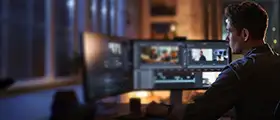
A professional video editor editing footage on multiple monitors in a modern video production workspace
Edoxi’s 48-hour Video Editing Course in Kuwait offers comprehensive training in Adobe Premiere Pro and After Effects. Master professional video editing, motion graphics, visual effects, and composition techniques through practical, hands-on projects. Receive a course completion certificate to validate your skills and kickstart your career as a professional video editor. Enrol now!
Course Duration
48 Hours
Corporate Days
6 Days
Learners Enrolled
50+
Modules
14
star-rating-icon1
star-rating-icon2
star-rating-icon3
Course Rating
4.9
star-rating-4.9
Mode of Delivery
Online
Classroom
Certification by

What Do You Learn from Edoxi's Video Editing Training

Professional Video Editing Workflow
You learn the entire editing process from importing footage to final export using Adobe Premiere Pro's advanced timeline tools and organisational features.
Advanced Motion Graphics Design
You learn to create compelling visual content using keyframe animation and dynamic effects for film, advertising, and digital media projects.
Visual Effects and Compositing
You learn professional VFX techniques, including green screen removal, masking, rotoscoping, and tracking, to enhance your video productions.
Colour Grading and Correction
You develop expertise in professional colour correction workflows to enhance visual impact and maintain consistency across your projects.
Audio Integration and Enhancement
You master audio mixing, apply sound effects, and create professional soundscapes using multi-track editing techniques.
3D Space and Camera Manipulation
You learn 3D layers, camera tracking, and Element 3D to create depth and perspective in your compositions.

About Our Video Editing Certification in Kuwait

Edoxi’s 48-hour Video Editing Course in Kuwait is designed for beginners and professionals who want to develop job-ready video editing skills. This comprehensive Video Editing Training helps you master essential tools and techniques in Adobe Premiere Pro and After Effects, bridging creative ideas with technical execution. By completing this course, you gain a recognised Video Editing Certification and improve your employability in Kuwait’s growing media and digital content industry.

During this Video Editing Training in Kuwait, you learn through a hands-on, practical approach. You work on real-world projects such as promotional advertisements, corporate videos, and motion graphics, gaining experience in industry-standard workflows. These video editing classes ensure you develop practical skills that can be immediately applied in professional roles across advertising, social media, and film production.

By the end of this Video Editing Course, you can gain proficiency in creating professional-quality videos, mastering advanced editing techniques, and using the latest software tools, preparing you for a successful career as a video editor or motion graphics artist in Kuwait.

Features of Edoxi's Video Editing Training

Start the Course from the Basics

You can begin with the basics of video editing and storytelling. You can also learn how to craft compelling narratives that captivate your audience.

Portfolio Creation

You can build a portfolio of professional projects and work on commercial ads, motion graphics, and visual effects compositions.

Structured Dual-Software Learning

You learn video editing in Premiere Pro and advanced effects in After Effects. You can also follow a clear step-by-step process that blends theory with practice.

Real-World Project Development

You can work on projects such as short films, motion graphics, VFX shots, and advertisements. You can also apply your skills to real industry scenarios.

Customised Learning Experience

You can benefit from small batch sizes with personalised guidance and flexible training schedules.

Multi-Format Content Creation

You can edit and enhance content for multiple formats. You can also create videos for social media, corporate presentations, and cinematic productions.

Who Can Join Our Video Editing Course in Kuwait?

Digital Marketing Professionals

If you are a marketer seeking to produce high-quality video content for campaigns, social media, and brand promotions.

Motion Graphic Designers

If you are a designer wanting to advance your animation skills and master keyframe techniques for dynamic visual storytelling.

Filmmakers and Videographers

If you are an independent filmmaker or videographer looking to enhance production quality through professional editing and effects.

YouTubers and Social Media Influencers

If you are a content creator aiming to elevate your videos with professional animations, transitions, and visual effects.

Video Editing Course Modules


Adobe Premiere Pro

Module 1: Introduction to Adobe Premiere Pro
  • Chapter 1.1: Touring Adobe Premiere Pro

    • Lesson 1.1.1: Nonlinear editing in Adobe Premiere Pro
    • Lesson 1.1.2: Expanding the workflow
    • Lesson 1.1.3: Touring the Adobe Premiere interface
Module 2: Setting Up Projects and Sequences
  • Chapter 2.1: Setting Up the Project

    • Lesson 2.1.1: Setting up a project
    • Lesson 2.1.2: Setting up a sequence
Module 3: Importing and Organizing Media
  • Chapter 3.1: Importing the Media

    • Lesson 3.1.1: Importing assets
    • Lesson 3.1.2: Working with the media browser
    • Lesson 3.1.3: Importing images
    • Lesson 3.1.4: Understanding the media cache
    • Lesson 3.1.5: Capturing the videotape
  • Chapter 3.2: Organizing Media

    • Lesson 3.2.1: The Project Panel
    • Lesson 3.2.2: Working with bins
    • Lesson 3.2.3: Organizing media with content analysis
    • Lesson 3.2.4: Monitoring footage
    • Lesson 3.2.5: Modifying clips
Module 4: Essentials of Video Editing
  • Chapter 4.1: Basics of Video Editing

    • Lesson 4.1.1: Using the source monitor
    • Lesson 4.1.2: Navigating the Timeline
    • Lesson 4.1.3: Essential editing commands
  • Chapter 4.2: Working with Clips and Markers

    • Lesson 4.2.1: Program Monitor Controls
    • Lesson 4.2.2: Controlling resolution
    • Lesson 4.2.3: Using markers
    • Lesson 4.2.4: Using sync lock and track lock
    • Lesson 4.2.5: Finding gaps in the timeline
    • Lesson 4.2.6: Moving clips
    • Lesson 4.2.7: Extracting and deleting segments
Module 5: Adding and Refining Transitions
  • Chapter 5.1: Adding Transitions

    • Lesson 5.1.1: What are transitions?
    • Lesson 5.1.2: Endpoints and handles
    • Lesson 5.1.3: Adding video transitions
    • Lesson 5.1.4: Using A/B mode to fine-tune a transition
    • Lesson 5.1.5: Adding audio transitions
Module 6: Advanced Editing Techniques
  • Chapter 6.1: Mastering Advanced Techniques

    • Lesson 6.1.1: Four-point editing
    • Lesson 6.1.2: Retiming clips
    • Lesson 6.1.3: Replacing clips and footages
    • Lesson 6.1.4: Nesting sequences
    • Lesson 6.1.5: Regular trimming
    • Lesson 6.1.6: Advanced trimming
    • Lesson 6.1.7: Trimming in the Program Monitor panel
Module 7: Working with Motion and Effects
  • Chapter 7.1: Putting Clips in Motion

    • Lesson 7.1.1: Adjusting the Motion Effect
    • Lesson 7.1.2: Changing clip position, size, and rotation
    • Lesson 7.1.3: Working with keyframes and interpolation
    • Lesson 7.1.4: Using other motion-related effects
  • Chapter 7.2: Adding Video Effects

    • Lesson 7.2.1: Working with effects
    • Lesson 7.2.2: Keyframing effects
    • Lesson 7.2.3: Effects presets
    • Lesson 7.2.4: Frequently used effects
Module 8: Editing and Enhancing Audio
  • Chapter 8.1: Editing and Mixing Audio

    • Lesson 8.1.1: Setting up the interface to work with audio
    • Lesson 8.1.2: Examining the audio characteristics
    • Lesson 8.1.3: Adjusting the audio volume and gain
    • Lesson 8.1.4: Normalizing the audio
    • Lesson 8.1.5: Creating a split edit
    • Lesson 8.1.6: Adjusting audio levels in a sequence
    • Lesson 8.1.7: Working with the audio mixer
  • Chapter 8.2: Sweetening Sound

    • Lesson 8.2.1: Sweetening sound with audio effects
    • Lesson 8.2.2: Adjusting the EQ
    • Lesson 8.2.3: Applying effects in the audio mixer
    • Lesson 8.2.4: Cleaning up the noise
Module 9: Exploring Compositing and Titles
  • Chapter 9.1: Exploring the Compositing Techniques

    • Lesson 9.1.1: Understanding the Alpha Channel
    • Lesson 9.1.2: Using compositing in your projects
    • Lesson 9.1.3: Working with opacity effects
    • Lesson 9.1.4: Working with Alpha channel transparency
    • Lesson 9.1.5: Color keying a green screen shot
    • Lesson 9.1.6: Using matte techniques
  • Chapter 9.2: Creating Titles

    • Lesson 9.2.1: Overview of title windows
    • Lesson 9.2.2: Creating titles
    • Lesson 9.2.3: Stylizing text
    • Lesson 9.2.4: Working with shapes and logos
    • Lesson 9.2.5: Making text crawl and roll
Module 10: Managing and Exporting Projects
  • Chapter 10.1: Managing Your Project

    • Lesson 10.1.1: The File Menu
    • Lesson 10.1.2: Project Manager
    • Lesson 10.1.3: Final project management steps
    • Lesson 10.1.4: Importing projects or sequences
    • Lesson 10.1.5: Managing collaboration
    • Lesson 10.1.6: Managing your hard drive
  • Chapter 10.2: Exporting Frames, Clips & Sequence

    • Lesson 10.2.1: Overview of export sequence
    • Lesson 10.2.2: Exporting a single frame
    • Lesson 10.2.3: Exporting a master copy
    • Lesson 10.2.4: Working with Media Encoder

Adobe After Effects

Module 1: Getting to Know the Workflow
  • Chapter 1.1: Introduction to Project Creation

    • Lesson 1.1.1: Creating a project and importing footage
    • Lesson 1.1.2: Creating a composition and arranging layers
    • Lesson 1.1.3: Adding effects and modifying layer properties
    • Lesson 1.1.4: Animating the composition
    • Lesson 1.1.5: Previewing your work
  • Chapter 1.2: Optimizing and Exporting Projects

    • Lesson 1.2.1: Optimizing performance in After Effects
    • Lesson 1.2.2: Rendering and exporting your composition
    • Lesson 1.2.3: Customizing workspaces
    • Lesson 1.2.4: Controlling the brightness of the user interface
    • Lesson 1.2.5: Finding resources for using After Effects
Module 2: Creating a Basic Animation Using Effects and Presets
  • Chapter 2.1: Setting Up Basic Animation

    • Lesson 2.1.1: Importing footage using Adobe Bridge
    • Lesson 2.1.2: Creating a new composition
    • Lesson 2.1.3: Working with imported Illustrator layers
  • Chapter 2.2: Applying Effects and Presets

    • Lesson 2.2.1: Applying effects to a layer
    • Lesson 2.2.2: Applying an animation preset
    • Lesson 2.2.3: Previewing the effects
    • Lesson 2.2.4: Adding transparency
    • Lesson 2.2.5: Rendering the composition
Module 3: Animating Text
  • Chapter 3.1: Basics of Text Animation

    • Lesson 3.1.1: About text layers
    • Lesson 3.1.2: Creating and formatting point text
    • Lesson 3.1.3: Using a text animation preset
    • Lesson 3.1.4: Animating with scale keyframes
    • Lesson 3.1.5: Animating using parenting
  • Chapter 3.2: Advanced Text Animation

    • Lesson 3.2.1: Animating imported Photoshop text
    • Lesson 3.2.2: Animating text using a path animation preset
    • Lesson 3.2.3: Animating text opacity
    • Lesson 3.2.4: Using a text animator group
    • Lesson 3.2.5: Cleaning up the path animation
    • Lesson 3.2.6: Animating a nontext layer along a motion path
    • Lesson 3.2.7: Adding motion blur
Module 4: Working with Shape Layers
  • Chapter 4.1: Creating and Customizing Shapes

    • Lesson 4.1.1: Adding a shape layer
    • Lesson 4.1.2: Creating custom shapes
    • Lesson 4.1.3: Creating stars
    • Lesson 4.1.4: Positioning layers with snapping
  • Chapter 4.2: Integrating Video and Audio

    • Lesson 4.2.1: Incorporating video and audio layers
    • Lesson 4.2.2: Applying a Cartoon effect
    • Lesson 4.2.3: Adding a title bar
    • Lesson 4.2.4: Using Brainstorm experiment
Module 5: Animating a Multimedia Presentation
  • Chapter 5.1: Key Animation Techniques

    • Lesson 5.1.1: Animating the scenery using parenting
    • Lesson 5.1.2: Adjusting an anchor point
    • Lesson 5.1.3: Masking video using vector shapes
    • Lesson 5.1.4: Keyframing a motion path
  • Chapter 5.2: Creating a Presentation

    • Lesson 5.2.1: Animating additional elements
    • Lesson 5.2.2: Applying an effect
    • Lesson 5.2.3: Creating an animated slide show
    • Lesson 5.2.4: Zooming in for a final close-up
Module 6: Animating Layers
  • Chapter 6.1: Advanced Layer Animation

    • Lesson 6.1.1: Simulating lighting changes
    • Lesson 6.1.2: Duplicating an animation using the pick whip
    • Lesson 6.1.3: Animating movement in the scenery
    • Lesson 6.1.4: Adjusting the layers and creating a track matte
    • Lesson 6.1.5: Animating the shadows
    • Lesson 6.1.6: Adding a lens flare effect
    • Lesson 6.1.7: Retiming the composition
Module 7: Working with Masks
  • Chapter 7.1: Basics of Masks

    • Lesson 7.1.1: About masks
    • Lesson 7.1.2: Creating a mask with the Pen tool
    • Lesson 7.1.3: Editing a mask
    • Lesson 7.1.4: Feathering the edges of a mask
  • Chapter 7.2: Enhancing Visuals with Masks

    • Lesson 7.2.1: Replacing the content of the mask
    • Lesson 7.2.2: Adding a reflection
    • Lesson 7.2.3: Creating a vignette
    • Lesson 7.2.4: Adjusting the color
Module 8: Distorting Objects with the Puppet Tools
  • Chapter 8.1: Using Puppet Tools

    • Lesson 8.1.1: About the Puppet tools
    • Lesson 8.1.2: Adding Deform pins
    • Lesson 8.1.3: Defining areas of overlap
    • Lesson 8.1.4: Stiffening an area by animating pin positions
    • Lesson 8.1.5: Recording animation
Module 9: Using the Roto Brush Tool
  • Chapter 9.1: Introduction to Rotoscoping

    • Lesson 9.1.1: About rotoscoping
    • Lesson 9.1.2: Creating a segmentation boundary
    • Lesson 9.1.3: Fine-tuning the matte
    • Lesson 9.1.4: Freezing your Roto Brush tool results
  • Chapter 9.2: Compositing with Roto Brush

    • Lesson 9.2.1: Changing the background
    • Lesson 9.2.2: Adding animated text
    • Lesson 9.2.3: Outputting your project
Module 10: Performing Color Correction
  • Chapter 10.1: Color Correction Techniques

    • Lesson 10.1.1: Adjusting color balance
    • Lesson 10.1.2: Replacing the background
    • Lesson 10.1.3: Removing unwanted elements
    • Lesson 10.1.4: Correcting a range of colors
    • Lesson 10.1.5: Warming colors with the Photo Filter effect
Module 11: Using 3D Features
  • Chapter 11.1: Working with 3D Layers

    • Lesson 11.1.1: Creating 3D Text
    • Lesson 11.1.2: Using 3D Views
    • Lesson 11.1.3: Importing a background
  • Chapter 11.2: Adding 3D Elements

    • Lesson 11.2.1: Adding 3D Lights
    • Lesson 11.2.2: Adding a camera
    • Lesson 11.2.3: Positioning layers
    • Lesson 11.2.4: Working with Cinema 4D Lite
Module 12: Working with the 3D Camera Tracker
  • Chapter 12.1: Introduction to 3D Camera Tracker

    • Lesson 12.1.1: About the 3D Camera Tracker effect
    • Lesson 12.1.2: Tracking the footage
    • Lesson 12.1.3: Creating a ground plane, a camera, and the initial text
  • Chapter 12.2: Enhancing 3D Scenes

    • Lesson 12.2.1: Creating realistic shadows
    • Lesson 12.2.2: Adding ambient light
    • Lesson 12.2.3: Creating additional text elements
    • Lesson 12.2.4: Locking a layer to a plane with a null object
    • Lesson 12.2.5: Animating the text
    • Lesson 12.2.6: Adjusting the camera’s depth of field
    • Lesson 12.2.7: Rendering the composition
Module 13: Advanced Editing Techniques
  • Chapter 13.1: Using Advanced Effects

    • Lesson 13.1.1: Using Warp Stabilizer VFX
    • Lesson 13.1.2: Using single-point motion tracking
    • Lesson 13.1.3: Using multipoint tracking
    • Lesson 13.1.4: Creating a particle simulation
    • Lesson 13.1.5: Retiming playback using the Timewarp effect
Module 14: Rendering and Outputting
  • Chapter 14.1: Finalizing the Project

    • Lesson 14.1.1: Creating templates for the Render Queue
    • Lesson 14.1.2: Exporting using the Render Queue
    • Lesson 14.1.3: Rendering movies with Adobe Media Encoder

Download Video Editing Course Brochure

Real-World Projects in the Video Editing Course in Kuwait

Edoxi’s 48-hour Video Editing Course in Kuwait features practical, real-world projects that help learners apply professional editing techniques and gain hands-on industry experience. These include:

Projects

  • Movie Collage Creation

    In this project, you learn professional editing techniques by combining multiple video clips into a cohesive narrative. You can also practice advanced transitions, timing adjustments, and visual flow management.

  • Story-Based Video Production

    In this project, you can develop a complete video project from raw footage to final export. You can also apply professional editing techniques, incorporate music, and create engaging transitions to tell a compelling story.

  • Advanced Colour Grading

    Through this project, you master colour correction and grading techniques using Premiere Pro's professional tools. You can also create distinct visual styles and learn to match colours across multiple clips for consistent looks.

  • Kinetic Typography Production

    In this project, you can create dynamic text animations that demonstrate a mastery of typography principles, timing, and motion design fundamentals. Also, this project showcases your ability to transform static text into engaging visual narratives.

  • Professional Advertisement Creation

    In this project, you can develop a polished 10-second promotional advertisement incorporating advanced motion graphics techniques, demonstrating your ability to create compelling commercial content.

  • Colour Grading Project

    In this project, you can execute a comprehensive colour grading project that demonstrates professional-level understanding of colour theory, correction techniques, and visual consistency in post-production.

  • Motion Tracking Implementation

    In this project, you can complete an advanced tracking project that showcases your proficiency in camera tracking, motion stabilisation, and integrating elements seamlessly into footage.

Video Editing Outcomes and Career Opportunities in Kuwait

Edoxi’s 48-hour Video Editing Course in Kuwait delivers industry-relevant video editing and motion graphics skills, preparing learners for diverse career opportunities in media, marketing, and digital content creation. Here are the key course outcomes:

Course Outcome Image
You gain strong practical skills in professional video editing using Adobe Premiere Pro, covering the complete workflow from footage import to final export.
You develop advanced motion graphics and visual effects expertise using Adobe After Effects, including animation, compositing, masking, and motion tracking.
You master colour correction and grading techniques to produce visually consistent, professional-quality videos.
You build hands-on experience in audio editing and sound enhancement for clean, broadcast-ready outputs.
You create a professional portfolio with real-world projects such as advertisements, motion graphics, and story-based videos.
You gain the confidence to work independently as a video editor or content creator for jobs, freelancing, and corporate media projects.

Career Opportunities After Video Editing Certification in Kuwait

  • Junior Video Editor
  • Motion Graphics Assistant
  • Content Creator
  • Social Media Video Specialist
  • Video Editor
  • Motion Graphics Designer
  • Multimedia Designer
  • Post-Production Assistant
  • Visual Effects (VFX) Assistant
  • Digital Marketing Video Executive

Companies Hiring Video Editing Professionals in Kuwait

  • Doors Productions
  • Lightbug Media Productions
  • Total SCO
  • QCPTV
  • Abbey’s Productions
  • Urban Links
  • Velvet Desert
  • Boutiqaat
  • Levorotech
  • TAD Video Production

Video Editing Training Options

Classroom Training

  • 48 hours of classroom training

  • Hands-on practice in a specialised editing lab

  • Small batch size of 4-5 students

  • Personal attention for each student

  • Access to professional-grade equipment

  • Recorded sessions for revision

Live Online Training

  • 48 hours of live online training

  • Interactive remote learning sessions

  • Real-time instructor feedback

  • Digital study materials provided

  • Flexible scheduling for working professionals

Corporate Training

  • 6 days of corporate training

  • Customised curriculum for company needs

  • On-site or remote training options

  • Team-based project work

  • Progress tracking and assessment

  • Flexible scheduling to minimise workflow disruption

Do You Want a Customised Training for Video Editing?

Get expert assistance in getting you Video Editing Course customised!

How To Get Certified in The Video Editing Course in Kuwait?

Here’s a four-step guide to becoming a certified Video Editing professional.

Do You Want to be a Certified Professional in Video Editing?

Join Edoxi’s Video Editing Course

Why Choose Edoxi for the Video Editing Course in Kuwait?

Edoxi’s 48-hour Video Editing Course in Kuwait delivers practical, industry-focused training on video editing and motion graphics skills. Here are the major reasons to choose Edoxi:

Comprehensive Dual-Software Training

Edoxi’s video editing course uniquely combines Adobe Premiere Pro and After Effects into one integrated curriculum. You can learn core video editing techniques alongside advanced motion graphics and visual effects, ensuring your skill set matches current industry demands in Kuwait and the GCC.

Professional Video Editing Lab Experience

Train in a studio-like learning environment equipped with high-performance workstations, professional audio tools, and the latest Adobe Creative Cloud software. This setup allows you to practice real-world workflows that closely mirror professional production houses.

Portfolio-Oriented Practical Projects

Throughout the course, you can work on hands-on projects such as commercial advertisements, motion graphics sequences, and visual effects compositions. These projects help you build a strong professional portfolio to showcase your abilities to employers and clients.

Industry-Experienced Trainers

Learn directly from instructors with real-world experience in the media and creative industry. Our trainers share practical insights, production techniques, and current market trends relevant to Kuwait’s media landscape.

Flexible Learning Options

Edoxi in Kuwait offers flexible learning schedules from 9 AM to 9 PM, with options for classroom or online training. Weekend batches and recorded sessions are available, making it easier for working professionals to upskill without disrupting their schedules.

Industry-Recognised Certification

On successful completion of the course, you receive an Edoxi course completion certification that validates your professional video editing and motion graphics skills. This certification enhances your credibility and helps employers quickly recognise your expertise.

students-image

Edoxi is Recommended by 95% of our Students

Meet Our Mentor

Our mentors are leaders and experts in their fields. They can challenge and guide you on your road to success!

mentor-image

Ghanashyambhai Bhagvanbhai Vaghani

Ghanashyambhai Bhagvanbhai Vaghani is a Graphic & 3D Visualization Trainer with over 15 years of training experience. His expertise spans multiple disciplines, including interior design, graphic design, 3Ds Max and UI/UX development. Ghanashyambhai is an Adobe Creative Suite Specialist with expertise in Photoshop, Illustrator, InDesign, Premiere Pro, After Effects, and Blender. He is also a highly sought-after corporate trainer with exceptional skills in digital content creation and architectural visualization. During his career, he has guided over 5,000 students through professional design education.

He holds a Diploma in Animation and Visual Effects from Frameboxx India and has served as faculty at prestigious institutions, including IIFT and IDT India. His experience with E Train India has further refined his ability to deliver effective technical training. Ghanashyambhai employs a practical, project-based teaching methodology. His approach combines technical training with real-world applications.

Locations Where Edoxi Offers Video Editing Course

Here is the list of other major locations where Edoxi offers Video Editing Course

FAQ

What is the difference between Adobe Premiere Pro and After Effects?

In Edoxi’s Video Editing Course and Video Editing Training, you learn both tools for different purposes. Adobe Premiere Pro focuses on video editing tasks such as cutting footage, arranging sequences, audio editing, and applying basic effects. After Effects focuses on motion graphics, visual effects, and compositing, helping you create advanced animations and cinematic visuals. Together, they form the core of professional workflows taught in Edoxi video editing classes.

Do you need prior video editing experience to join?

You don’t need prior experience to join Edoxi’s Video Editing Training in Kuwait. Basic computer knowledge is enough. The structured curriculum in our Video Editing Course in Kuwait starts from fundamentals and gradually moves to advanced editing, motion graphics, and effects, ensuring you gain confidence step by step.

What kind of projects do you work on during the training?

During Edoxi’s Video Editing Certification, you work on hands-on projects such as professional advertisements, documentary-style edits, motion graphics packages, and visual effects compositions. These projects help you build a strong portfolio that reflects real-world industry standards.

How does Edoxi’s Video Editing Course help you in your career?

Edoxi’s Video Editing Training equips you with in-demand skills aligned with the regional digital media industry. After completing the Video Editing Course in Kuwait, you can explore opportunities in advertising agencies, production houses, corporate media teams, content studios, and freelance video editing.

What is the advantage of learning Premiere Pro and After Effects together?

Edoxi designs its Video Editing Course to reflect actual industry workflows. Most professional projects rely on Premiere Pro for editing and After Effects for motion graphics and visual effects. Learning both through Edoxi video editing classes helps you develop a versatile skill set that employers and clients value.

Can Edoxi customise training for corporate teams?

Yes. Edoxi offers customised Video Editing Training in Kuwait for corporate teams. The training adapts to your organisation’s goals, industry requirements, and project needs, with flexible schedules and focused group learning.

How is Edoxi different from other video editing courses in Kuwait?

Edoxi’s Video Editing Certification combines two industry-standard software applications into a comprehensive 48-hour program. The training emphasises practical learning, small batch sizes, and guidance from experienced trainers actively working in the media industry, making Edoxi video editing classes a practical and career-focused choice.

What is the average salary for video editing professionals in Kuwait?

In Kuwait, video editing professionals typically earn around 400–1,000 KWD per month, depending on their experience, skills, and portfolio. With strong technical expertise gained through Edoxi’s Video Editing Course in Kuwait and Video Editing Certification, you position yourself for better-paying roles and freelance opportunities in the media industry.

What software versions are used during the training?

Edoxi’s Video Editing Course in Kuwait uses the latest versions of Adobe Premiere Pro and After Effects available through Adobe Creative Cloud. This ensures you train on up-to-date tools and features commonly used in professional video editing and post-production environments.

Will I receive a certification after completing the course?

Yes. Upon successful completion of Edoxi’s Video Editing Training, you receive a Video Editing Certification that validates your skills in Adobe Premiere Pro and After Effects, enhancing your professional credibility in the media and digital content industry.